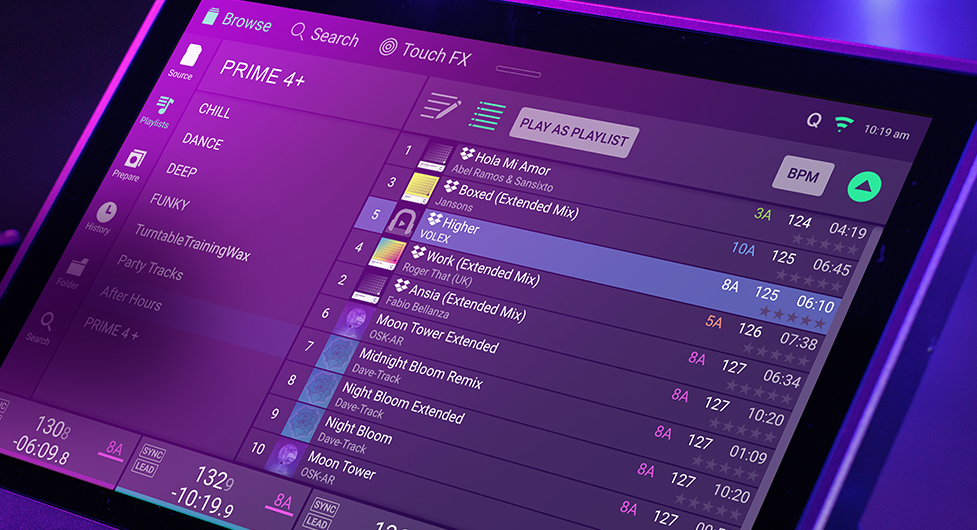
We have implemented a change to the storage method of Album Art as of Engine Desktop version 4.5.0. This data will now be housed in a designated folder within the Engine library instead of being stored in the database file.
Users that update to Engine Desktop 4.5.0 may not see artwork for their tracks on Engine hardware from Denon DJ and Numark running 4.3.4 release or earlier due to a lack of backwards compatibility, as Engine Desktop is solely intended for Rane DJ SYSTEM ONE users.
The artwork will only be moved to the new location under the following conditions:
- When performing a 'Run Cleanup' database optimization in Engine Desktop all artwork will be moved to the new location at this point.
- If any new tracks are imported to Engine in 4.5.0, associated Album Art will only exist in the new location.
- When new tracks are exported to a drive that have not been exported previously, whether through Sync Manager or by drag and drop, the artwork will be relocated to the new destination for both the source and target drives.
The current workaround is to open your Engine Collection running Engine Desktop 4.3.4, select all tracks and right click, then select 're-import track information', all the Album Art will be re-populated.
Please contact technical support if you have any questions!
Was this article helpful?
That’s Great!
Thank you for your feedback
Sorry! We couldn't be helpful
Thank you for your feedback
Feedback sent
We appreciate your effort and will try to fix the article