When tapping a pad repeatedly, it can be useful to have it trigger different samples to add variation to your project. For example, instead of playing the same clap every time, a single pad could randomly trigger a clap, a click, and a rim sound, creating a more dynamic pattern. To try this, please follow the steps below:
1. Go to Menu > Browse > Samples. Once you’ve found the sounds you want to use, tap each one and select Load to Pool.
2. Go to Menu > Track Edit.
3. Strike Pad 1 so that it's selected.
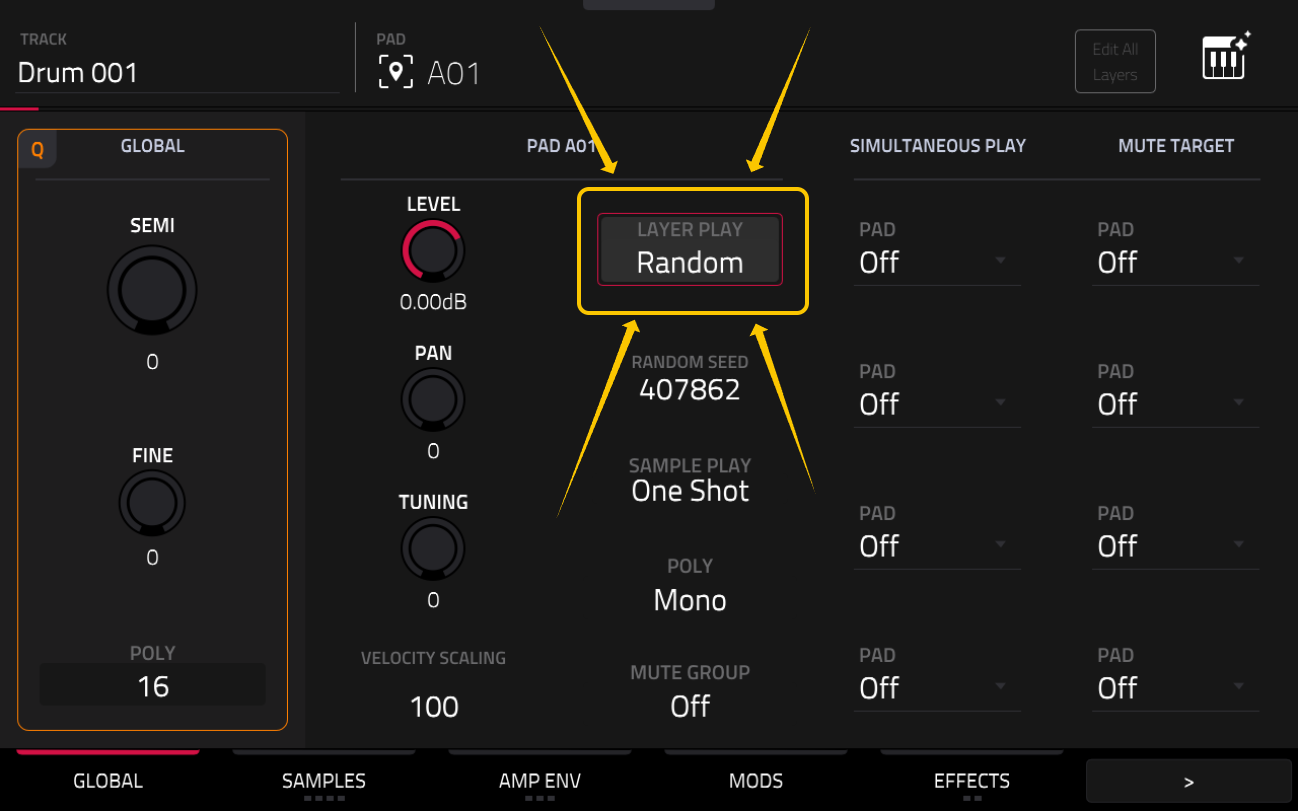
4. Double tap the Layer Play field, then select Random.
5. Tap the Samples tab, then tap the Layer 1 tab. Double‑tap the Sample field and select one of the samples you loaded in Step 1.
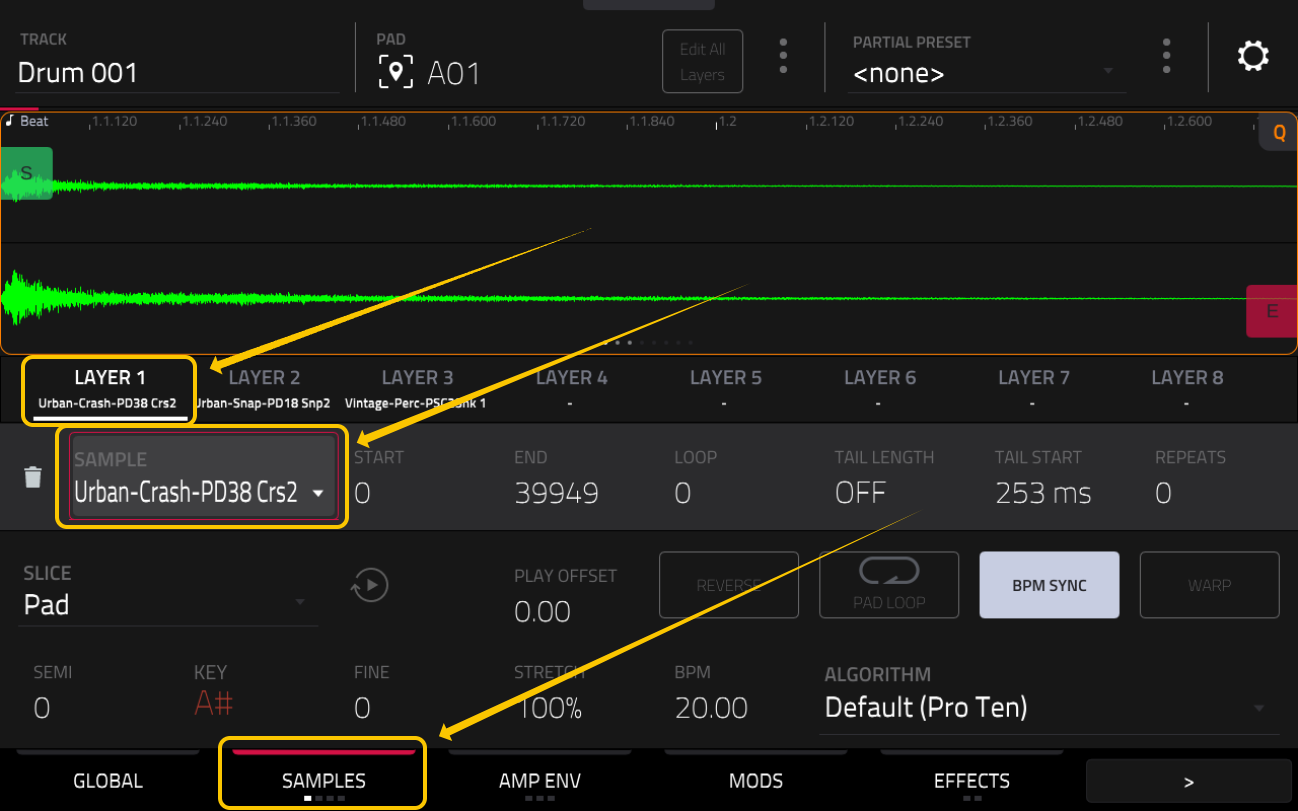
6. Tap Layer 2, double tap the Sample field, select a sample.
7. Tap Layer 3, double tap the Sample field, select a sample.
Now, when you repeatedly tap Pad 1, the three samples you selected will be triggered randomly, creating variation in your pad performance.
Was this article helpful?
That’s Great!
Thank you for your feedback
Sorry! We couldn't be helpful
Thank you for your feedback
Feedback sent
We appreciate your effort and will try to fix the article