Setting up your hi-hat pedal and assigning open/closed hi-hat sounds correctly ensures a natural hi-hat performance. Please follow the steps below to get started:
1. Connect your hi-hat pedal to the hi-hat input, then set the SWITCH/VARIABLE toggle accordingly:
- Select SWITCH for a standard footswitch pedal.
- Select VARIABLE for a continuous (variable) pedal.
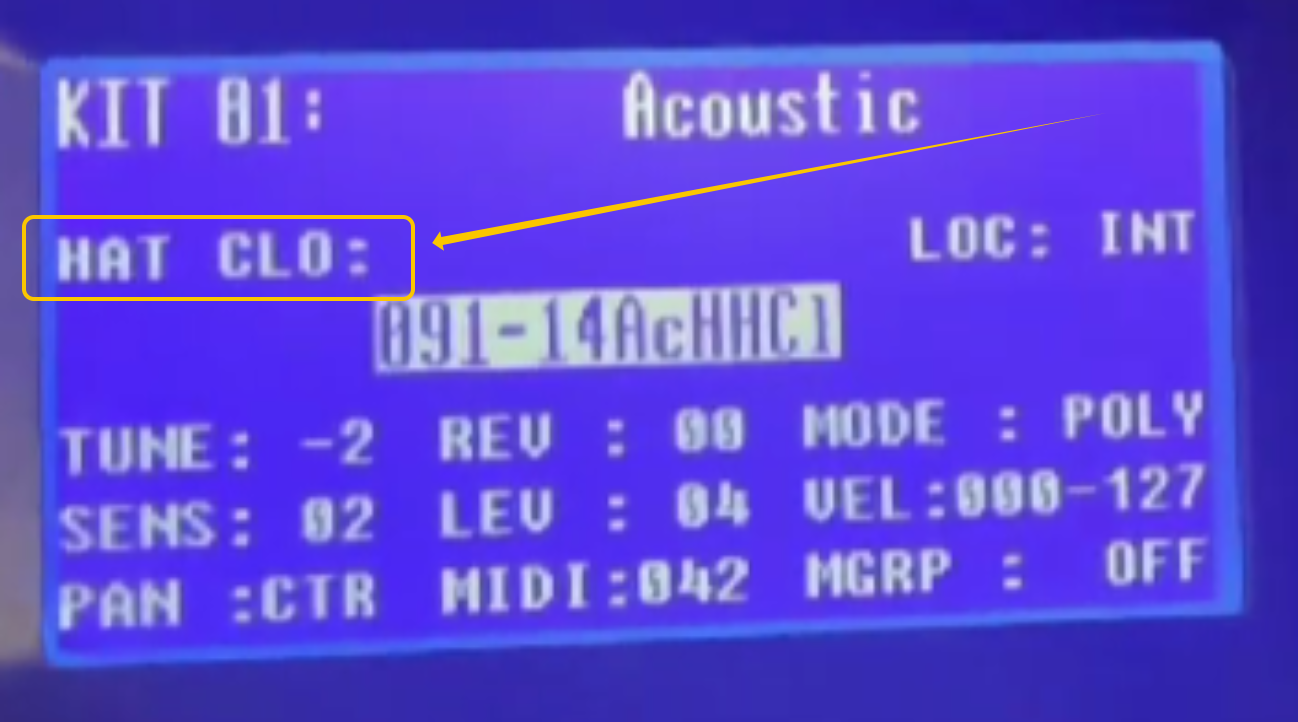
2. Strike the pad you want to use for the hi-hat. Then press and release your hi-hat pedal to confirm that “HAT OPE” and “HAT CLO” are displayed on the screen accordingly.
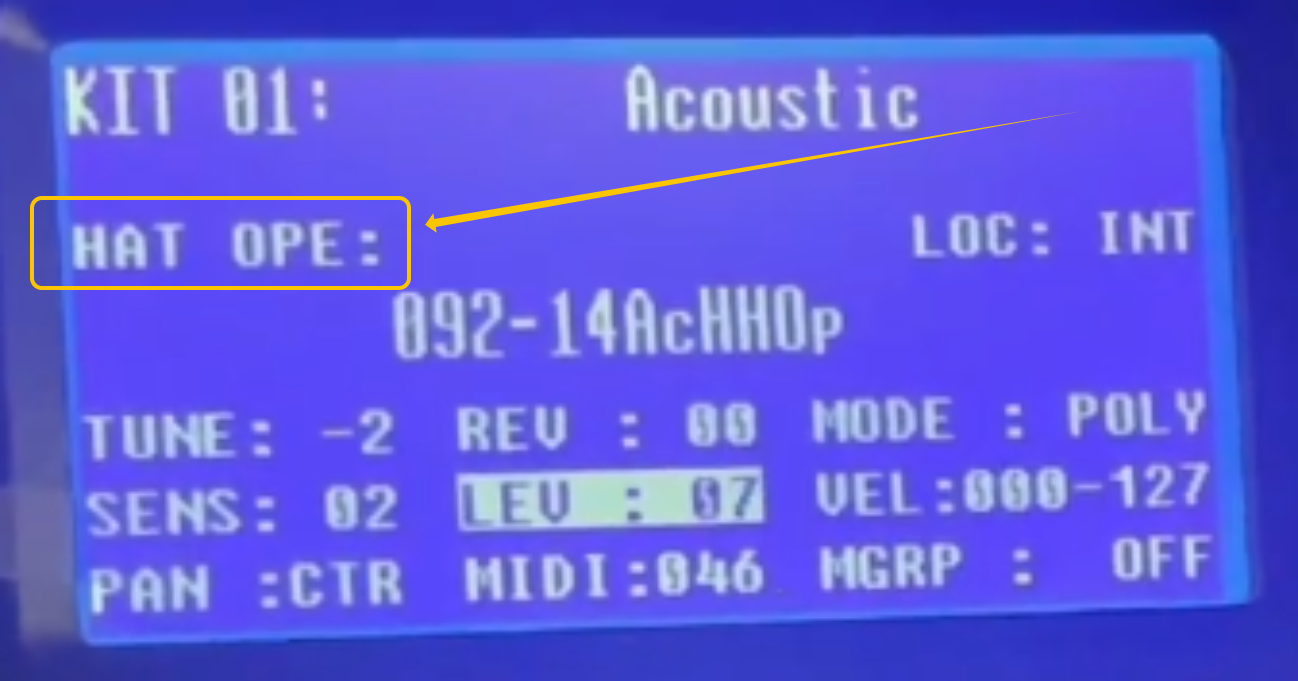
3. Whilst the hi-hat pedal is de-pressed and "HAT OPE" is displayed, use the left/right cursor buttons to navigate and assign an open hi-hat sound to the selected pad. I recommend using sound 092.
4. Now whilst the pedal is being held down and "HAT CLO" is displayed, use the cursor buttons to select a closed hi-hat sound. I recommend using sound 091.
After following the steps above, your hi-hat pad will respond to pedal movement, allowing you to easily switch between open and closed hi-hat sounds during your drum performance.
Was this article helpful?
That’s Great!
Thank you for your feedback
Sorry! We couldn't be helpful
Thank you for your feedback
Feedback sent
We appreciate your effort and will try to fix the article