TABLE OF CONTENTS
- Wirelessly Connecting Party Mix with Bluetooth MIDI
- Why doesn’t my controller connect to my DJ app when I pair it through my device’s Bluetooth settings?
- Why is the Bluetooth LED flashing and audio popping coming from the Main outputs when I power the controller from my mobile device?
- Why doesn't my device automatically reconnect to djay over Bluetooth after turning Bluetooth off and back on?
Wirelessly Connecting Party Mix with Bluetooth MIDI
1. Enable Bluetooth® on an Android or iOS mobile device.
2. Connect the included USB cable to a power adapter or USB power bank (sold separately) and the Party Mix.
Note: Power adapters must have a minimum 5V, 500mA power rating to use Bluetooth with Party Mix.
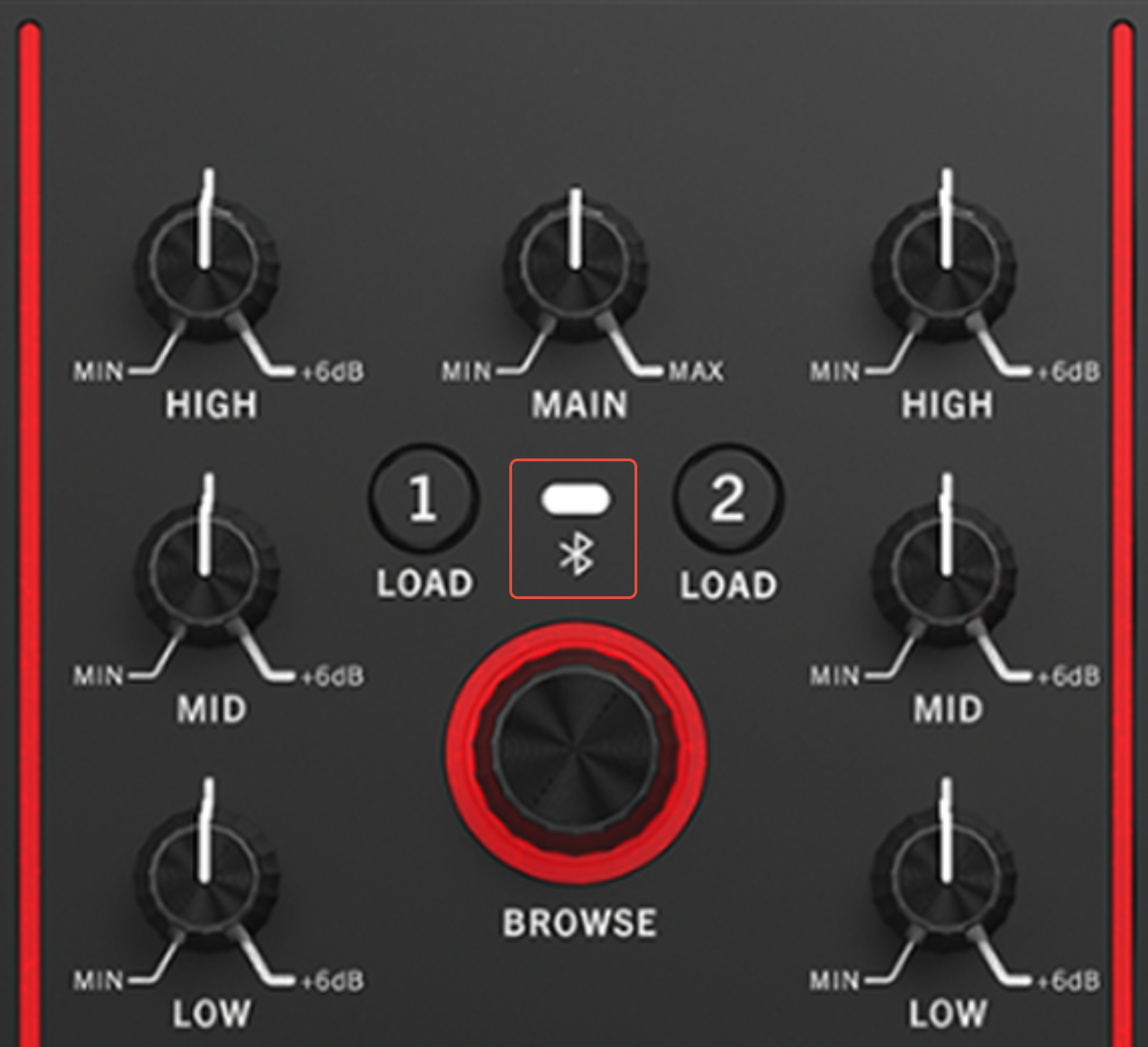
3. When Party Mix has powered on, it will enter Bluetooth MIDI pairing mode. The Bluetooth LED on Party Mix will flash to indicate it is ready to pair.
4. Open your DJ app on your smartphone or tablet, go to Settings > MIDI Devices > Bluetooth MIDI Devices and select Party Mix. Once connected, the Bluetooth LED will remain lit and you can start DJ'ing!
5. While Bluetooth control is active, Party Mix's audio outputs will be disabled. Connect any speakers or headphones to your smartphone or tablet
Bluetooth Indicator: This LED indicates Bluetooth pairing and connected status. The unit is always in pairing mode when not connected via USB and not already connected to a Bluetooth device.
- Flashing LED = Bluetooth not connected, pairing.
- Full brightness = Bluetooth connected
Why doesn’t my controller connect to my DJ app when I pair it through my device’s Bluetooth settings?
Pairing your controller through your computer, phone, or tablet’s standard Bluetooth settings will not connect it to your DJ app.
To use your controller with your DJ software, you’ll need to connect it as a Bluetooth MIDI device within the DJ app itself.
For best results:
- Open your DJ app.
- Navigate to the Bluetooth MIDI settings.
- Select your controller from the list to establish the connection.
- This method ensures proper communication between your controller and the software.
Why is the Bluetooth LED flashing and audio popping coming from the Main outputs when I power the controller from my mobile device?
If the Bluetooth LED on your device is flashing continuously and you're hearing popping sounds from the Main outputs, it's likely that your mobile device isn't supplying enough power to the controller.
To resolve this issue:
- Connect the controller to a USB power adapter using the USB-C port.
- Providing external power ensures stable performance and prevents audio issues.
Why doesn't my device automatically reconnect to djay over Bluetooth after turning Bluetooth off and back on?
After Bluetooth is turned off and then re-enabled on your phone, tablet, or computer, your device will not automatically reconnect to djay via Bluetooth. To re-establish the connection, you’ll need to manually select your MIDI device again within the djay app.
Was this article helpful?
That’s Great!
Thank you for your feedback
Sorry! We couldn't be helpful
Thank you for your feedback
Feedback sent
We appreciate your effort and will try to fix the article