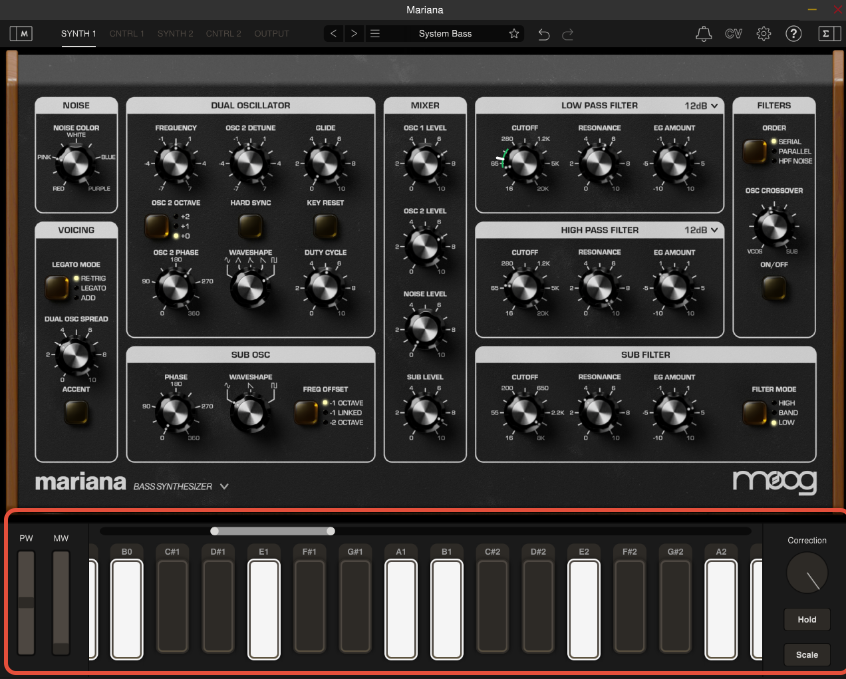
No - Mariana’s on-screen keyboard cannot send MIDI directly to your DAW.
However, you can still record MIDI using a couple of simple alternatives below.
Option 1: Use a MIDI Keyboard
- Connect your MIDI keyboard to your computer or iPad
- Select it as your MIDI input in your DAW
- Record your performance into a MIDI track
Option 2: Use Your DAW’s On-Screen Keyboard
Most DAWs include a built-in virtual keyboard that can send MIDI. 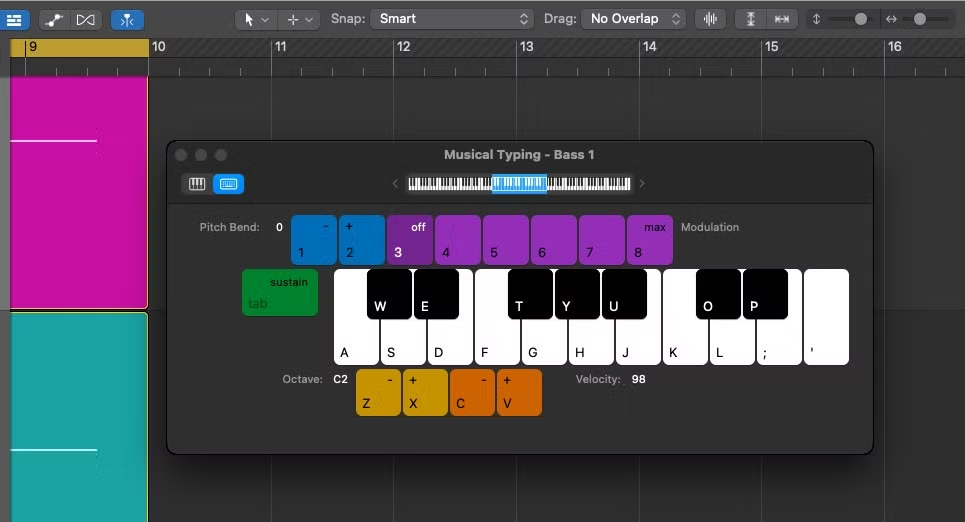
The example above is Logic's musical keyboard that can launched by pressing Command + K
- Enable your DAW’s on-screen keyboard
- Use it to input MIDI directly into your track
These alternatives ensure that you can still record MIDI in your DAW effectively, even without direct input from Mariana’s on-screen keys.
Was this article helpful?
That’s Great!
Thank you for your feedback
Sorry! We couldn't be helpful
Thank you for your feedback
Feedback sent
We appreciate your effort and will try to fix the article