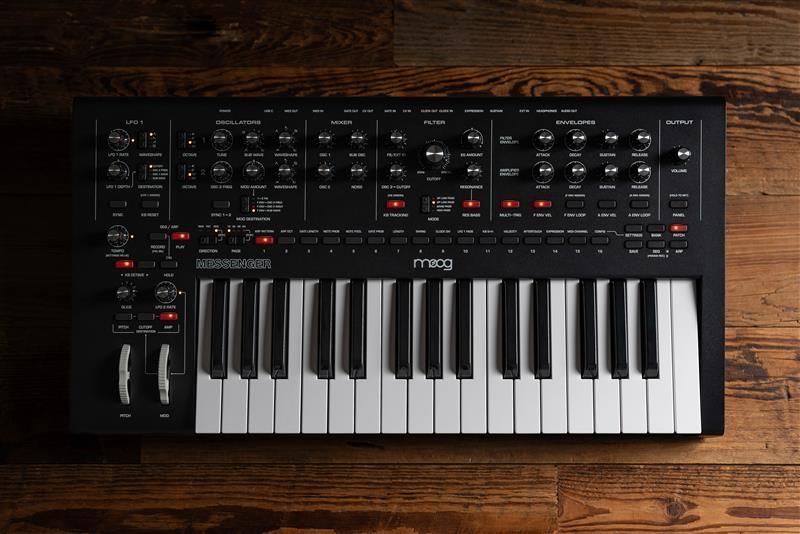
Firmware version 1.1.0 lets you utilize an editor alongside the Messenger, enabling profound integration with your computer. Additionally, you can now access duophonic mode and apply modulation to a lot of parameters using the Mod Wheel as a source. We will explore these features and understand how to use them both in the editor and on the hardware synth.
Update Firmware
Download the most recent firmware HERE. After connecting Messenger to your computer, launch the firmware updater by either opening the .dmg file (Mac) or executing the .exe file (Windows). Adhere to the on-screen prompts and, once completed, you can disconnect Messenger from your computer.
Install the Editor
Download the most recent editor HERE. After downloading the appropriate file for your operating system, simply unzip the file and run the program. You will now have the capability to operate the editor as standalone software or as a plugin within your DAW.
Duophonic Mode
Duophonic mode is a sound synthesis method that permits the concurrent playback of two separate audio signals or voices. This approach allows musicians and sound designers to craft richer and more intricate soundscapes by layering various tones, notes, or effects. Essentially, duophonic mode improves your playing abilities by distributing two octaves across two notes rather than combining two octaves into a single monophonic note. Even though the the oscillators can now be set to a duophonic mode, the synth will still share the same VCF and VCA.
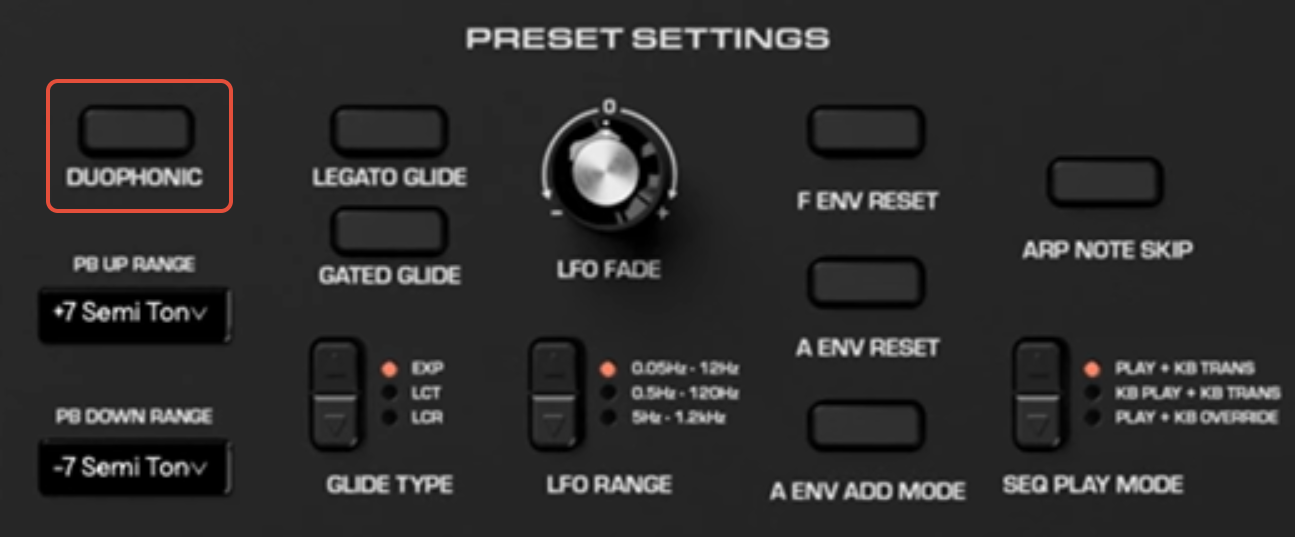
Duophonic Mode - Editor
- Open the Messenger Editor
- Go to PRESET SETTINGS
- Press DUOPHONIC
- The SYNC 1 > 2 button on the hardware will blink
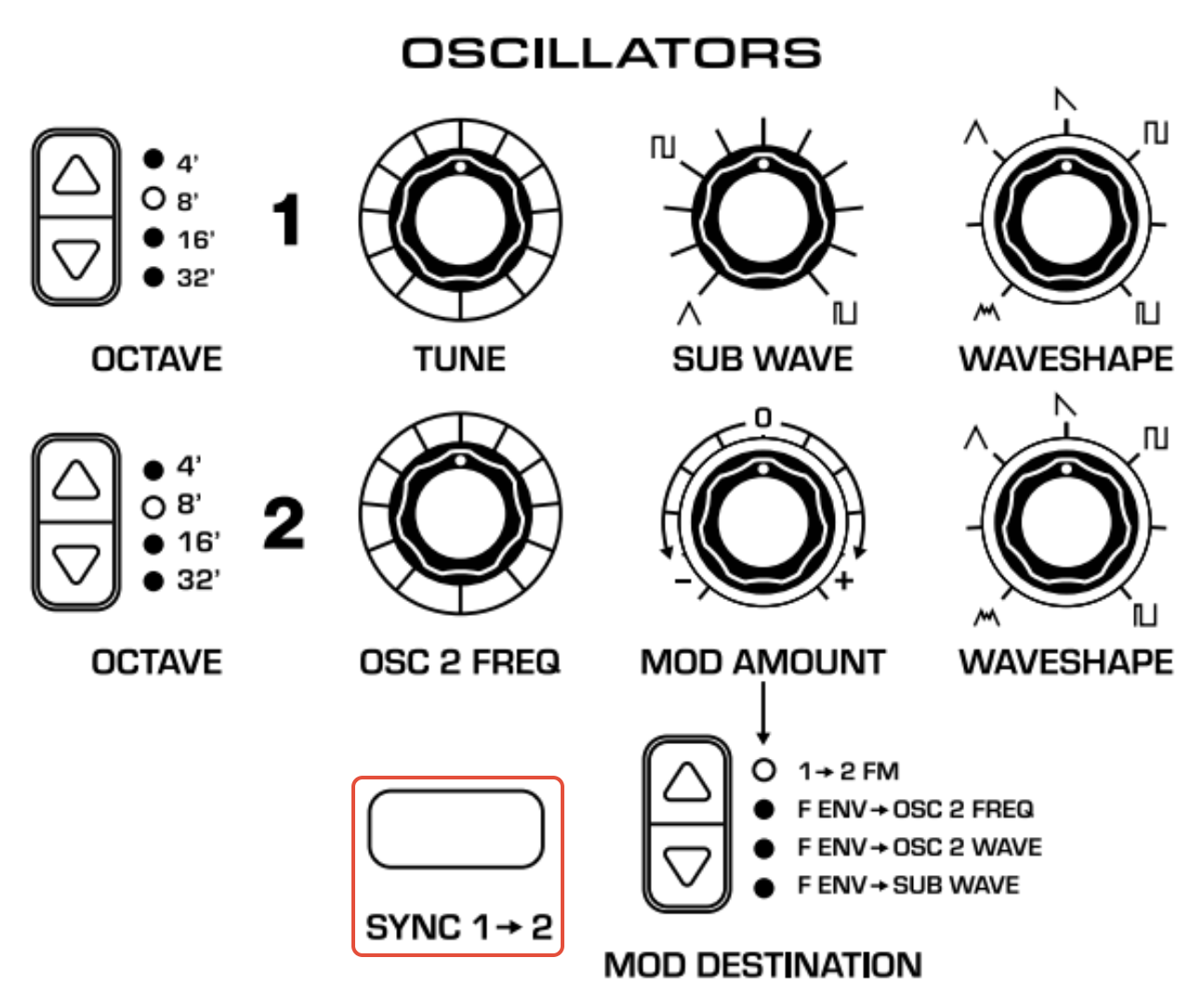
Duophonic Mode - Standalone
- Hold the SYNC 1 > 2 button
- The button will blink indicating you are in duophonic mode
Mod Wheel Assignment
Users can now more intuitively personalize their modulation wheel settings, enabling enhanced expressiveness in their performances. The Mod wheel can now be designated as a modulation assignment to different sources on the synthesizer.
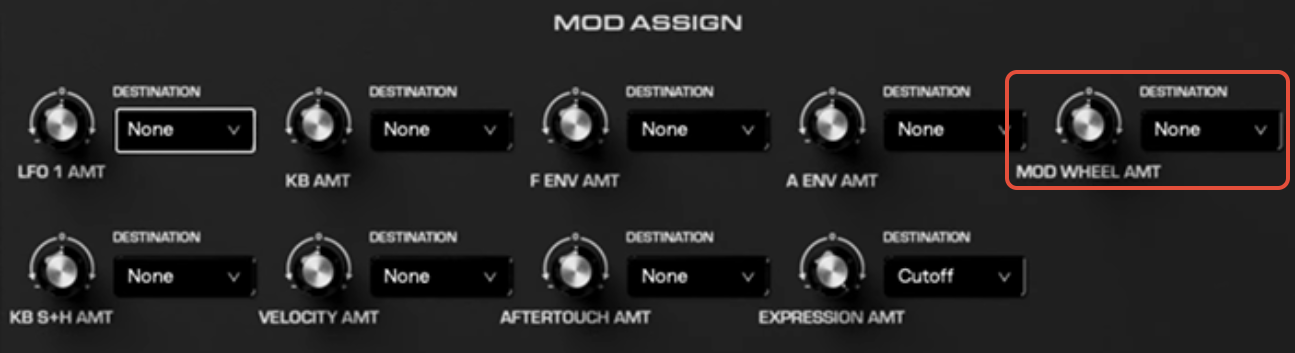
Mod Wheel Assignment - Editor
- Open the Messenger Editor
- Go to MOD ASSIGN
- Set the DESTINATION by accessing the dropdown menu of MOD WHEEL AMT
- Adjust the knob above MOD WHEEL AMT to alter the amount of modulation applied, and the polarity of modulation
Mod Wheel Assignment - Standalone
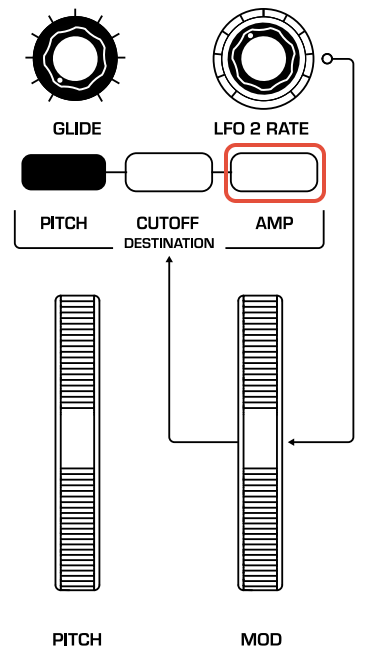
- Hold AMP, located above the MOD WHEEL
- AMP will begin flashing
- Twist the potentiometer you wish to modulated with the mod wheel. The PGM button will display a positive or negative modulation polarity
- One you are happy with this modulation destination and amount, press AMP to exit the selection
Was this article helpful?
That’s Great!
Thank you for your feedback
Sorry! We couldn't be helpful
Thank you for your feedback
Feedback sent
We appreciate your effort and will try to fix the article