MPC Standalone | Why Does My MPC Play One Bar Late When Receiving External MIDI Clock?
When the MPC is set up as a MIDI slave, the Count-In feature prevents it from starting immediately when your external sequencer sends a Play command. Instead, the MPC runs it's own internal count-in first and then begins playback. This can cause the MPC to appear out of sync with the external sequencer.
To make the MPC begin playback immediately and in sync with your external MIDI device, please follow the steps below:
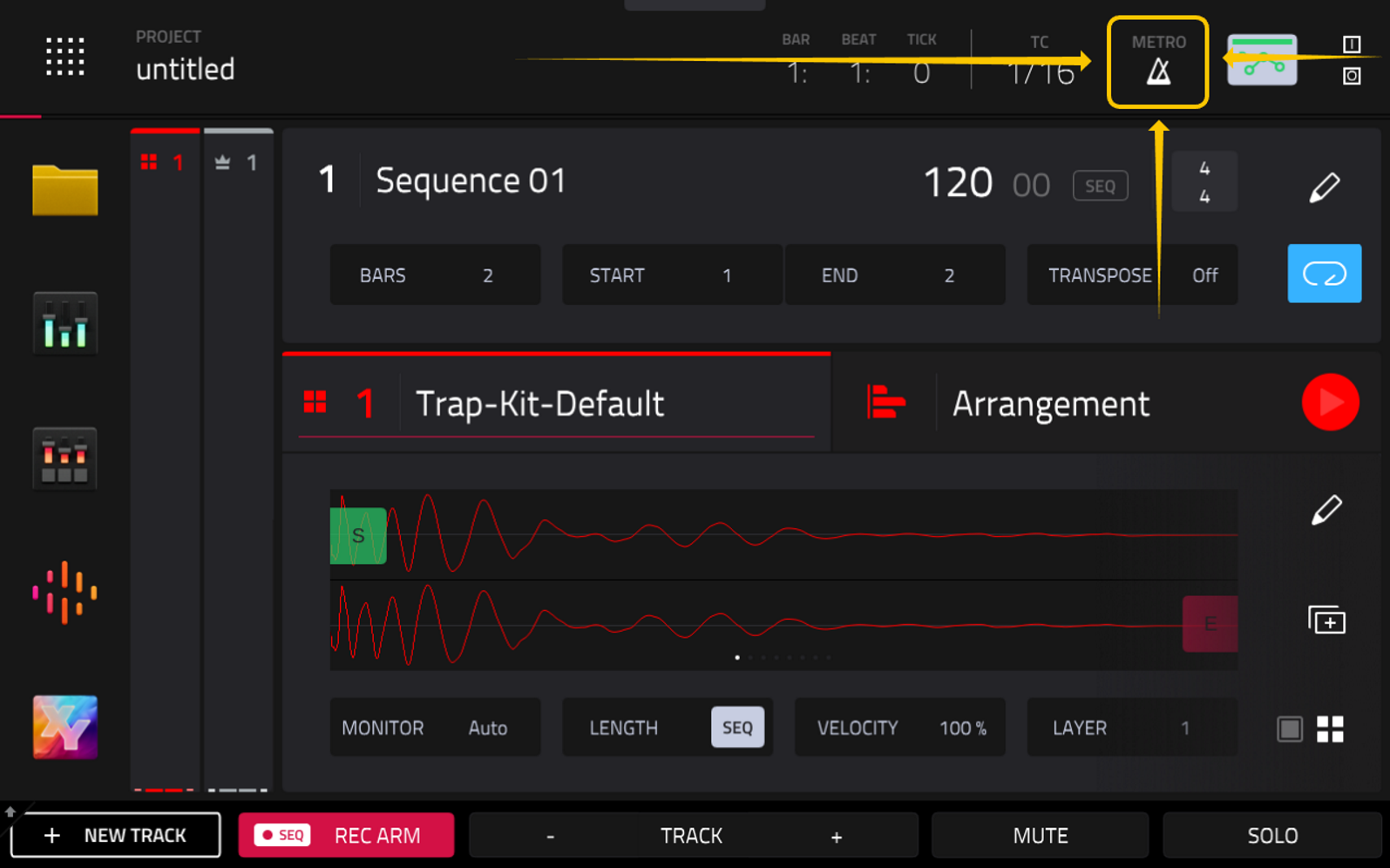
1. Press the Main button then tap the Metronome Icon in the top-right corner of your screen.
2. Set the "Count-In" field to OFF.
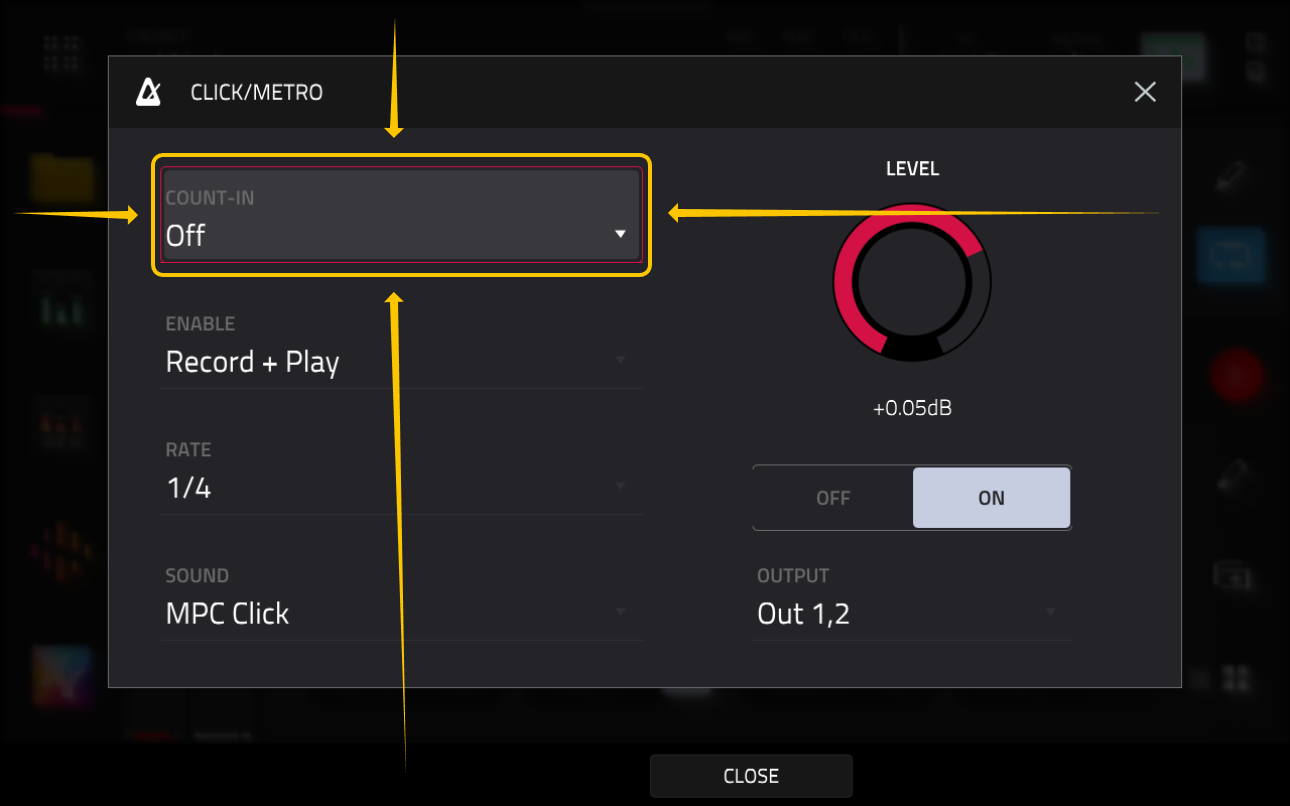
The internal Count-In feature will now be bypassed, allowing the MPC to play back at the exact moment it receives a Play command from the external sequencer.
Was this article helpful?
That’s Great!
Thank you for your feedback
Sorry! We couldn't be helpful
Thank you for your feedback
Feedback sent
We appreciate your effort and will try to fix the article