Akai Pro MPC Series | Adjusting MIDI Port Settings for macOS

When using MPC hardware with the MPC desktop software or the MPC plugin on certain Apple silicon macOS systems, hardware buttons/controls may unintentionally trigger MIDI notes or MIDI input activity within the software or DAW host.
This behaviour can be resolved by adjusting the active MIDI input/output ports in the MIDI preferences menu.
TABLE OF CONTENTS
MPC Desktop Software
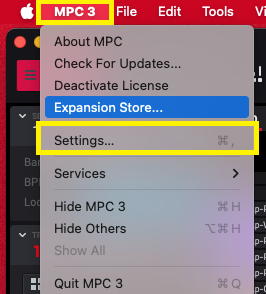
1. Go to MPC > Settings
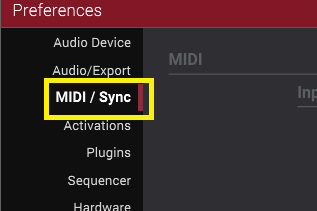
2. Click the MIDI / Sync tab (left panel)
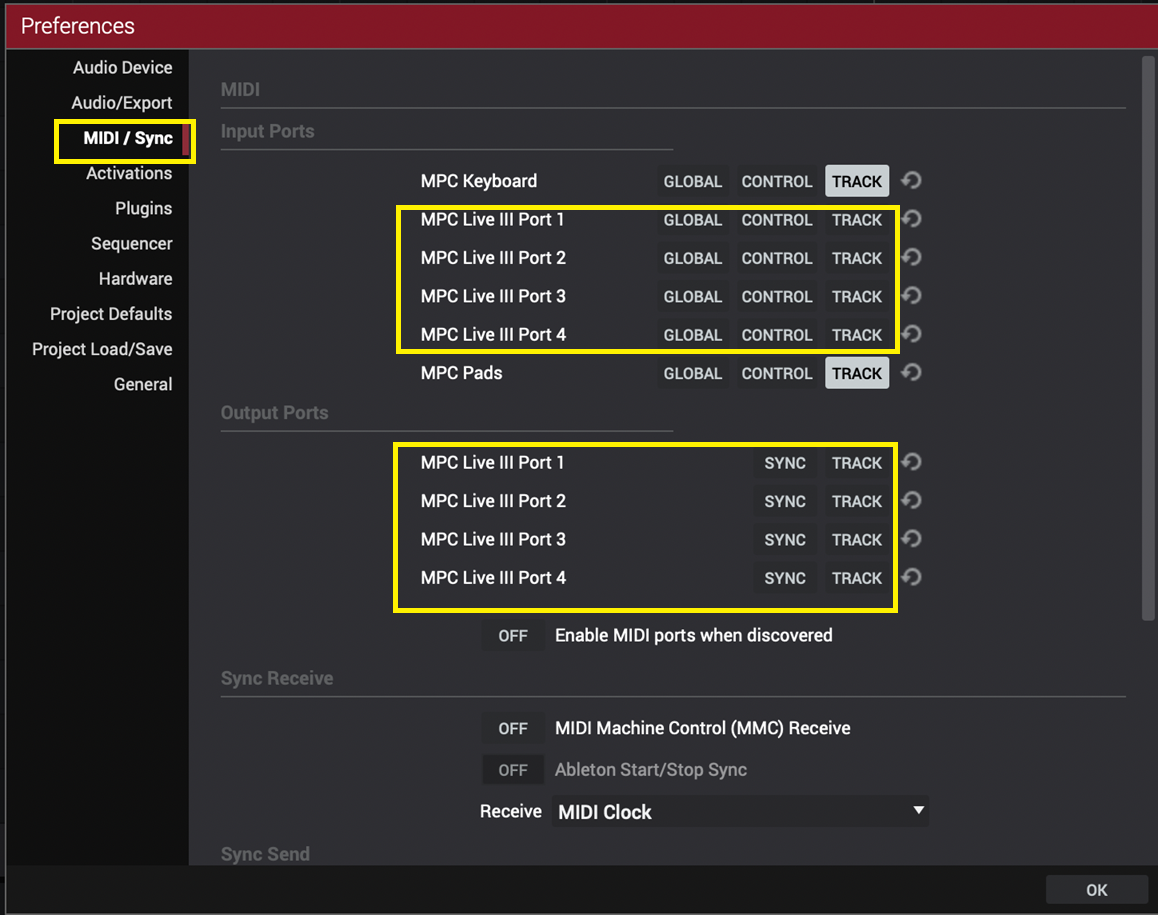
3. Uncheck/disable 'GLOBAL/CONTROL/TRACK' for the MPC Ports (Input)
4. Uncheck/disable 'SYNC/TRACK' for the MPC Ports (Output)
MPC Plugin
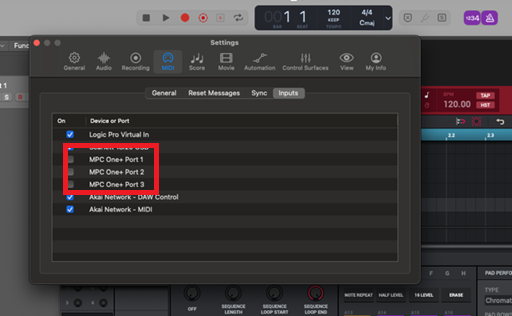
1. Go to the MIDI settings in your DAW
2. Uncheck all 'MPC' related ports like so:
Was this article helpful?
That’s Great!
Thank you for your feedback
Sorry! We couldn't be helpful
Thank you for your feedback
Feedback sent
We appreciate your effort and will try to fix the article