How Can I Update the Driver and Firmware of My Kontrol S88 MK3 on Windows?
If you are having problems installing the latest firmware for your Kontrol S-Series S88 MK3 keyboard on a Windows computer, please follow these steps:
- Click the Windows Start Button, type "updates" and hit enter.
- Install all available Windows updates.
- Close the Windows Updates window.
- Download the KSMK3 Updater for Windows:
https://www.native-instruments.com/specials/komplete/kontrol-update/ - Close your web browser and all other applications.
- Use a USB-C power supply for the Power Only port, along with a USB-C cable connecting the keyboard’s HOST port to the computer (with USBC to A adapter if needed).
- Turn the keyboard on.
- Unzip the downloaded KSMK3 Updater file and run the extracted "Updater" application.
- Click the Update button.
- The update will fail:
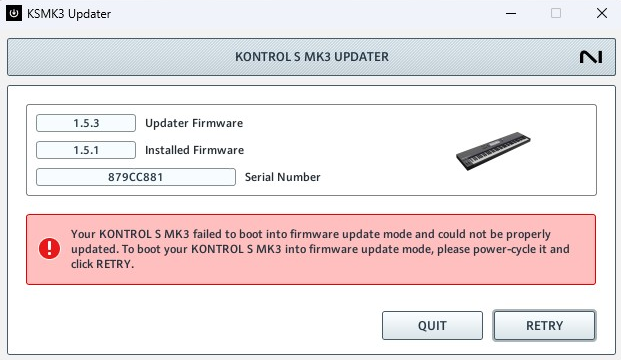
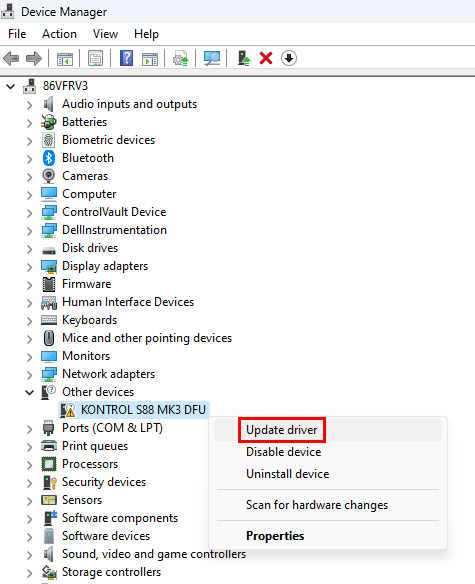
- Click the Windows Start Button, type "Device Manager" and hit enter.
- In the Device Manager, expand Other devices.
- Right-click KONTROL S88 MK3 DFU and select Update Driver.
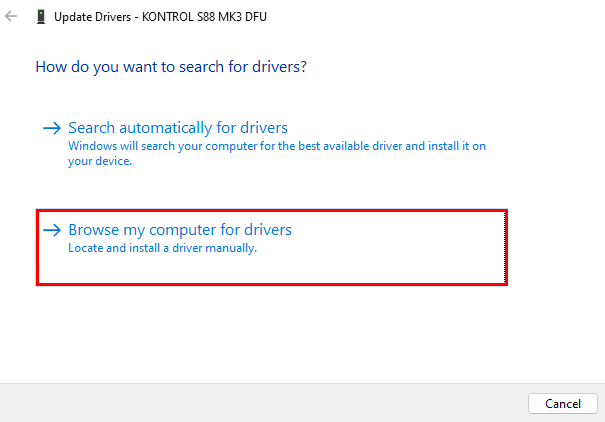
- Click Browse my computer for drivers:
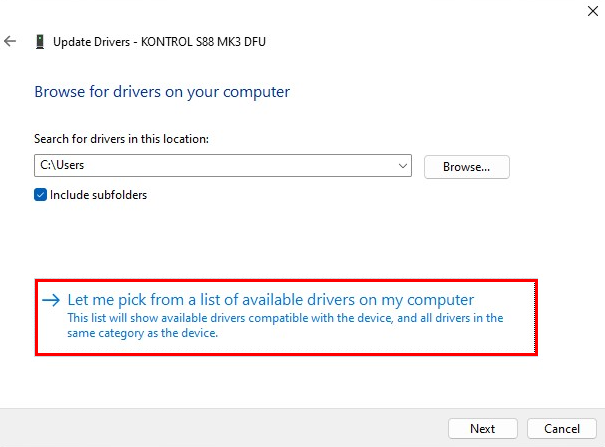
- Click Let me pick from a list of available drivers on my computer:
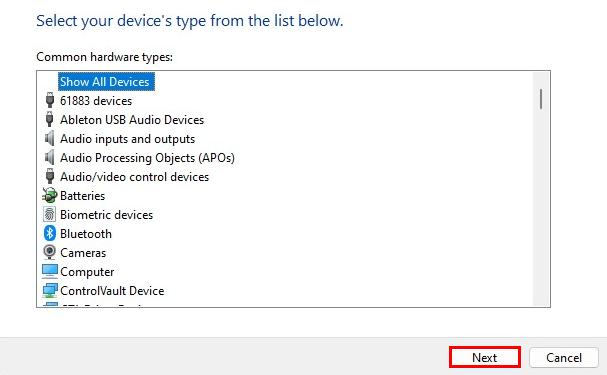
- Select Show All Devices and click Next:
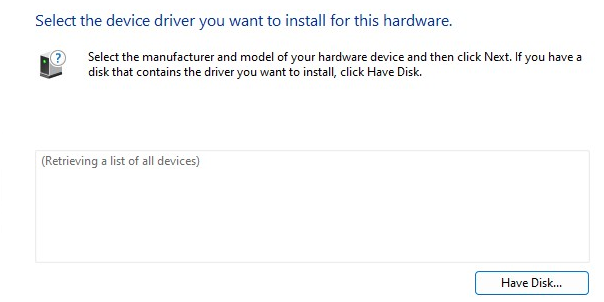
- This will retrieve a list of all devices which may take a moment:
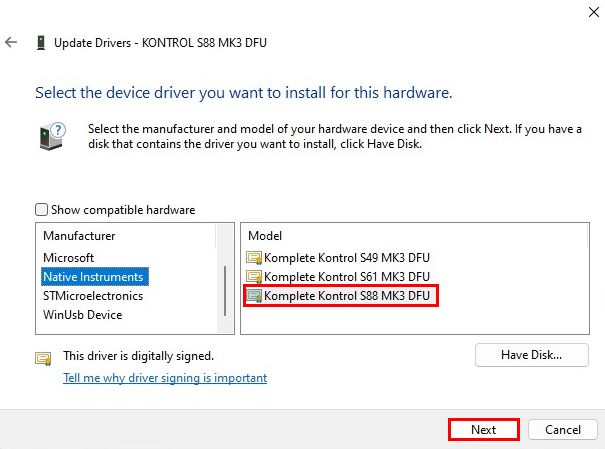
- Select Native Instruments and Komplete Kontrol S88 MK3 DFU and click Next:
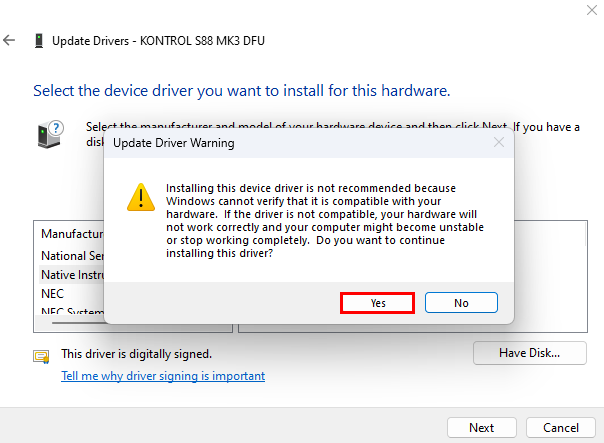
- An Update Driver Warning appears. Accept with Yes:
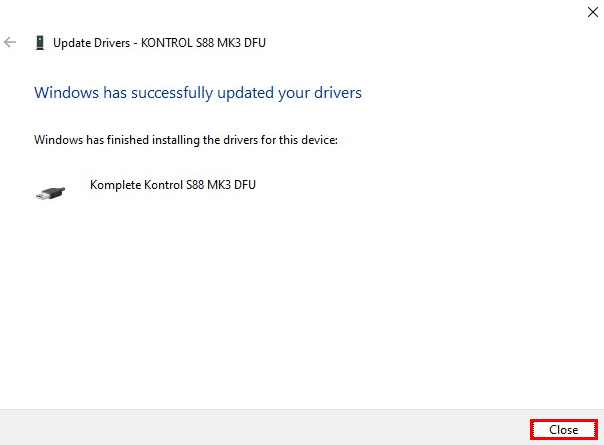
- The driver for the Komplete Kontrol S88 MK3 DFU is installed. Click Close:
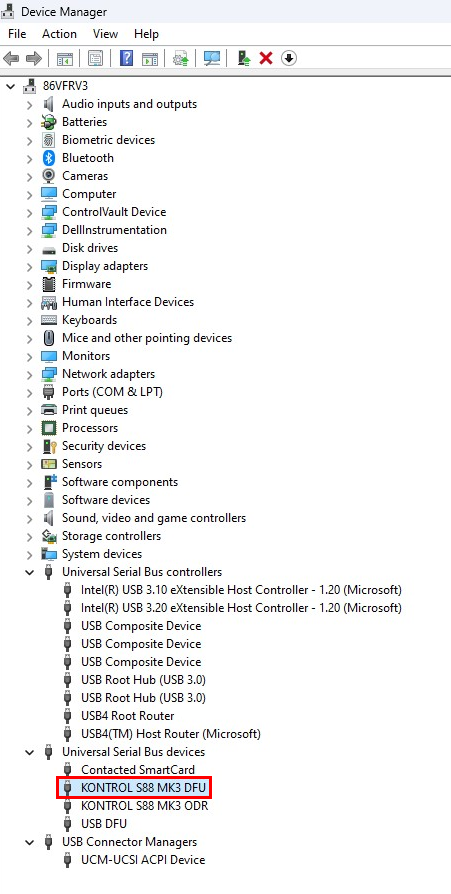
- The driver should now appear in Universal Serial Bus Devices:
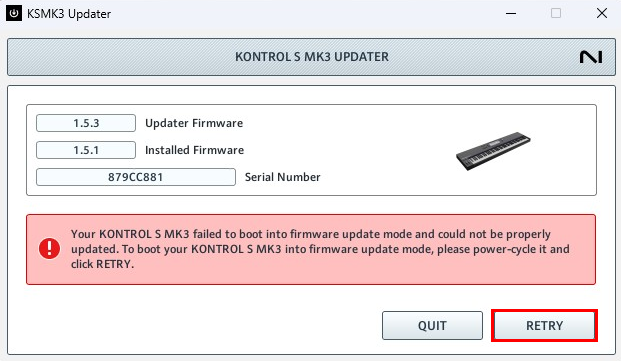
- In the KSMK3 Updater, click the Retry button:
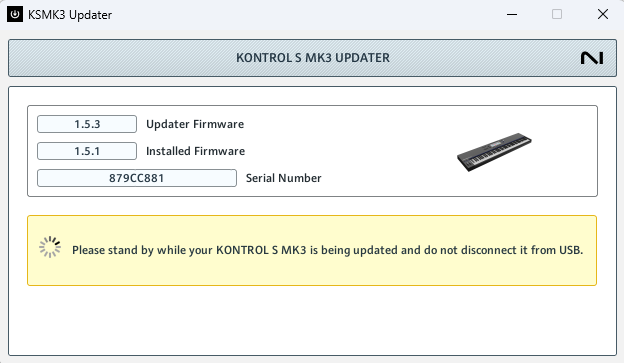
- This will start the firmware update process. The keyboard will be rebooted until the update is finished:
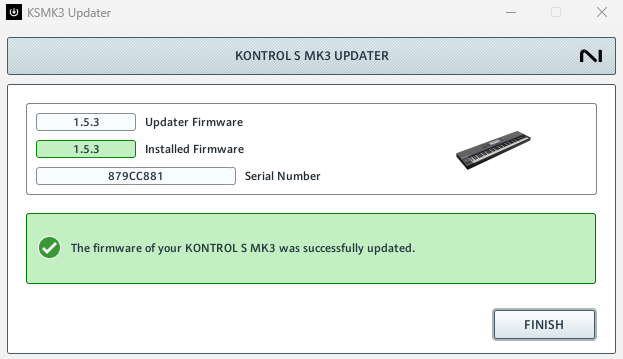
- After the update, click Finish to close the Updater:
If you are still having issues, please read this article: Kontrol S-Series MK3: Troubleshooting Firmware Update Issues
Was this article helpful?
That’s Great!
Thank you for your feedback
Sorry! We couldn't be helpful
Thank you for your feedback
Feedback sent
We appreciate your effort and will try to fix the article