My Kontrol Keyboard's Autofocus Function Does Not Work with Komplete Kontrol or Kontakt in Cubase
Symptom:
When selecting a Komplete Kontrol track in Cubase (or a Kontakt track with the Kontrol MK3), the track is not automatically focused and is not accessible from the keyboard. The keyboard's display only shows the Default Midi Template.
Solution:
In our example, we show the Komplete Kontrol plug-in. However, the same solution can also be applied to the Kontakt plug-in.
1. On the Komplete Kontrol plug-in window, right-click in the top bar area and select Remote Control Editor: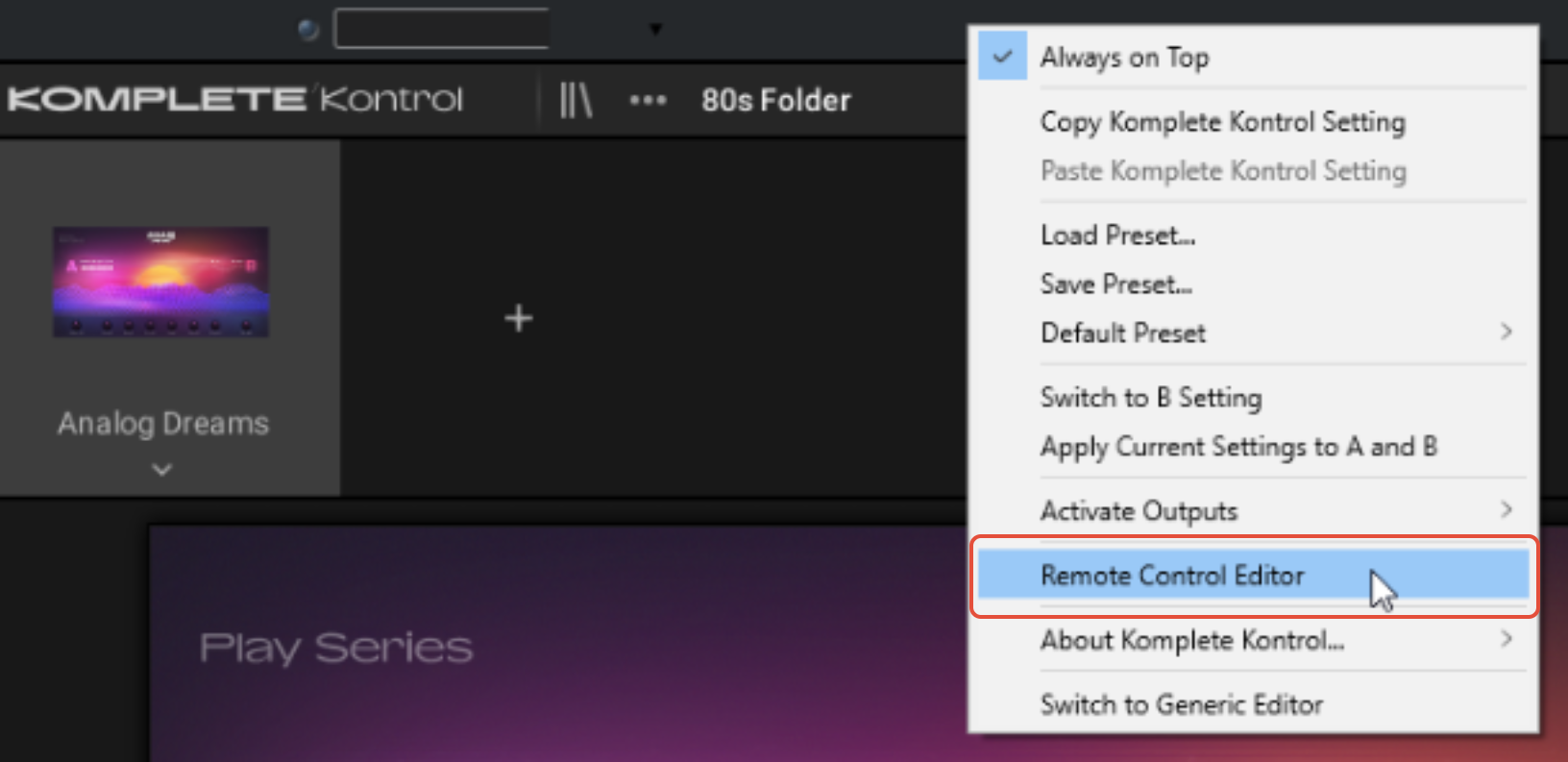
2. In the Remote Control Editor, click the downward arrow and select Get Default Factory Layout.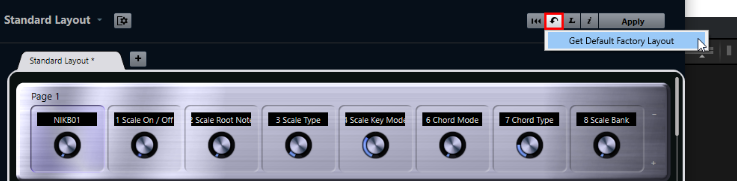
3. Click Apply.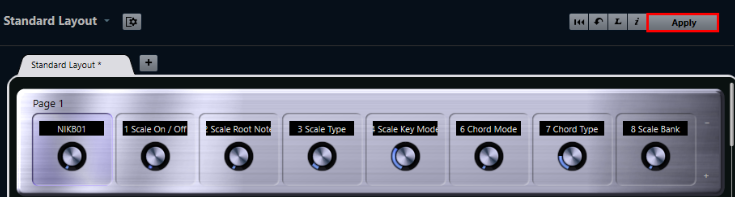
4. Close the Remote Control Editor window.
Komplete Kontrol's autofocus function works as expected again.
Was this article helpful?
That’s Great!
Thank you for your feedback
Sorry! We couldn't be helpful
Thank you for your feedback
Feedback sent
We appreciate your effort and will try to fix the article