If Komplete Kontrol is not producing sound in FL Studio or preview sounds are not working correctly, this is usually related to plugin processing settings.
You may experience the following in FL Studio:
- No sound when playing Komplete Kontrol via MIDI keyboard
- Preview sounds not playing or causing dropouts
How to fix it
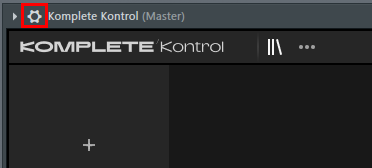
- Click the cogwheel in the upper left to open the Wrapper Settings.
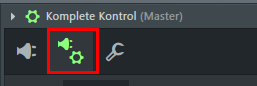
- Click the plug/cogwheel icon to open the Plugin Wrapper Settings.
- In the Processing tab, disable the option Allow threaded processing.
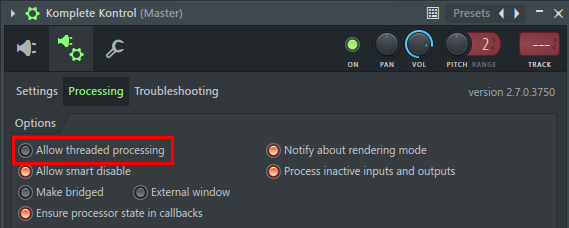
Komplete Kontrol will work as expected again.
Was this article helpful?
That’s Great!
Thank you for your feedback
Sorry! We couldn't be helpful
Thank you for your feedback
Feedback sent
We appreciate your effort and will try to fix the article