I Cannot Find the Native Browser Preview Library for KOMPLETE KONTROL or MASCHINE
To obtain the Native Browser Preview Library, follow these steps:
- Close KOMPLETE KONTROL or MASCHINE.
- Open Native Access and install Previews from the Libraries > Available tab.
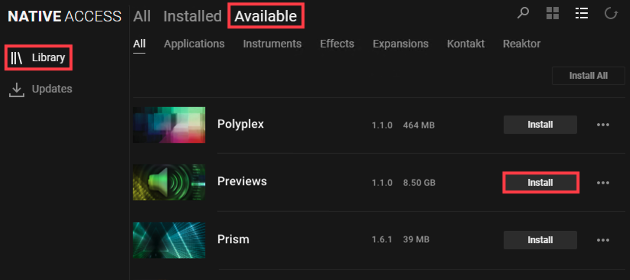
If you do not see the Previews entry in Native Access, follow these steps:
- Close Native Access.
- Click on this link.
- Download the file "Native_Browser_Preview_Library.iso" (7 GB) via Google Drive and then run it to install the library.
Note for Windows 7 users: A 3rd party tool is required to mount the downloaded .iso file, e.g. WinCDEmu.
After installing the library via the .iso file, the Previews entry in Native Access may appear as DEMO. This is normal and will not affect the functionality of the Native Browser Preview Library in KOMPLETE KONTROL / MASCHINE.
About the Native Browser Preview Library
The Native Browser Preview Library allows users to hear instant sound previews when browsing for sounds in KOMPLETE KONTROL 1.9.0 (and higher) / MASCHINE 2.6.9 (and higher). Activate the speaker button so it's highlighted and the volume bar is turned up.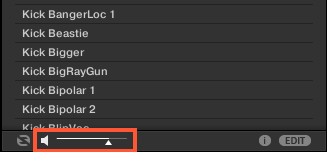
If the Native Browser Preview Library has not yet been installed, KOMPLETE KONTROL / MASCHINE displays the following message upon launch.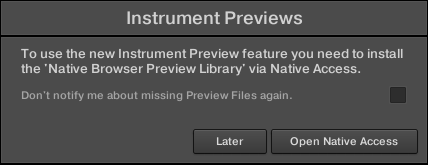
You can check the box on Don't show again if you do not wish to install the Native Browser Preview Library and do not wish to see the message again.
Was this article helpful?
That’s Great!
Thank you for your feedback
Sorry! We couldn't be helpful
Thank you for your feedback
Feedback sent
We appreciate your effort and will try to fix the article