If you load a file into Reaktor Player and it unexpectedly switches to DEMO Mode, you may have accessed a feature that is only available in the full version of Reaktor.
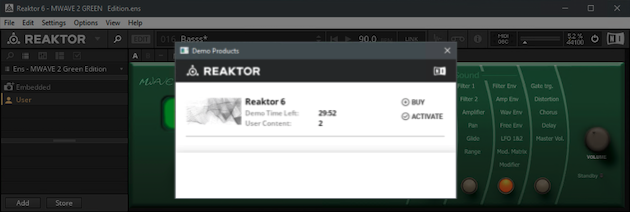
This happens if you load a User-Library Reaktor Ensemble from the Files Tab in the Reaktor Player Browser. To load User-created Reaktor content, you must have the full version of Reaktor, rather than the free Reaktor Player.
There are also some third-party companies that release custom Instruments for Reaktor. If one of their products opens in Reaktor Player DEMO Mode, please check their website to find out if their products require the full version of Reaktor.
Note: please check this comparison chart and F.A.Q. page for more details on the available features of the Free Reaktor Player compared to the full version of Reaktor.
Was this article helpful?
That’s Great!
Thank you for your feedback
Sorry! We couldn't be helpful
Thank you for your feedback
Feedback sent
We appreciate your effort and will try to fix the article