Moog 500 Series | How do I stereo link my 500 Series Analog Delays?

The included Stereo Linking Kit allows you to link two units together via special stereo linking cable. With two Delays linked, one device becomes the master and the other the slave.
- In a stereo-linked pair of Analog Delays, the master device controls the slave device’s: DELAY TIME, TIME RANGE (0.5x/1.0x), FEEDBACK, LFO RATE, LFO SHAPE, and LFO AMOUNT settings.
- DRIVE, OUTPUT, and MIX controls are analog, independently controlled and not linked.
- The TAP/CV Input works across the stereo link from the master to the slave only.
- All MIDI messages received by the master will be echoed to the slave with the exception of MIDI system exclusive (SysEx) messages.
Installation
Please note that the end of the stereo linking cable connector designed to attach to the slave device has an additional wire loopback.
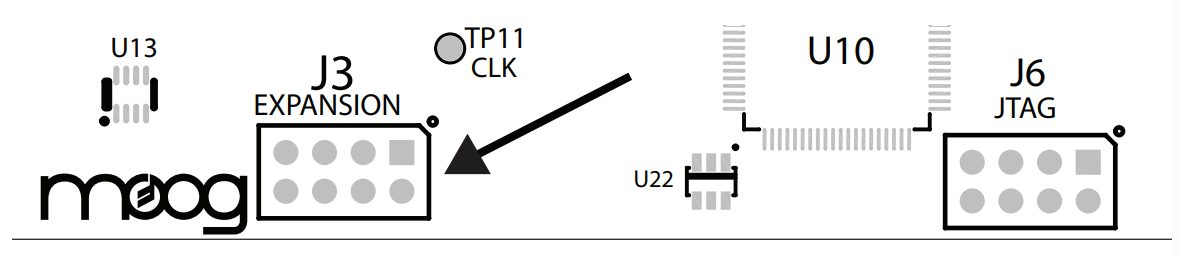
- Locate the expansion connector labeled J3 on the bottom center edge of the Analog Delay circuit boards.
- When plugging in the cable, the red stripe must face the rear edge of the Analog Delay Module (the edge that plugs into the chassis).
- Plug the end without the wire loop into the Delay you wish to be the master unit.
- Plug the end with the wire loop into the slave unit.
- When two units are linked in stereo mode the TIME and FEEDBACK controls on the slave unit will be disabled
Was this article helpful?
That’s Great!
Thank you for your feedback
Sorry! We couldn't be helpful
Thank you for your feedback
Feedback sent
We appreciate your effort and will try to fix the article