If Traktor Pro does not appear in Native Access, it is typically due to account login, system compatibility, or the application not refreshing after purchase.
TABLE OF CONTENTS
- Confirm system compatibility
- Verify your Native Access login
- Check your purchase details
- Refresh Native Access
If you cannot find Traktor Pro in Native Access, check the following:
Confirm system compatibility
Traktor versions that are not compatible with your operating system will not be displayed.

Verify your Native Access login
Make sure you are signed in with the same Native ID (email address) used to purchase Traktor Pro.
You can check this under Preferences > My Account. 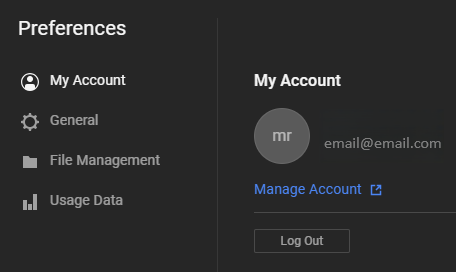
Check your purchase details
Confirm that the email used for your purchase matches the account currently logged into Native Access.
Refresh Native Access
If Native Access was open at the time of purchase, restart the application and check Library > Available. 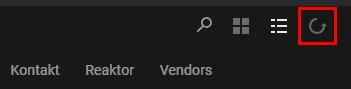
Was this article helpful?
That’s Great!
Thank you for your feedback
Sorry! We couldn't be helpful
Thank you for your feedback
Feedback sent
We appreciate your effort and will try to fix the article