Kontrol | Switching An S-Series MK3 Keyboard To MIDI 1.0
At this point in time, not all DAWs, plug-ins and operating systems support MIDI 2.0. If you have issues after setting the keyboard to MIDI 2.0, here's how to set the Kontrol MK3 back to MIDI 1.0:
1. Start your Kontrol MK3 keyboard.
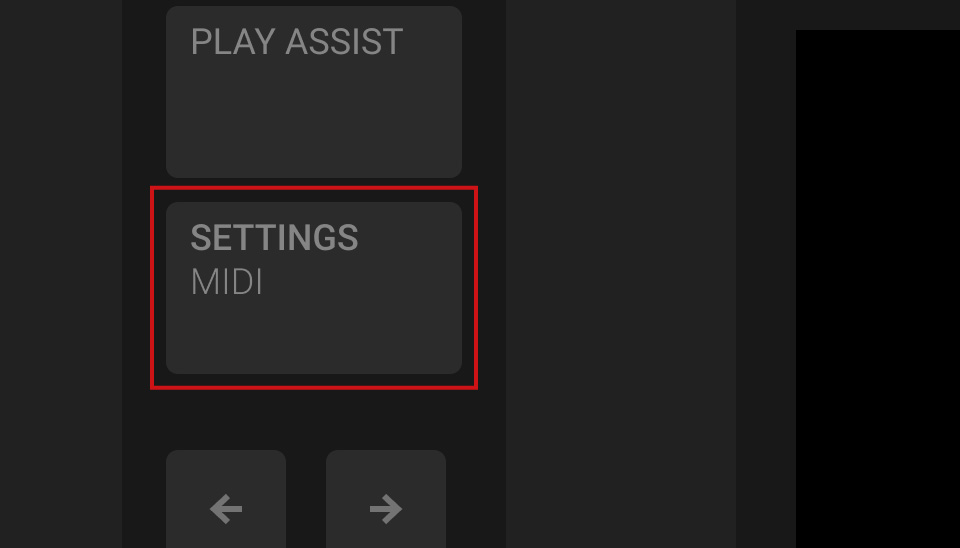
2. Press the SETTINGS MIDI button.
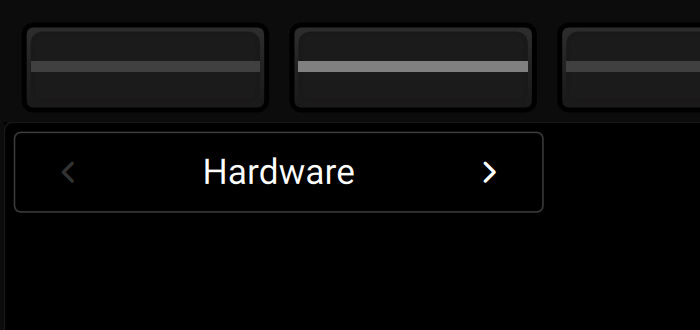
3. Use buttons 1 and 2 above the display to select the Hardware category.
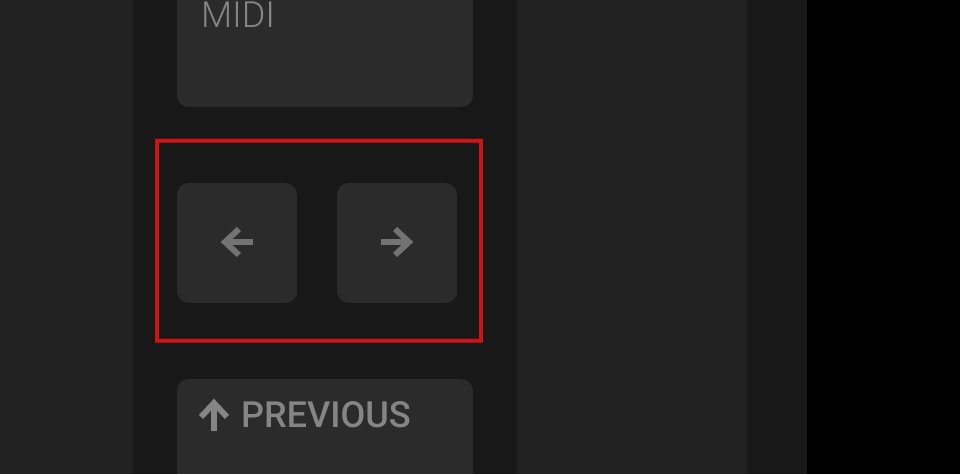
4. Use the Page button to select page 2.
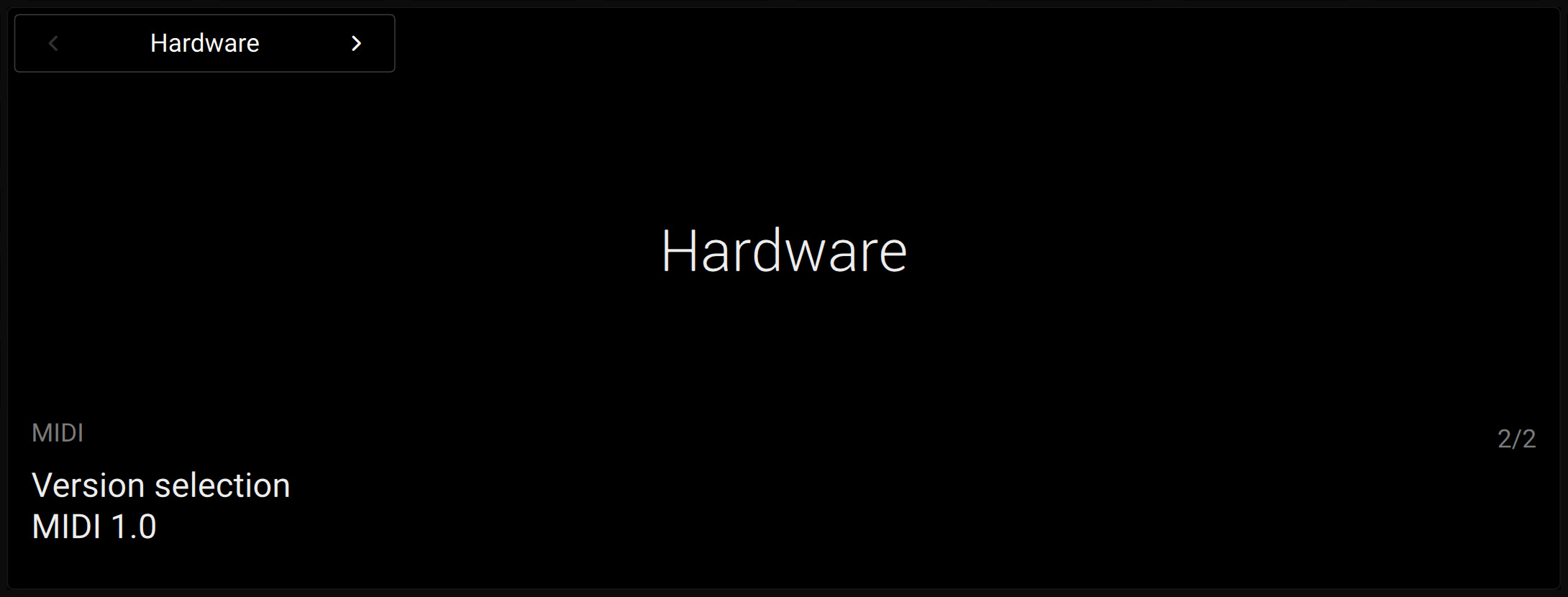
5. Turn the first knob to select MIDI 1.0.
If you are using macOS, you'll need to perform these additional steps:
1. After you have set the Kontrol MK3 to MIDI 1.0 (see above), switch the keyboard off.
2. Start Finder and open Applications > Utilities > Audio MIDI Setup.
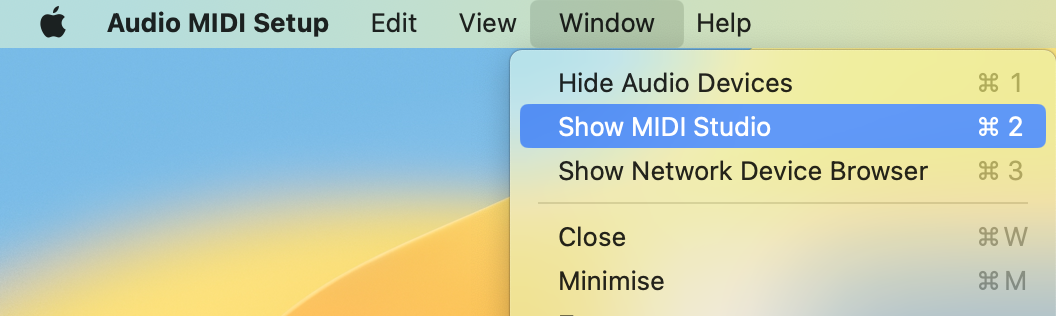
3. In the top menu bar, select Window > Show MIDI Studio.
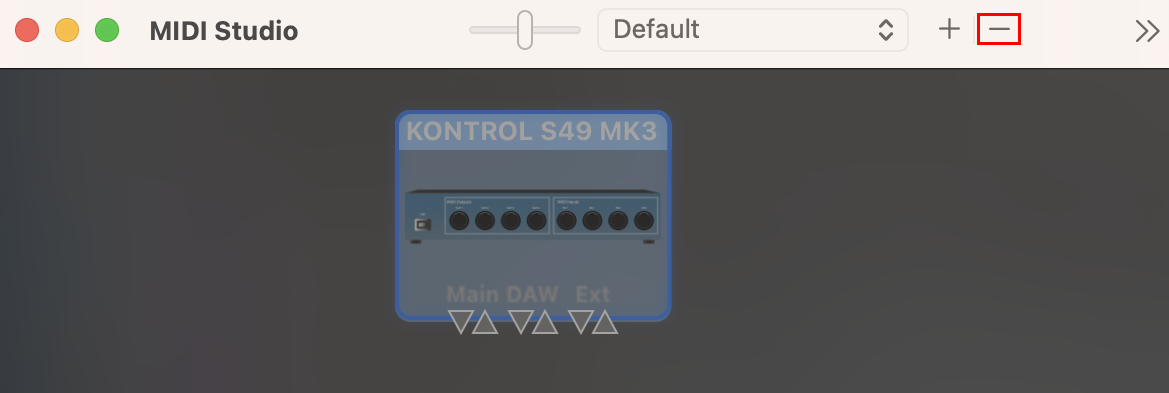
4. Select the Kontrol S MK3 and click the "-" button (or press the del key on your computer keyboard).
5. Turn your keyboard back on.
Both your keyboard and macOS are now set up for MIDI 1.0 again.
Was this article helpful?
That’s Great!
Thank you for your feedback
Sorry! We couldn't be helpful
Thank you for your feedback
Feedback sent
We appreciate your effort and will try to fix the article