The Reaktor Blocks can be found in the Library section of Reaktor's Browser, which is only visible in EDIT mode. Follow the steps below to access the Blocks in the Reaktor Browser:
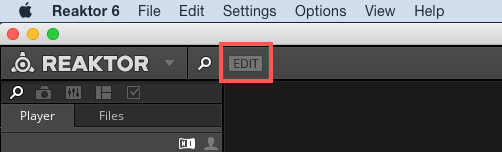
- Enter Edit mode by pressing the EDIT button in Reaktor's Toolbar.
- The Library tab now appears in the Browser. Here you can see the Reaktor Blocks folder.
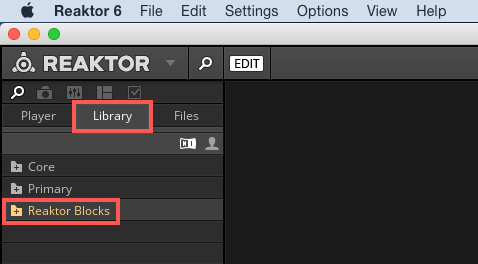
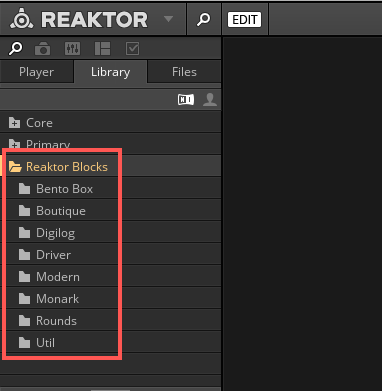
- Double-click the Reaktor Blocks folder to access the available Block lines which are organized in sub-folders.
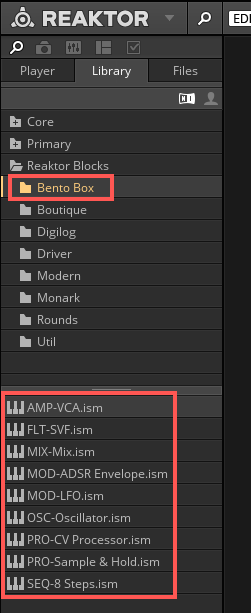
- Each of these category folders contains a series of Block files. These are technically identical to Reaktor Instruments and are ending with the suffix .ism. You can drag and drop these into the Structure to add them to your Ensemble.
Was this article helpful?
That’s Great!
Thank you for your feedback
Sorry! We couldn't be helpful
Thank you for your feedback
Feedback sent
We appreciate your effort and will try to fix the article