If you have issues with downloading or installing a product with Native Access, you can find direct installers in the NI Download Manager.
The NI Download Manager provides installers for:
- your registered NI products
- your registered iZotope products
- your 3rd party Kontakt libraries that usually appear in Native Access
Note: Some newer Kontakt library versions may not show in the Download Manager.
Here's how it works:
- Open this link and log in (if you haven't already):
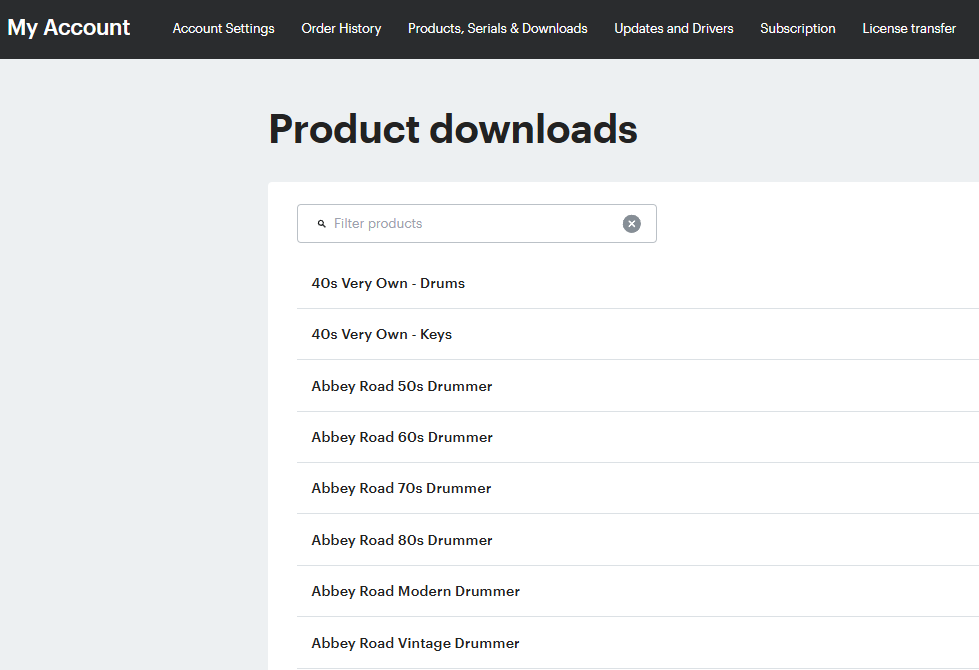
https://www.native-instruments.com/account/downloads - You will find a list products you own. You can scroll through the list or use the filter field to find the product you want to install:
- Click the product entry. This will show all available product installers for Mac and Windows. Here's the example for Kontakt 8:
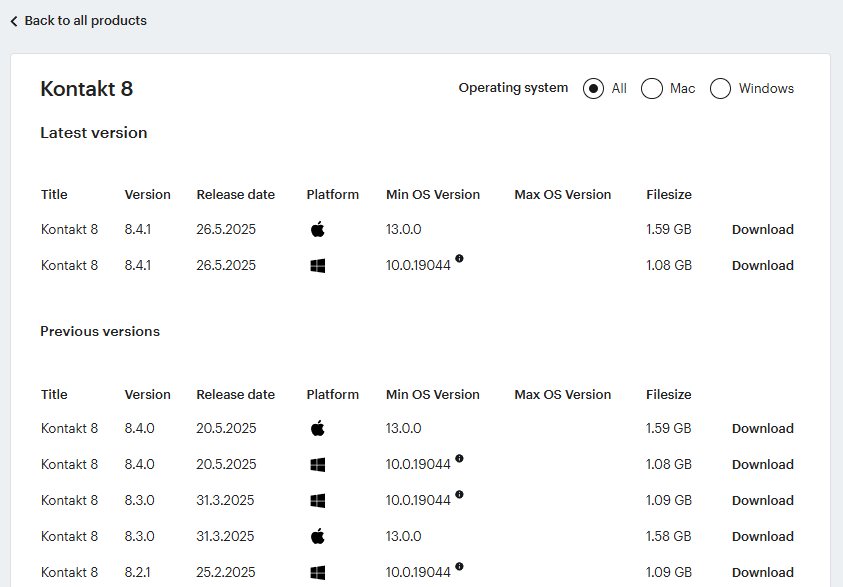
- Click the Download button for the version you want to install.
- Unzip the downloaded file (if necessary) and start the installer.
In case the downloaded file is an ISO file:
Was this article helpful?
That’s Great!
Thank you for your feedback
Sorry! We couldn't be helpful
Thank you for your feedback
Feedback sent
We appreciate your effort and will try to fix the article