Symptom
When starting Native Access, the login fails with the following error message:
Unable to log in.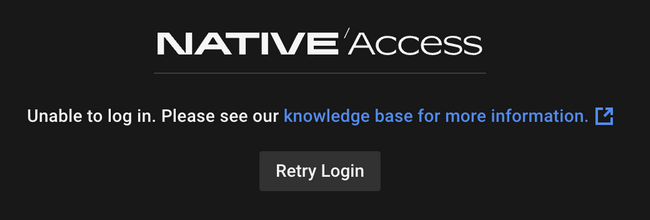
Solutions
MacOS
1. Open Finder and delete the following items:
- Macintosh HD > Applications > Native Access
- Macintosh HD > Library > Application Support > Native Instruments > NTK
2. Restart your computer.
3. Download the current version of Native Access from this page and install it.
4. Start Native Access and try to log in.
If you are still unable to log in to Native Access, please temporarily disable any VPN service you are using and try again.
Windows
1. Click the Start button, type Programs and hit enter.
2. Uninstall the following apps from the Apps & Features list:
- Native Access
- Native Instruments NTKDaemon
3. Restart your computer.
4. Download the current version of Native Access from this page and install it.
5. Start Native Access and try to log in.
If you are still unable to log in to Native Access, please temporarily disable any VPN service you are using and try again.
Was this article helpful?
That’s Great!
Thank you for your feedback
Sorry! We couldn't be helpful
Thank you for your feedback
Feedback sent
We appreciate your effort and will try to fix the article