After purchasing an AAS product from the Native Instruments web-shop, you can download your products from AAS via a unique URL that we’ll send to the email address you registered with us.
Your AAS products cannot be downloaded from Native Access.
Click the link in your email and fill in your details on that page for a direct download link:
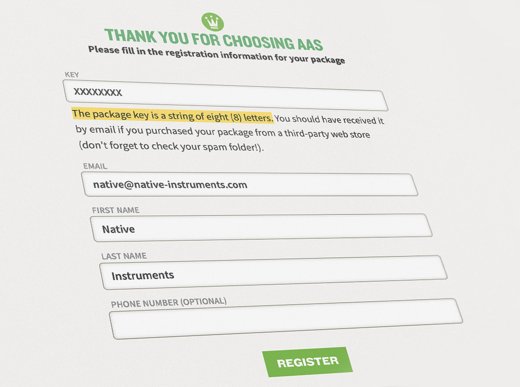
You’ll receive a confirmation email with your serial number(s). By creating an account with AAS, you’ll be able to log in and re-download your products in the future.
If you’re buying individual instruments, claiming your free sound packs requires just one more step: upon entering your details and downloading your plug-in(s), you’ll receive a separate email from AAS inviting you to choose and download a sound pack of your choice.
You can find more info on the AAS Support page.
Was this article helpful?
That’s Great!
Thank you for your feedback
Sorry! We couldn't be helpful
Thank you for your feedback
Feedback sent
We appreciate your effort and will try to fix the article