With the release of the new Apple Silicon processors, there are now two types of Apple computers; those equipped with the previous Intel processors, and the ones equipped with the newer M1 / M2 processors.
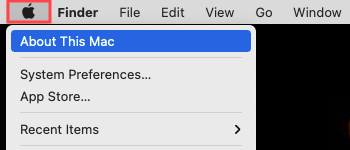
To check which processor type is in your computer, click the  icon at the top left corner of your screen, and select About this Mac.
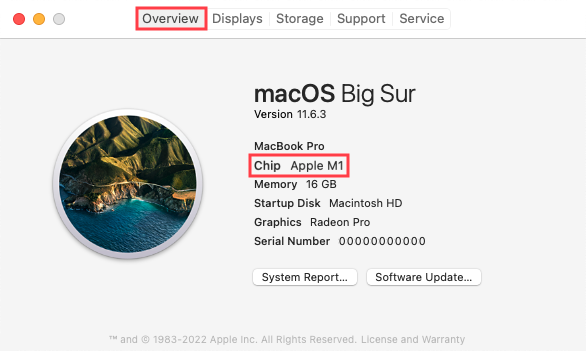
In the Overview tab, the Chip section will indicate your computer's processor type.
Was this article helpful?
That’s Great!
Thank you for your feedback
Sorry! We couldn't be helpful
Thank you for your feedback
Feedback sent
We appreciate your effort and will try to fix the article