Native Access Error Message: "Could not write to temp directory"
Symptom
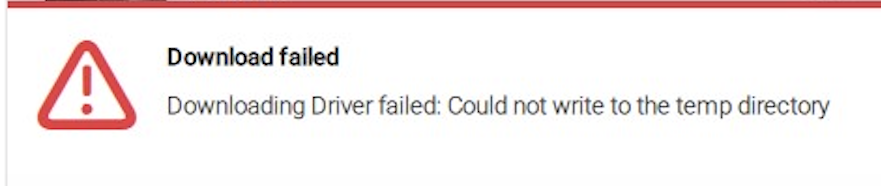
When attempting to install a product or update from Native Access, the following error message appears:
Downloading Driver failed: Could not write to the temp directory.
Solution
- Close Native Access.
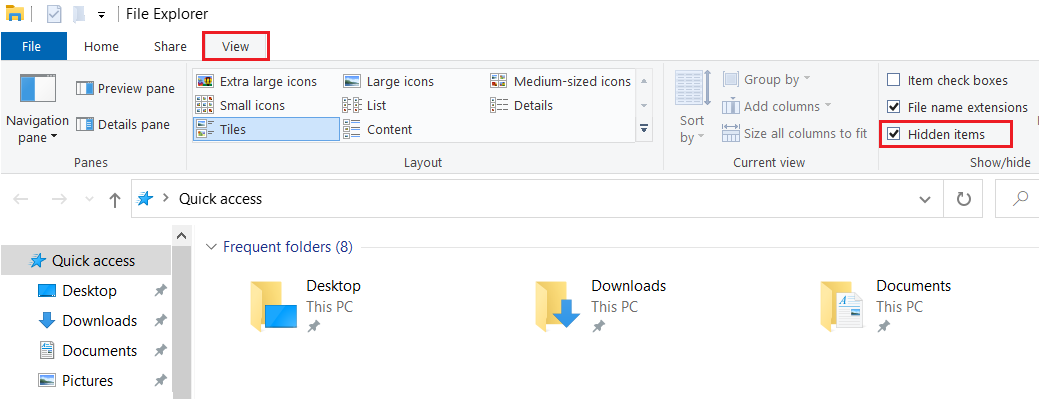
- Open a File Explorer window.
- Navigate to the View tab at the top of the window.
- Enable the Hidden items option to make hidden files and folders visible.
- Delete the following file:
C:\.native-instruments.tmp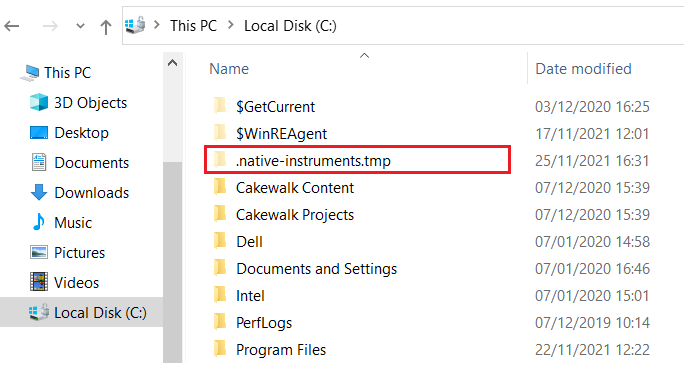
The installation will now work correctly when you try it again via Native Access.
Was this article helpful?
That’s Great!
Thank you for your feedback
Sorry! We couldn't be helpful
Thank you for your feedback
Feedback sent
We appreciate your effort and will try to fix the article