Symptom
Kontakt 6 does not appear in Native Access and only 'Kontakt' (i.e. no version number) is displayed.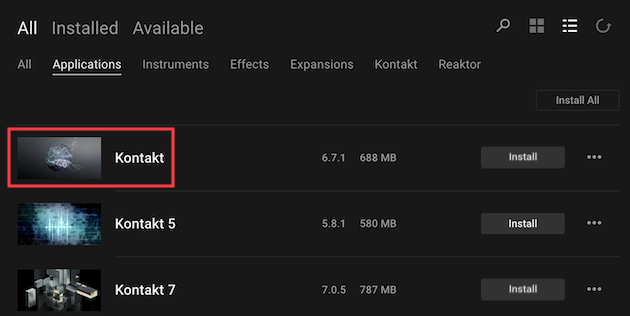
Cause
While Kontakt 5 and Kontakt 7 are displayed with their version numbers in Native Access, Kontakt 6 is just called Kontakt.
The same applies to the name of the application and the plug-in version.
Solution
Proceed with the installation of 'Kontakt' when installing Kontakt 6.
You will find the software version number to the right of the product name listing in Native Access.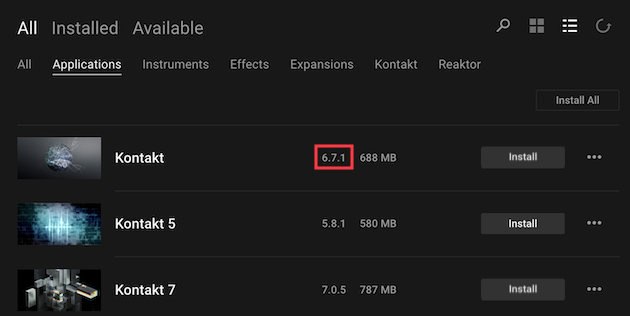
Was this article helpful?
That’s Great!
Thank you for your feedback
Sorry! We couldn't be helpful
Thank you for your feedback
Feedback sent
We appreciate your effort and will try to fix the article