Symptom:
MASCHINE Factory Content does not appear in the browser.
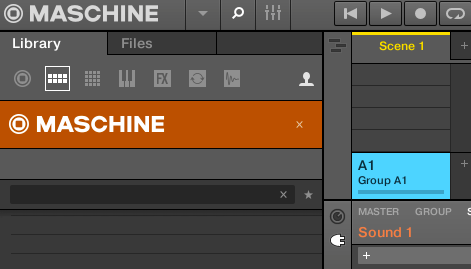
Solutions:
1. Install the MASCHINE Factory Library:
Start Native Access and go to Library > Installed to check if Maschine 2 Factory Library is installed.
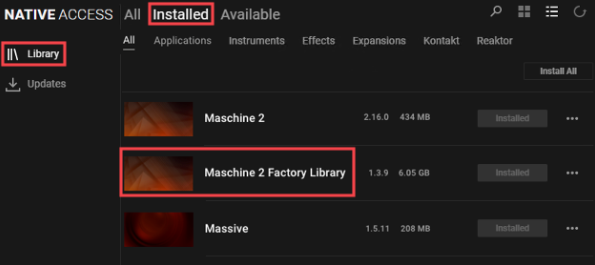 If the Maschine 2 Factory Library is missing from the Installed list, you can download it from the Native Access Available section.
Note: See this article if the Maschine 2 Factory Library needs to be reinstalled.
2. Relocate the MASCHINE Factory Content if Moved
If the MASCHINE factory content was moved after installation (e.g. to an external hard drive), see this article for instructions to repair the library installation after being moved.
3. Set the MASCHINE Browser to Display Factory Content
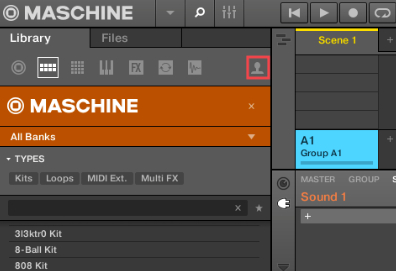
The MASCHINE browser has a Factory / User toggle at the top. Click the user icon to switch between the Factory and User Content.
Was this article helpful?
That’s Great!
Thank you for your feedback
Sorry! We couldn't be helpful
Thank you for your feedback
Feedback sent
We appreciate your effort and will try to fix the article