Please follow these steps to set a specific master tuning in Kontakt:
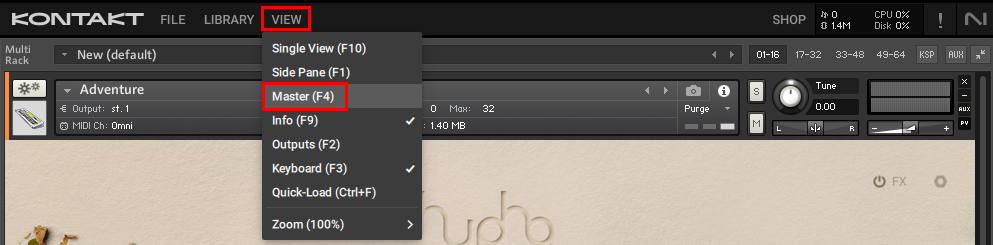
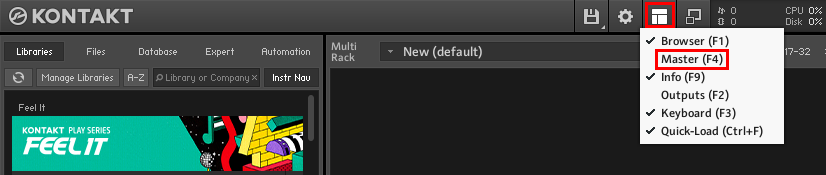
1. Start Kontakt and open the Master Editor.
- Kontakt 7 / 8:
- Kontakt 6:
2. Double-click on the number field below Tune, enter the desired frequency and hit Enter.
Was this article helpful?
That’s Great!
Thank you for your feedback
Sorry! We couldn't be helpful
Thank you for your feedback
Feedback sent
We appreciate your effort and will try to fix the article