Native Instruments | Where are the Presets of my Kontakt Instrument?
This article explains how to access the Presets or Snapshots included with newer Kontakt Libraries.
TABLE OF CONTENTS
Symptom
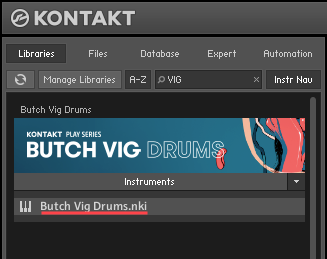
A new Kontakt Library seems to include only one instrument (.nki) file, but this Library has been advertised to feature a selection of multiple Presets (or Snapshots).
Cause
Many of the newer first-party Kontakt Libraries (released in 2014 and onwards) feature preset variations of the Instrument (.nki) file, in the form of so-called "Snapshots".
Note: In Kontakt Library nomenclature, the terms "Snapshot" and "Preset" are referring to the same thing.
Solution
In order to access the included Snapshots, please follow these steps:
- Select the Snapshot (Camera) symbol, near the upper-right side of the Instrument Header.

- Find the Snapshot Selector menu-tab, near the upper-left of the Instrument Header.

- The Snapshots are listed, and are freely available for selection:
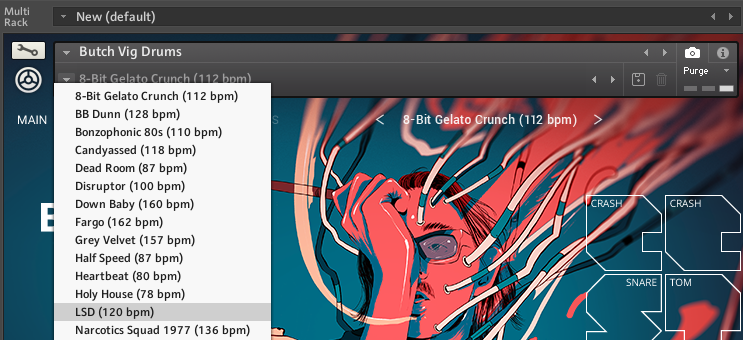
- Additionally, the Snapshots can be switched with the Previous (left arrow) and Next (right arrow) buttons located in the snapshot view.

Was this article helpful?
That’s Great!
Thank you for your feedback
Sorry! We couldn't be helpful
Thank you for your feedback
Feedback sent
We appreciate your effort and will try to fix the article