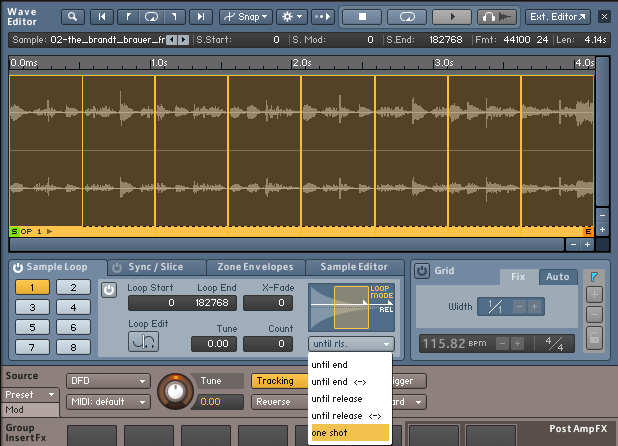
The one-shot mode in Kontakt enables you to fully play back a sample, no matter how long the respective note is held. To playback a sample in one-shot mode within Kontakt you must first enter the Edit Mode in the instrument section (wrench icon) and click on Wave Editor. You will see the sample waveform in the Loop Editor.
- In the Sample Loop area set the Loop Mode to One Shot in the drop-down menu.
- Then scroll to the bottom of the Kontakt window and you will see a panel of Volume controls including ADHSR settings. Bypass the VOLUME envelope module or, alternatively, set the Release parameter value accordingly.

- The sample will now play back correctly using One Shot mode.
Was this article helpful?
That’s Great!
Thank you for your feedback
Sorry! We couldn't be helpful
Thank you for your feedback
Feedback sent
We appreciate your effort and will try to fix the article