Kontakt 5 Error: “Could Not Start Memory Server” (macOS Catalina)
If you receive a “Could Not Start Memory Server” error when launching Kontakt 5 on macOS Catalina, this is due to an outdated feature no longer required on newer systems.
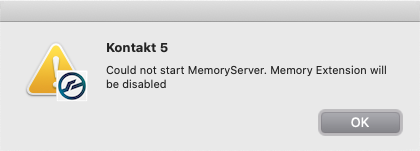
TABLE OF CONTENTS
Cause
This error message appears in these specific circumstances:
- When Kontakt 5 is used on a macOS X 10.15 (Catalina) system.
- When Kontakt 5 has been opened after the Kontakt Memory Server (KMS) had been previously enabled.
Note: The Kontakt MemoryServer (KMS) was only useful for older 32-bit versions of Kontakt 5, which could only address a maximum of 4 GB of RAM. The latest 5.8.1 version of Kontakt 5 is able to utilize all of the system's RAM.
Solution
Follow these steps, to stop the error message from appearing in Kontakt 5:
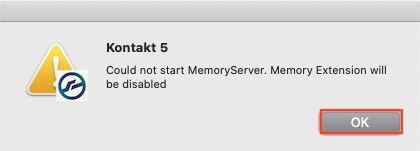
- Click OK on the Error Message window.
- Click the Gear Symbol located along the top menu bar of Kontakt 5.

- Go to the Memory page, and disable the box labelled; "Use Memory Server". Then click Close.
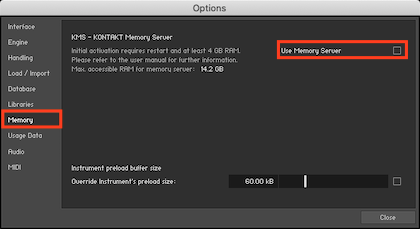
Note: The Use Memory Server option is disabled when the tickbox is dark/empty.
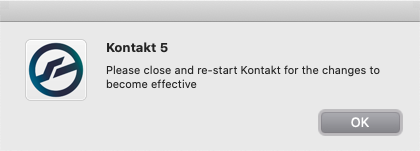
- A message appears stating that it is required to re-launch Kontakt 5. Close and restart Kontakt 5 now for the changes to become effective.
After restarting, the error message should no longer appear!
Was this article helpful?
That’s Great!
Thank you for your feedback
Sorry! We couldn't be helpful
Thank you for your feedback
Feedback sent
We appreciate your effort and will try to fix the article