Please follow these steps to install Pro Tools Intro+. You will need the confirmation email by Native Instruments with the subject "Here's your Pro Tools+ access code".
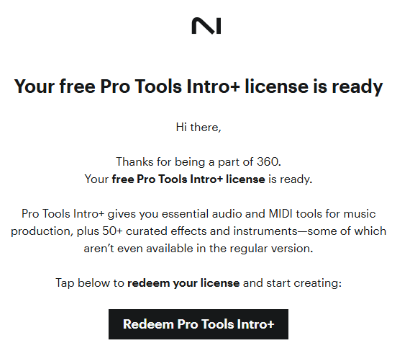
- Open the confirmation email and click Redeem Pro Tools Intro+
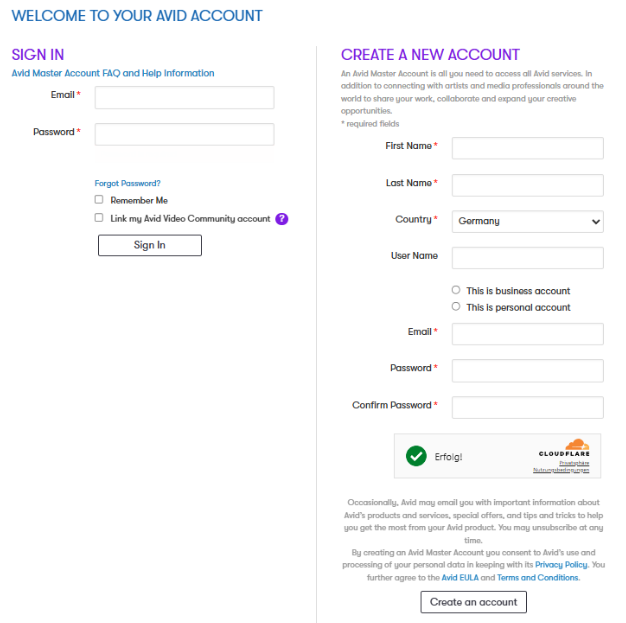
- This opens Avid's registration page. If you already own an account, log in on the left-hand side. If you are new to Avid, enter your personal info on the right-hand side and click Create an account:
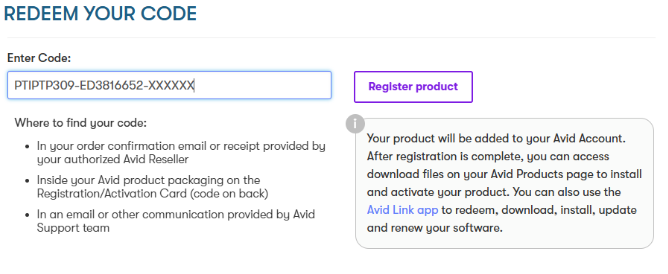
- Your personal redeem code is automatically entered in the code field. Click Register product:
- Click on Agree and continue for the License Agreement.
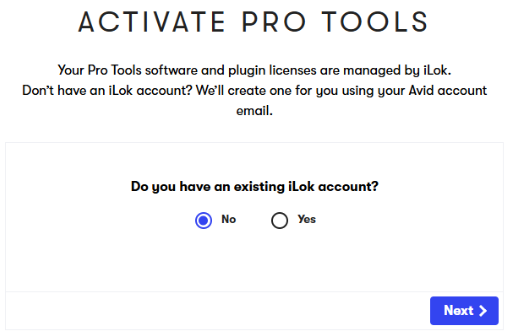
- Now the activation page opens. If you don't have an existing iLok account, select No and click Next. This will create an iLok account for you. If you already own one, click Yes and Next to set it up with Pro Tools.
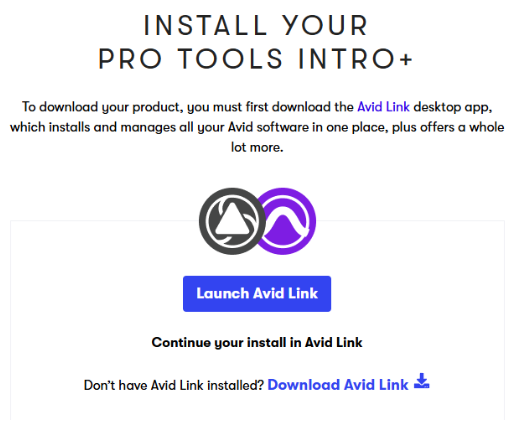
- Next, download and install Avid Link. It's the desktop app which installs and manages your Avid software:
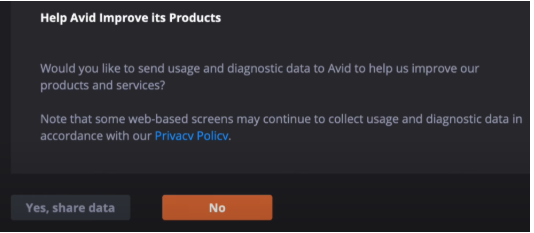
- Once Avid Link is installed, it will open automatically. You can choose, whether you want to share usage and diagnostic data with Avid:
- Enter your computer password, accept the terms of the License Agreement and click Continue.
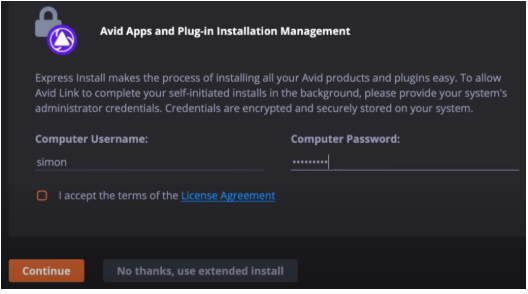
- This enables Avid Link to install Pro Tools and all necessary plug-ins in the background without further ado. This can take a few minutes.
- Once the installation is complete, open Pro Tools from Avid Link:

Was this article helpful?
That’s Great!
Thank you for your feedback
Sorry! We couldn't be helpful
Thank you for your feedback
Feedback sent
We appreciate your effort and will try to fix the article