When using PolyPlex in the plug-in version of Reaktor 6, you can route the 8 individual sound slot outputs to separate channels in your DAW. This way you can apply different additional effects to each sound slot.
Note: The following setup disables PolyPlex's integrated Global FX section.
- Load an instance of Reaktor 6 onto a MIDI / Instrument track, choosing the Multi-Output instrument if the DAW offers the option.
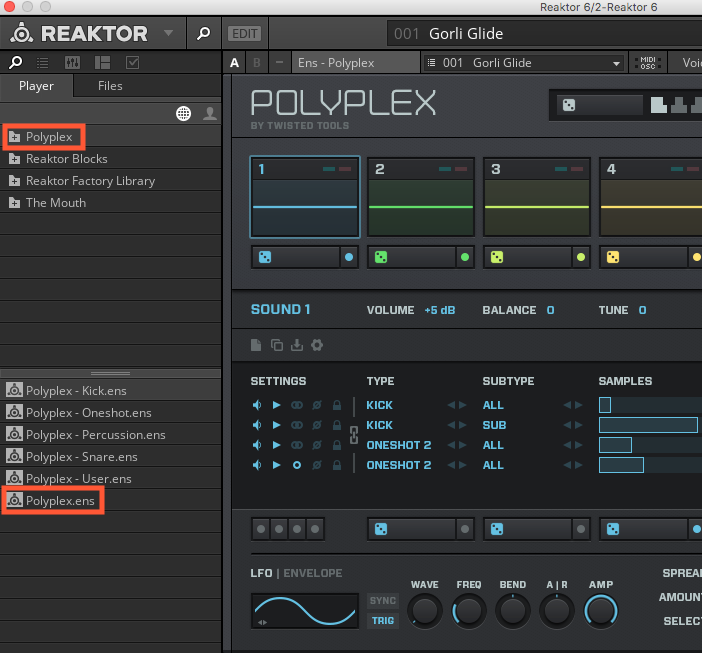
- From the Player tab, choose Polyplex and load the default Ensemble "Polyplex.ens".
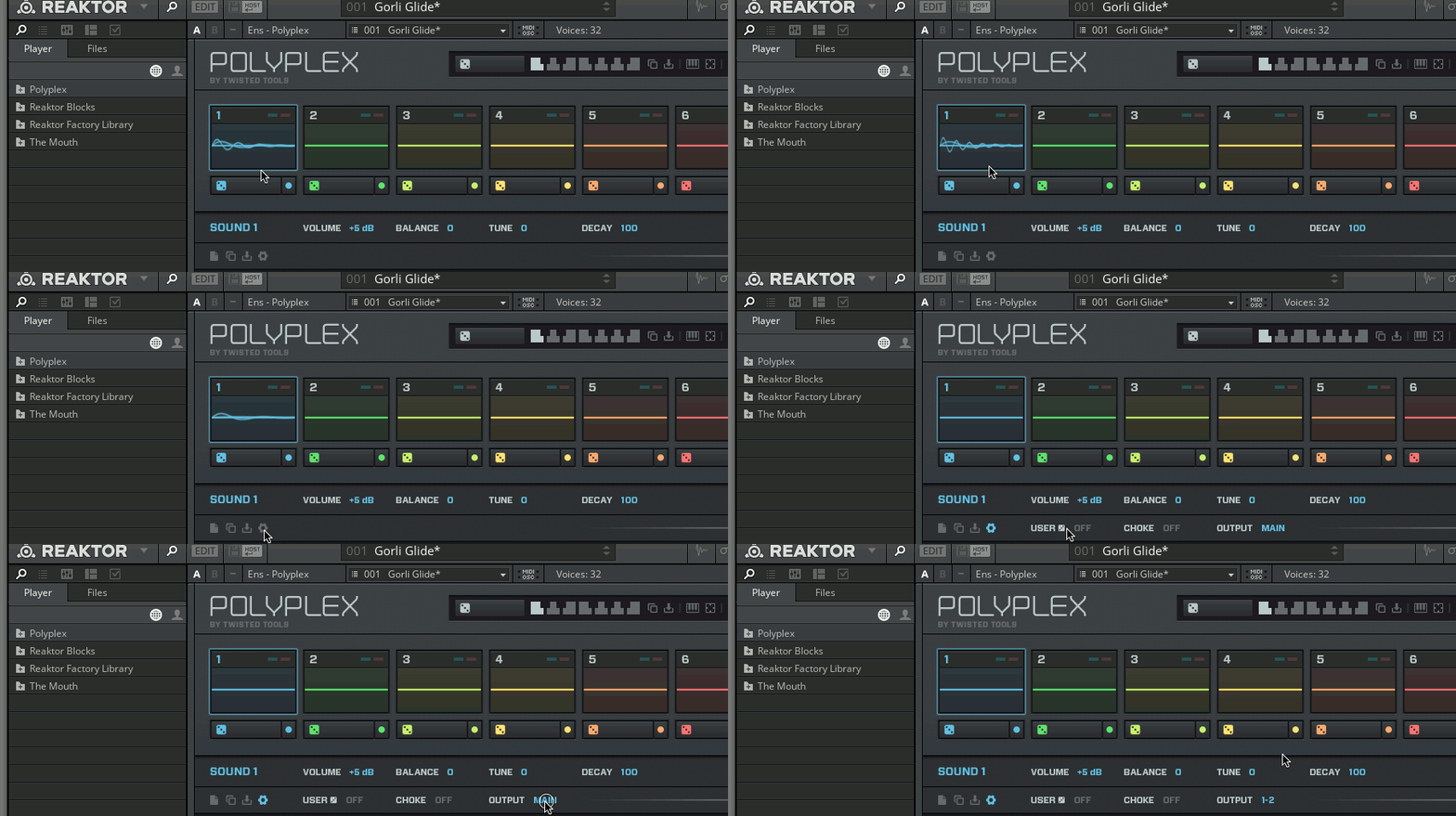
- Select the first sound (SOUND 1), click on the gearwheel icon, and drag the mouse upwards next to OUTPUT to switch the channel from MAIN to 1-2.
- Repeat the same procedure for all remaining sound slots, choosing each time a different stereo output (3-4, 5-6, etc.).
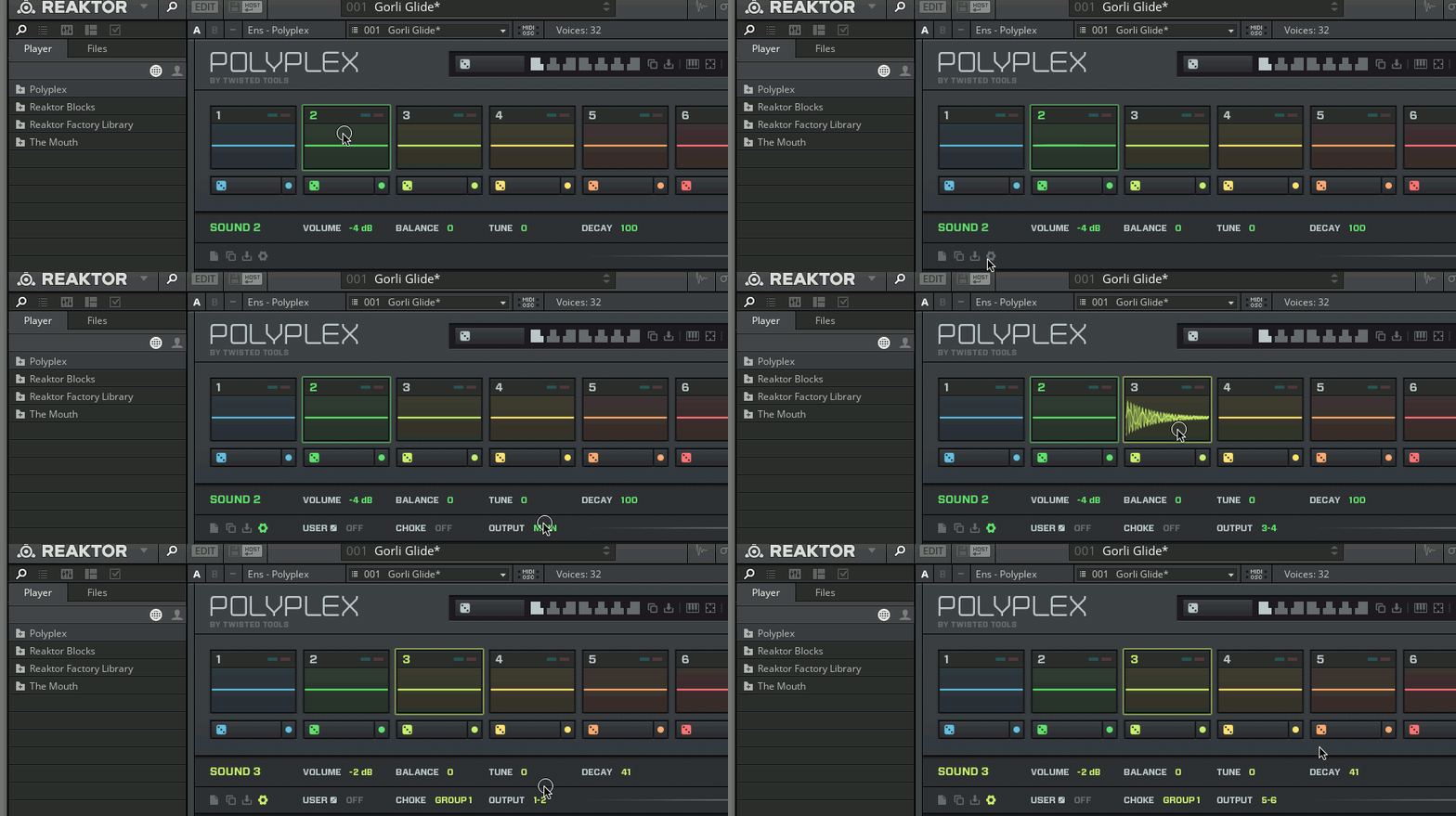
Now, all 8 sound slots are routed to individual stereo outputs. Please consult your DAW's user manual in order to learn how to route these stereo-outs to individual tracks since this process varies, depending on the DAW you are using.
Was this article helpful?
That’s Great!
Thank you for your feedback
Sorry! We couldn't be helpful
Thank you for your feedback
Feedback sent
We appreciate your effort and will try to fix the article