Guitar Rig | Why are my Guitar Rig LE / Factory Selection / Elements Selection Presets in Demo Mode?
TABLE OF CONTENTS
Symptom
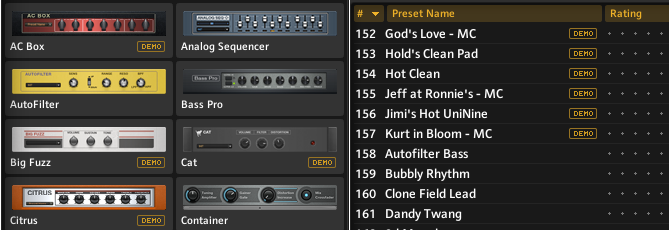
When opening Guitar Rig Elements Selection, Guitar Rig LE, or Guitar Rig Factory Selection, the Guitar Rig browser shows demo versions:
Cause
Guitar Rig Elements Selection, Guitar Rig LE, and Guitar Rig Factory Selection are scaled down versions of the full product Guitar Rig 5 Pro. However, they contain demo components and presets that you can try out if you are interested in the full version of Guitar Rig 5 Pro.
Solutions
The following steps show how to access the included Guitar Rig components and presets and the demo versions. In this example we will show Guitar Rig LE, but the concept applies to all versions.
Accessing Regular Components and Demos
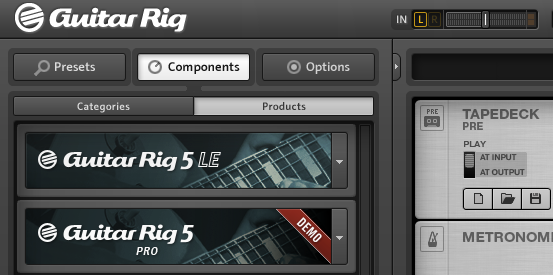
In the image below you can see the two component packs:
- Guitar Rig 5 LE
- Guitar Rig 5 Pro (labeled with DEMO)
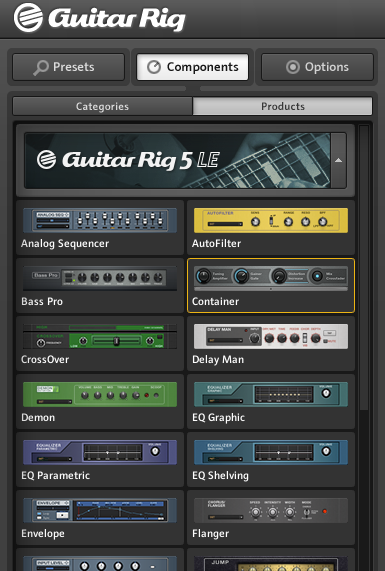
Click the tab Guitar Rig 5 LE if you want to access all the included components:
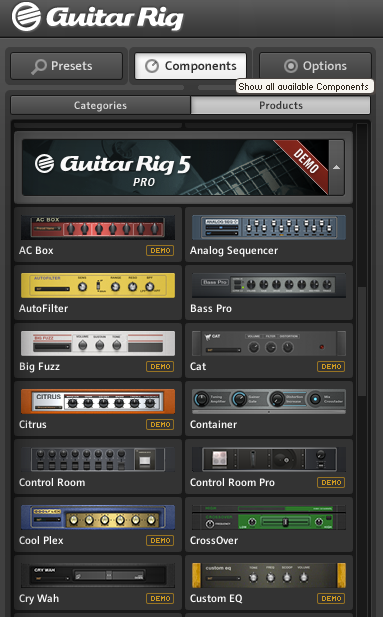
Or click Guitar Rig 5 Pro (Demo), if you want to demo components from the full version of GGuitar Rig 5 Pro. The list now also contains additional entries labeled with DEMO. These components will time out after 30 minutes:
Accessing Regular Presets and Demo Presets
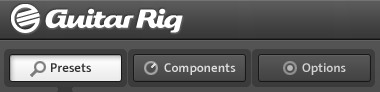
Click the Presets button on top of the browser:
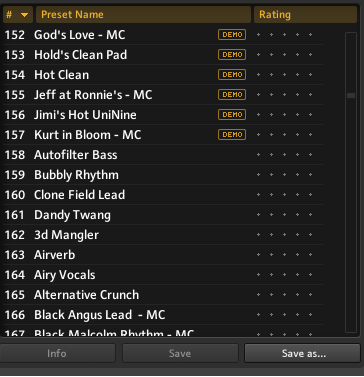
The preset list shows the DEMO presets first. They will time out after 30 minutes. Below the demos you can find the included presets of Guitar Rig LE that you can use without any restrictions:
Was this article helpful?
That’s Great!
Thank you for your feedback
Sorry! We couldn't be helpful
Thank you for your feedback
Feedback sent
We appreciate your effort and will try to fix the article