Follow the below steps to set up Rig Kontrol 2 with Guitar Rig 5
1. Click here to download and install the official Rig Kontrol 2 driver, then connect the Rig Kontrol 2 to your computer.
2. At the first startup of Guitar Rig 5, you will be asked to calibrate the pedal of the Rig Kontrol 2. Follow the on-screen instructions. You can access the calibration at any time by clicking the Options tab and the sub-tab Preferences.
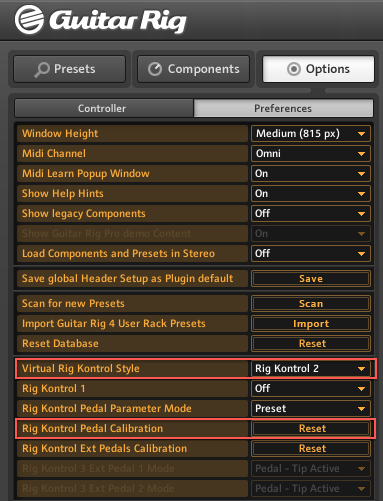
3. In the Preferences, set the Virtual Rig Kontrol Style to Rig Kontrol 2. Then click the Reset button and follow the instructions to calibrate the Rig Kontrol 2.
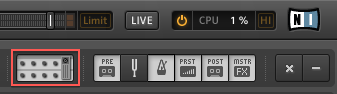
4. In order to view the virtual Rig Kontrol 2 below the components rack, click the Rig Kontrol symbol in the Guitar Rig header.
5. Finally, make sure the CONNECT button in the virtual Rig Kontrol 2 window is active.
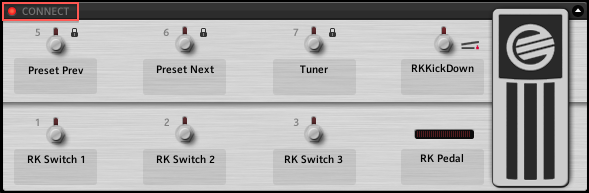
Now you are ready to control Guitar Rig 5 with your Rig Kontrol 2.
Was this article helpful?
That’s Great!
Thank you for your feedback
Sorry! We couldn't be helpful
Thank you for your feedback
Feedback sent
We appreciate your effort and will try to fix the article