My KOMPLETE AUDIO 6 MK2 Is Not Recognized in the Control Panel (Windows)
Symptom
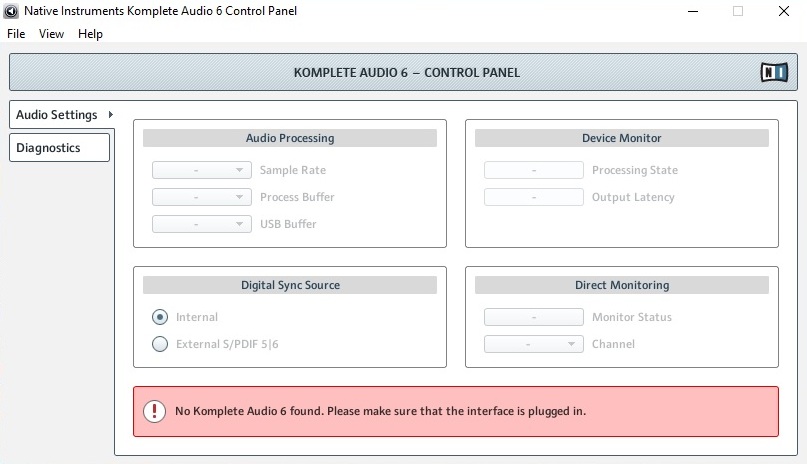
When starting the KOMPLETE AUDIO 6 Control Panel on Windows, the KOMPLETE AUDIO 6 MK2 device is not recognized and the software shows the following message:
No Komplete Audio 6 found. Please make sure that the interface is plugged in.
Cause
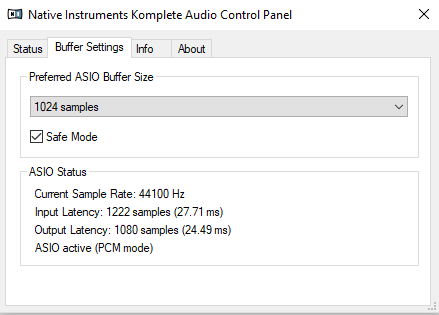
The KOMPLETE AUDIO 6 MK1 and MK2 utilize different Control Panel applications. The one shown in the picture above only works with the KOMPLETE AUDIO MK1. The MK2 Control Panel looks like this:
Solution
To solve this issue, install the KOMPLETE AUDIO 6 MK2 Driver:
- Disconnect the KOMPLETE AUDIO 6 from your computer.
- Open the Drivers & Other Files page.
- Download the latest driver for KOMPLETE AUDIO 6 MK2. In our example it is:
Komplete Audio 6 MK2 Driver 4.86.0 - Windows 10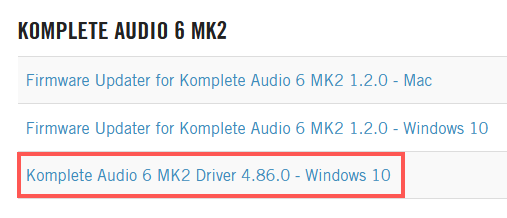
- Close all running applications.
- Launch the driver installer and follow the instructions.
- Connect your KOMPLETE AUDIO 6.
- Restart your computer.
The KOMPLETE AUDIO MK2 Control Panel is now available through your DAW or host application's preferences.
Was this article helpful?
That’s Great!
Thank you for your feedback
Sorry! We couldn't be helpful
Thank you for your feedback
Feedback sent
We appreciate your effort and will try to fix the article