Symptom
When opening Massive X, the preset browser appears empty.
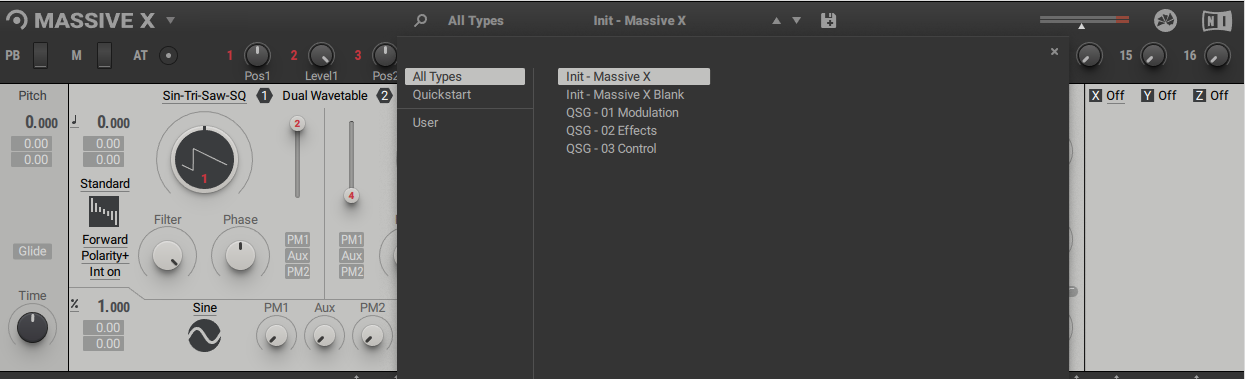
Cause
Massive X's plug-in and Factory Library are separate installations. After installing Massive X you also have to install the Massive X Factory Library.
Solution
- Open Native Access and log in.
- Install the Massive X Factory Library from the Library > Available tab.
Note: For owners of Komplete 12 (Ultimate), the Massive X Factory Library will not initially appear in Native Access. It will become available once the Massive X instrument has been installed.
If you cannot find the Massive X Factory Library in the 'Not installed' tab after installing Massive X, wait a few minutes and press the refresh button.
Note: If you are missing the Factory Library for the Massive X Demo version, ensure you download it from the bottom of this page.
Was this article helpful?
That’s Great!
Thank you for your feedback
Sorry! We couldn't be helpful
Thank you for your feedback
Feedback sent
We appreciate your effort and will try to fix the article