Not all Native Instruments products are natively compatible with M1 / Apple Silicon processors. If you want to use them as a plug-in in your DAW, the DAW must be run in Rosetta mode.
Rosetta is an application that allows programs originally developed for Intel-based computers to run on the new Apple Silicon-based Macs. Rosetta automatically translates these programs in the background for use with Apple Silicon processors.
TABLE OF CONTENTS
Rosetta is available on all M1 / Silicon-equipped computers by default. When you open an Intel-based application, you will be prompted to install it. Click the Install button if this occurs: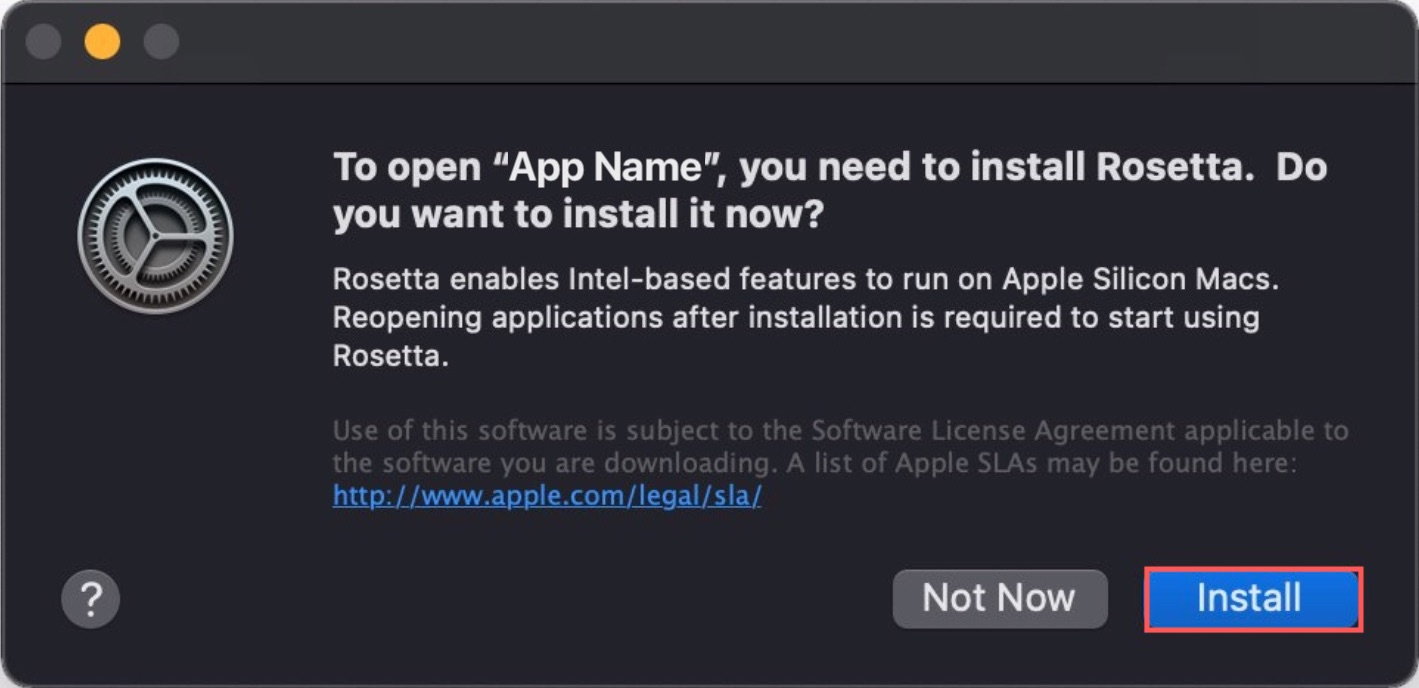
How to Open Your DAW Using Rosetta
Follow the steps below in order to ensure that your DAW is opening in Rosetta mode:
- Make sure your DAW is closed.
- Open Finder and select the Applications folder.
- Right-click your DAW's application icon and select Get Info from the menu.
- Check the option Open using Rosetta:
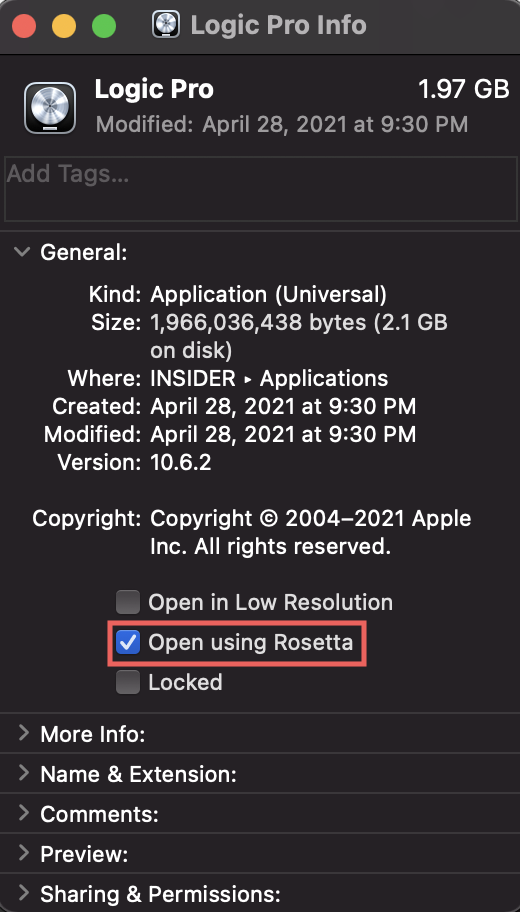
To disable Rosetta mode, follow the steps above but uncheck the box next to the Open using Rosetta option.
Was this article helpful?
That’s Great!
Thank you for your feedback
Sorry! We couldn't be helpful
Thank you for your feedback
Feedback sent
We appreciate your effort and will try to fix the article