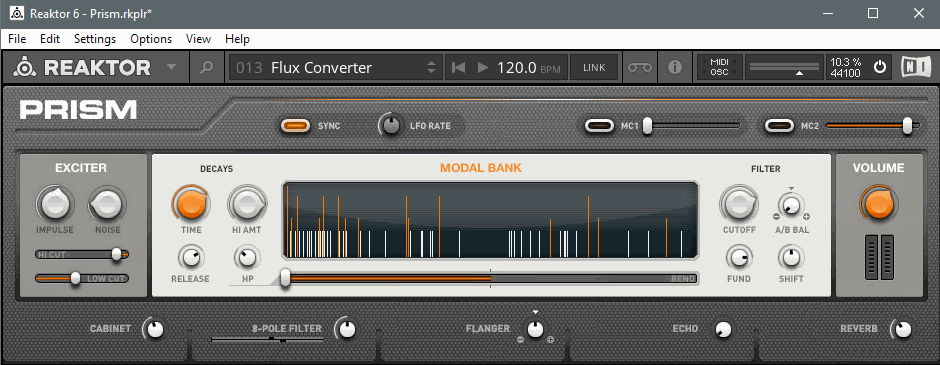
In this article, we explain how to open your NI software in "standalone mode". Standalone mode refers to using the application version (where available) of an NI product, as opposed to the plug-in version. To open an instrument in standalone mode means to open the application version of that instrument.
I'm Using a Mac
On macOS, you can open the standalone version of your NI software by going directly to this folder location:
- Macintosh HD > Applications > Native Instruments > *Product Name Folder*
Enter the Product Folder (e.g. Absynth 5), and double-click the product icon to open the software.
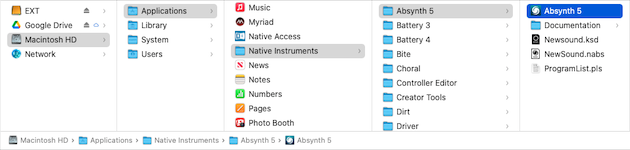
Note: The Native Access app-icon will be found in the main Applications folder.
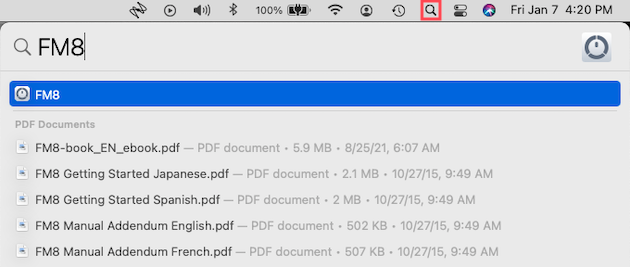
Alternatively, you can click the Spotlight Search tab at the top-right of your screen (or press ⌘ + Spacebar) to search for your NI Software. Type the product name, and press Enterwhen the product icon appears.
I'm Using a PC
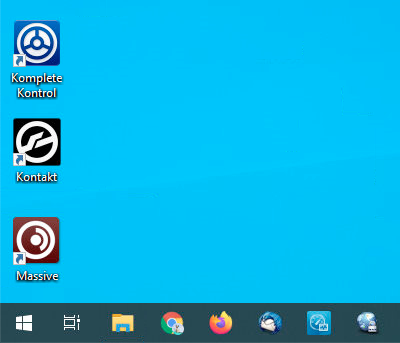
On Windows, you can open the standalone version of your NI software by double-clicking the product icon found on the Desktop.
Alternatively, you can press the Windows button (on your keyboard) and use the search bar. Type the product name, and press Enterwhen the product icon appears.
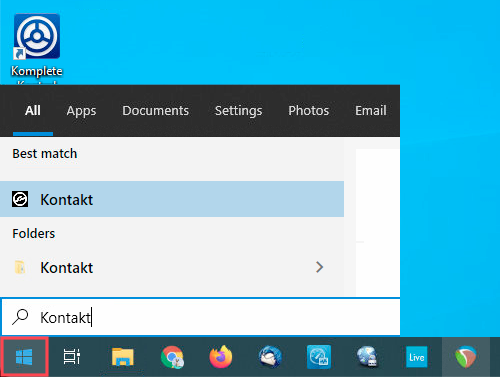
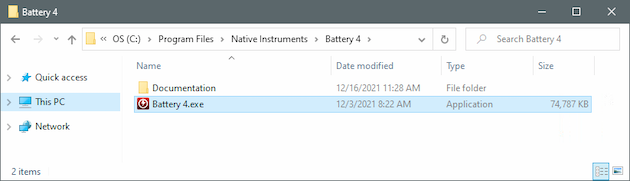
Additionally, you can open the standalone version of your NI software by going directly to this folder location:
- C: > Program Files > Native Instruments > *Product Name Folder*
Enter the Product Folder (e.g. Battery 4), and double-click the product icon to open the software.
I Still Cannot Find my Standalone NI Software
Some NI products are instrument libraries, while some others are available to be opened only as a plug-in within your DAW.
NI Instrument Libraries
If you are unable to locate your NI product software, it is most likely a library instrument for Kontakt (Player) or Reaktor (Player). Some examples are Retro Machines MK2 and Monark.
Make sure that you have downloaded all available products via Native Access. Afterward, open the standalone version of Kontakt (Player) or Reaktor (Player), and check the browser for your instrument.
NI Plug-In Only Products
Some NI products are only available to be opened as a plug-in within your DAW. Some examples are effect plug-ins such as Raum and Replika. Other examples include software instrument plug-ins such as Massive X and SUPER 8. These products are available only as plug-ins for your DAW.
Was this article helpful?
That’s Great!
Thank you for your feedback
Sorry! We couldn't be helpful
Thank you for your feedback
Feedback sent
We appreciate your effort and will try to fix the article