Akai Pro MPC Series | Why Do My Drum Samples Disappear When I Press Certain Keys?

TABLE OF CONTENTS
Pad and Keyboard Mapping Overview
Please see the following details below to learn why this happens and how to resolve.
On default, drum kits samples will load to the 16 pads on BANK A
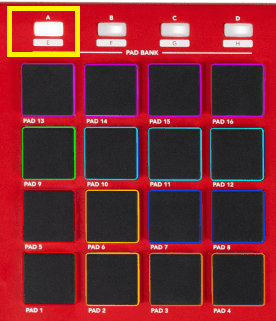
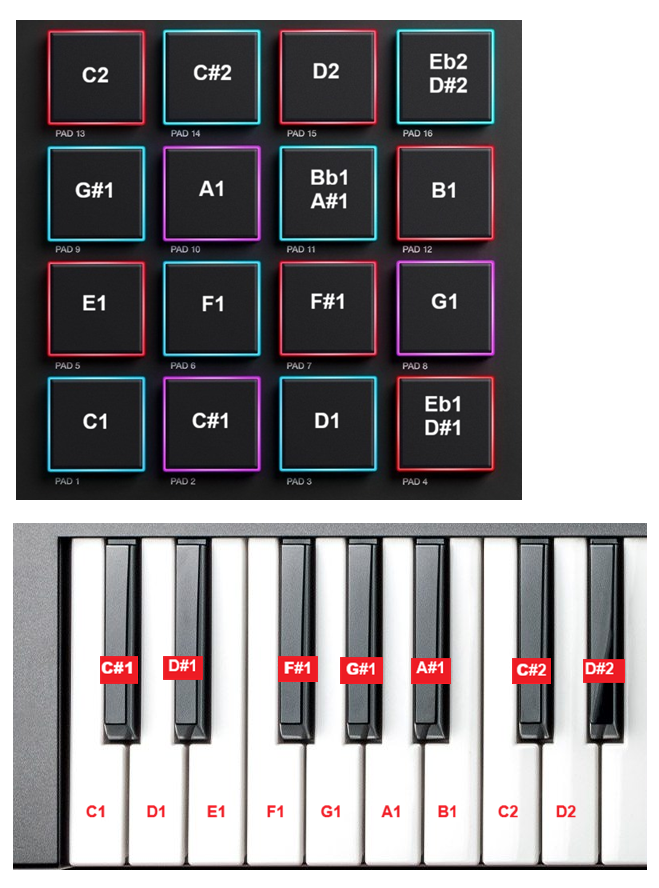
Each pad is mapped to a specific note. These notes are the same notes that the keyboard will use.
See an example below:
Resolution
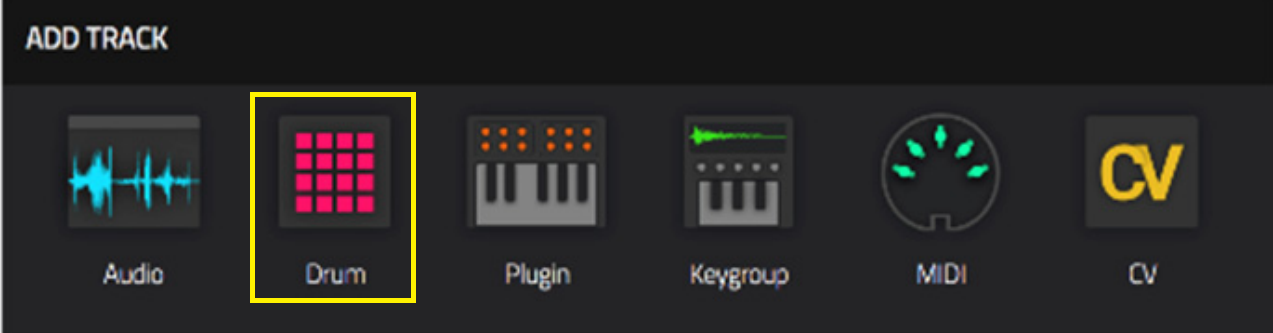
1. Create a new Drum Track
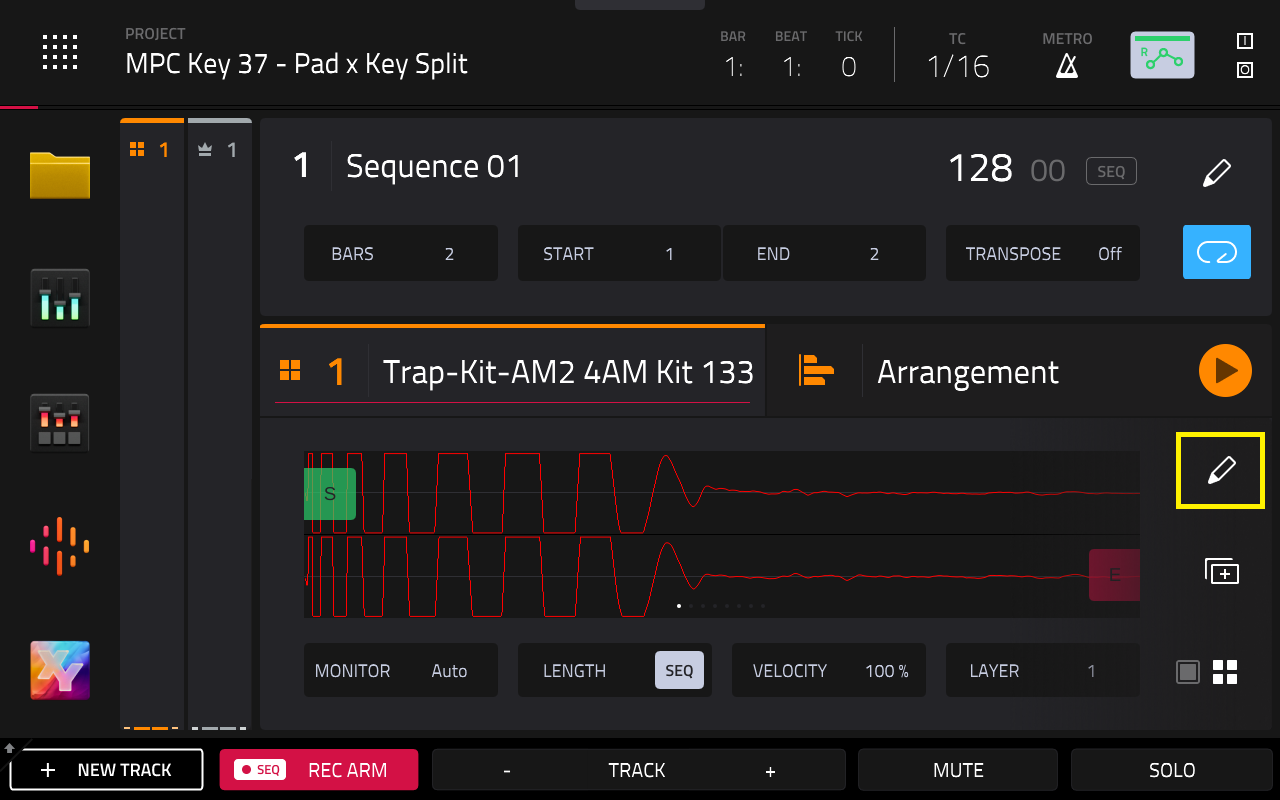
2. Select the Pencil Icon on your drum track:
3. Select Edit Pad Note Map
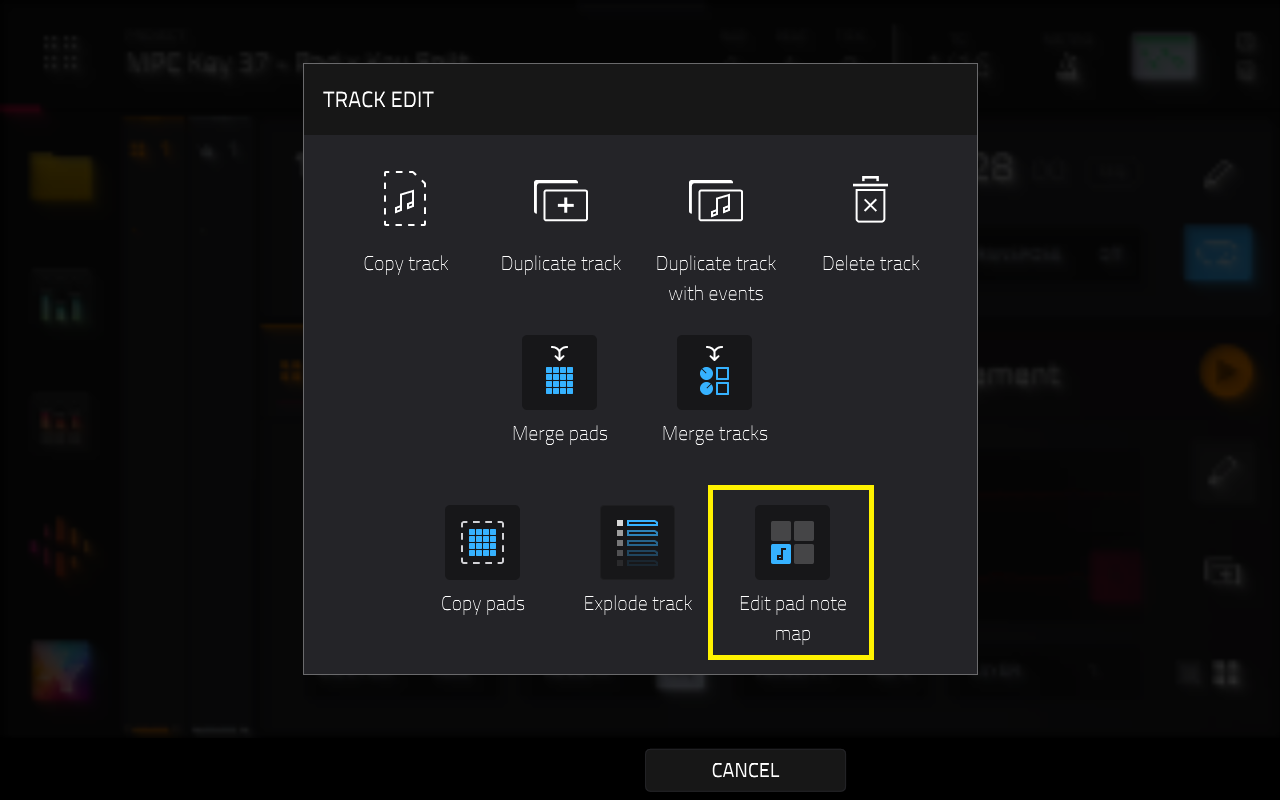
4. Use the Pad field to select a pad, or press the pad on your hardware. Use the MIDI Note field to set the desired MIDI note value for the pad:
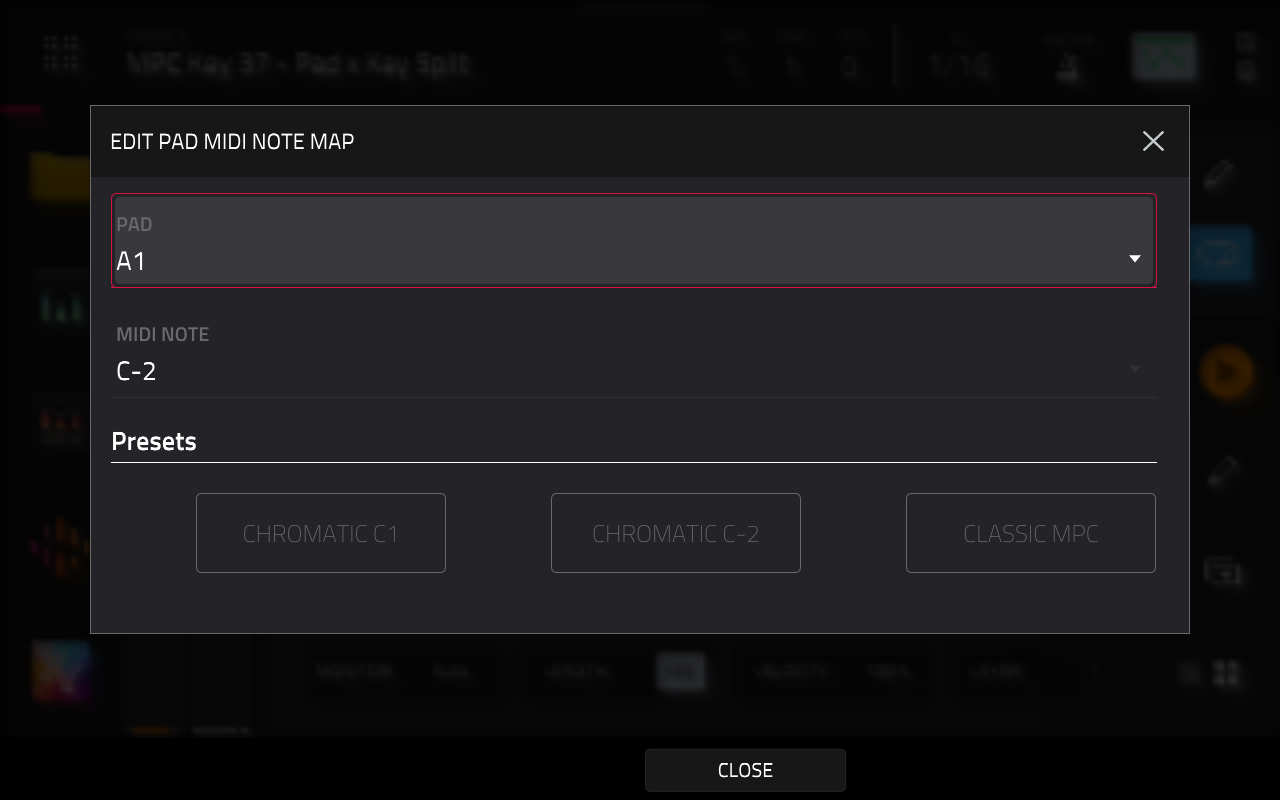
5. Use the Presets buttons to assign a preset layout to the pads
Chromatic C1 (an ascending chromatic scale, beginning with C1)
Chromatic C-2 (an ascending chromatic scale, beginning with C2)
Classic MPC (the default MIDI note map of classic MPCs).
Was this article helpful?
That’s Great!
Thank you for your feedback
Sorry! We couldn't be helpful
Thank you for your feedback
Feedback sent
We appreciate your effort and will try to fix the article