
By following these guidelines, you'll be able to achieve the desired sound and enhance your music production experience.
TABLE OF CONTENTS
Plugins
Once a plugin has been loaded, tap the plugin preview icon to open Track Edit Mode and view the plugin interface.
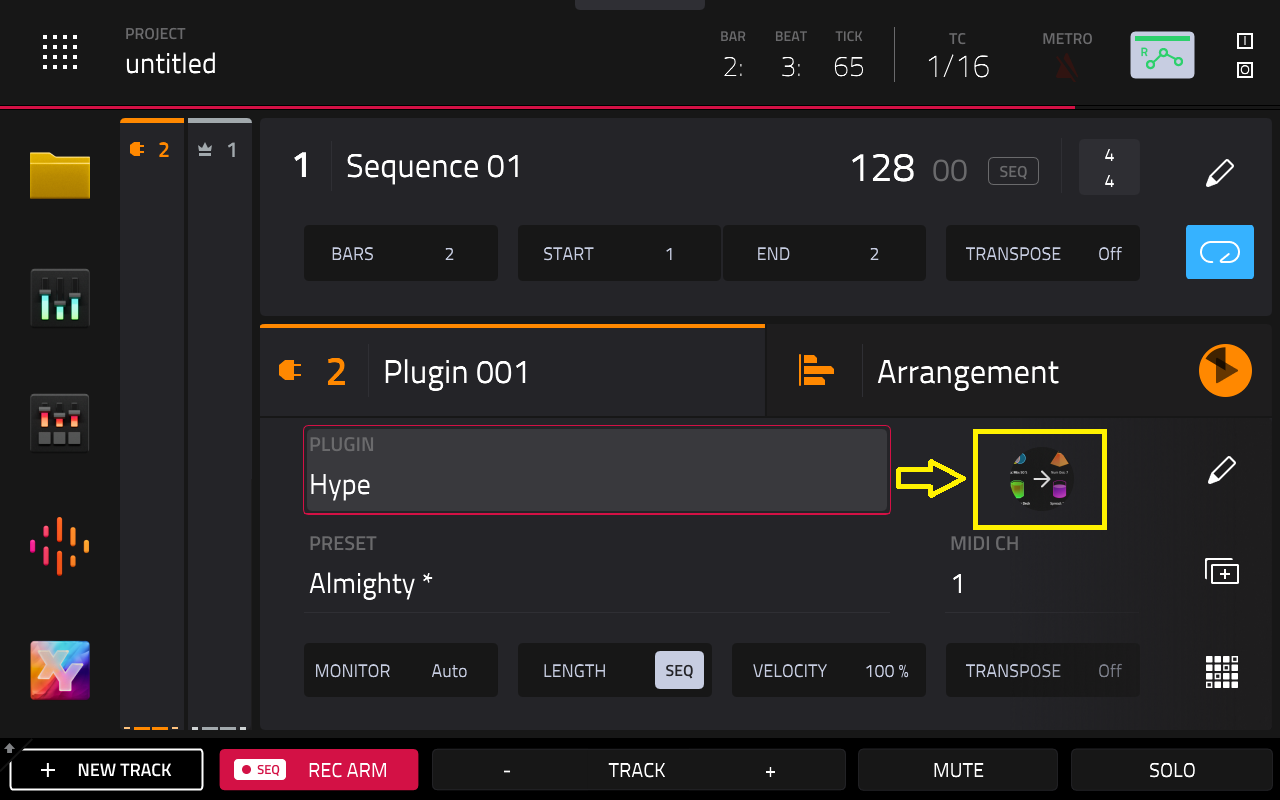
You will see an overview of all available plugin parameters with a slider for each, or a visual representation of the plugin interface. The Setup tab usually will have tuning options.
This is an example with the MPC Hype plugin
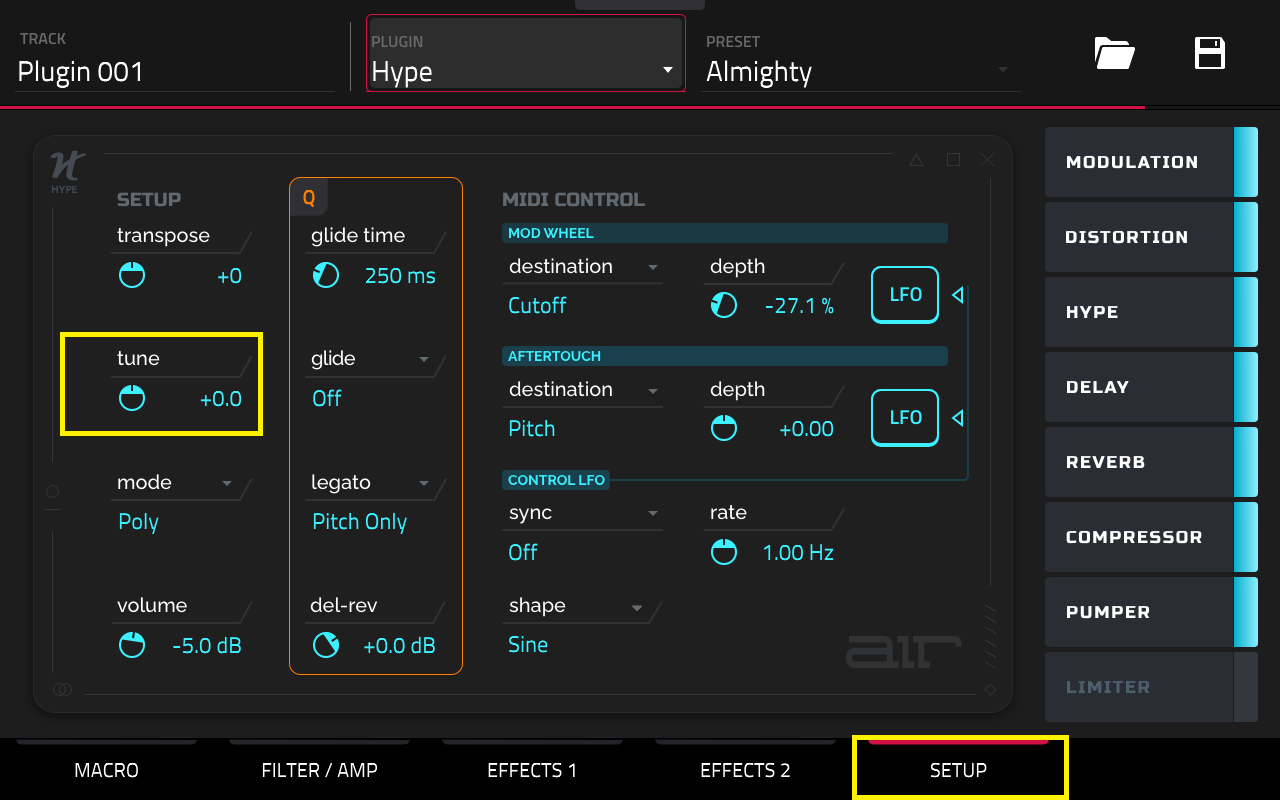
You can then save this as a preset/favourite should you wish to use it in other projects. Please refer to this article to learn how: Akai Pro MPC Series | How Do I Save A Plugin To Favourites?
Samples (Drum/Keygroups)
Double-tap the waveform preview to open the Samples tab of Track Edit mode
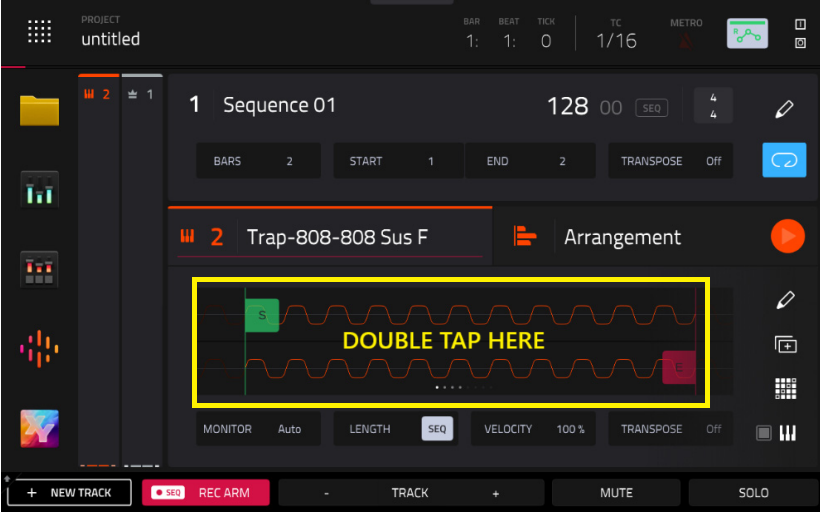
This tab lets you view the samples assigned to all eight layers of the current pad as well as tuning and level parameters for each layer.
Note: In this mode, tuning is applied per pad
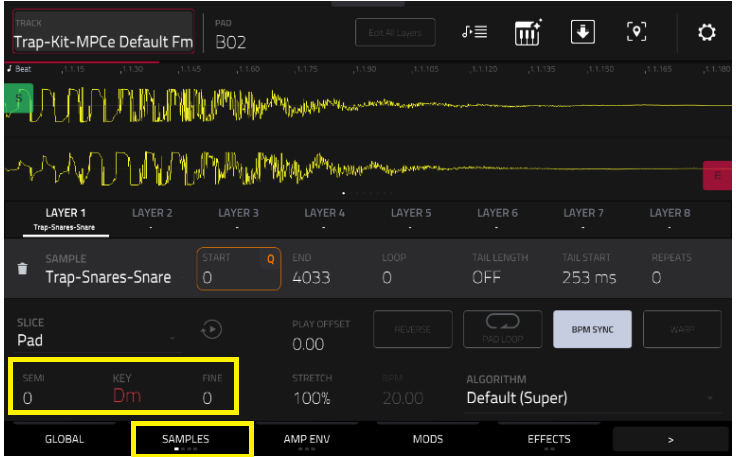
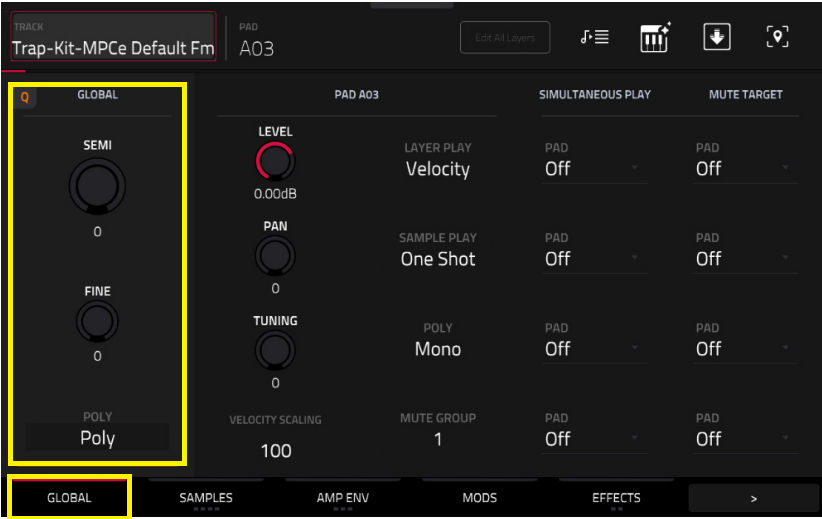
If you'd like to apply Global tuning, you can use the Global tab. This applies tuning across all samples within the same program
Was this article helpful?
That’s Great!
Thank you for your feedback
Sorry! We couldn't be helpful
Thank you for your feedback
Feedback sent
We appreciate your effort and will try to fix the article