If you’re having trouble with your Native Instruments account password (Native ID), use the steps below to reset, recover, or update your login details.
TABLE OF CONTENTS
- I forgot my password
- I have not received my password reset email
- I want to change my password for my account
- My NI password is invalid
Note: The password (Native ID) for your user account is the same for Native Access, native-instruments.com and the Community Forum.
I forgot my password
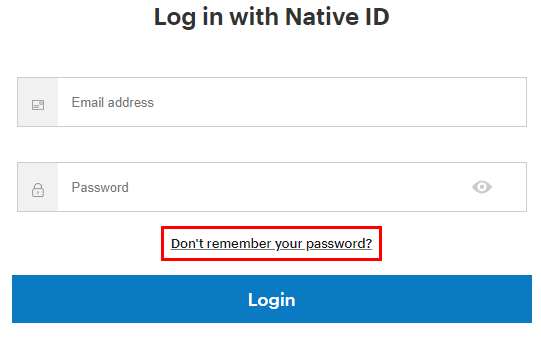
If you lost your password, open the NI login screen, put in your email address and click Don't remember your password? You will receive an email helping you with the password reset.
I have not received my password reset email
Native Instruments automatically sends a password reset request via an email within 2 minutes after the new password has been requested. If you have not received this email, please verify the following:
- Check if the email notification has landed in your spam folder.
- Make sure you use the correct email address for your NI account and check spelling.
- Adjust your email client's security settings to allow automatic notifications sent by Native Instruments.
I want to change my password for my account
If you are still able to log in to your account and want to change your password, please log in to your account, open Name, address, email, password and click Change Password. You can find more details in this article.
My NI password is invalid
If your user account password is invalid, please consider the following:
- Verify the spelling of your password.
- Make sure that the caps lock key on your keyboard is not activated.
- Delete cookies in your web browser.
- Empty the cache of your web browser.
- Delete your saved passwords in the settings of your web browser.
If you are still experiencing issues with your user account password, you can reset it as explained on top of this article.
Was this article helpful?
That’s Great!
Thank you for your feedback
Sorry! We couldn't be helpful
Thank you for your feedback
Feedback sent
We appreciate your effort and will try to fix the article