Error When Installing Native Access: "The operation can't be completed" (macOS)
When trying to install Native Access on macOS by dragging the Native Access application to the Application folder, the following error message may appear:
The operation can't be completed because some items had to be skipped.
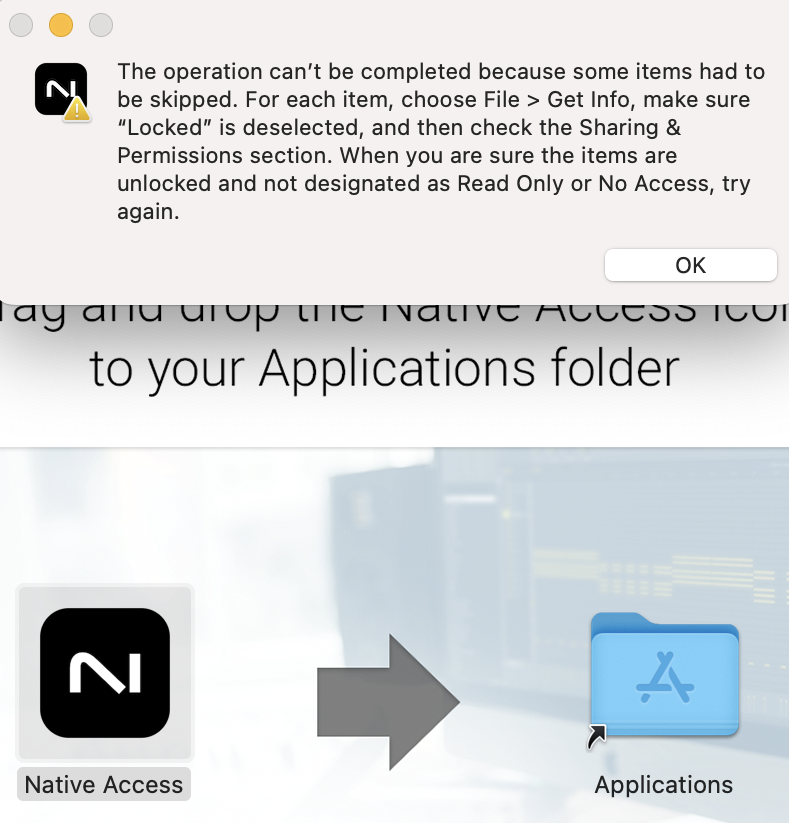
This can occur if the Applications folder already contains the Native Access app, because it cannot be overwritten.
To resolve this, please follow the steps below:
1. Open Finder and navigate to the Applications folder.
2. Delete the Native Access app.
3. Empty the Trash.
4. Drag and drop the Native Access version you want to install into the Applications folder.
Was this article helpful?
That’s Great!
Thank you for your feedback
Sorry! We couldn't be helpful
Thank you for your feedback
Feedback sent
We appreciate your effort and will try to fix the article