Symptom
When installing Previews with Native Access, the installation gets stuck and doesn't finish.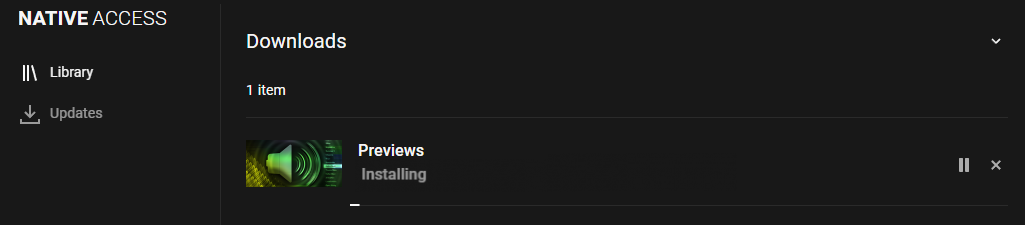
Cause
This problem occurs if the total length of the path where the installation files are created exceeds the maximum length defined by Windows.
Solution
Please choose a shorter file path as Content Location in Native Access:
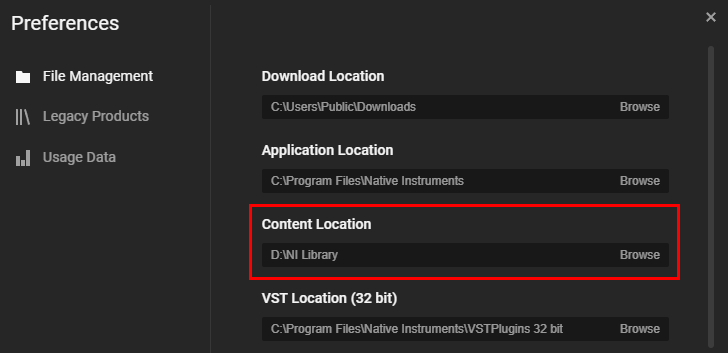
- Start Native Access and open Preferences > File Management.
- Click Browse for Content Location and select a new folder. Make sure that the path is as short as possible:
- Start the Previews installation again.
If Native Access is still stuck, please carry out the following workaround:
- Quit Native Access and restart your computer (this is really important).
- Download the Previews installer and start it.
- Make sure to select a short installation path.
- After the installation, close the installer and start Native Access.
The Previews are now authorized and available in Komplete Kontrol and Maschine.
Was this article helpful?
That’s Great!
Thank you for your feedback
Sorry! We couldn't be helpful
Thank you for your feedback
Feedback sent
We appreciate your effort and will try to fix the article