Native Access Error Message: "You cannot start Native Access from the mounted disk" (macOS)
If you see the error “You cannot start Native Access from the mounted disk” on macOS, it means the app was not properly installed before launching.
TABLE OF CONTENTS
Symptom
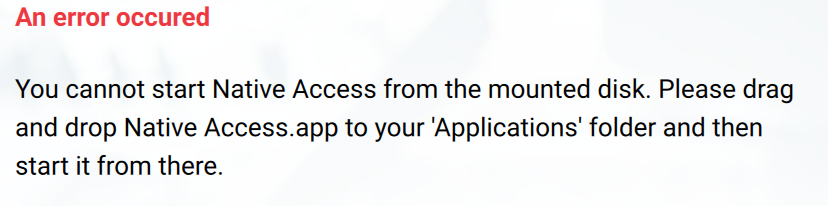
When attempting to start Native Access, the following error message appears:
An error occurred
You cannot start Native Access from the mounted disk.
Cause
This error occurs when Native Access has not been correctly installed.
Solution
- While installing Native Access, you will be instructed to "Drag and drop the Native Access icon to your application folder.":
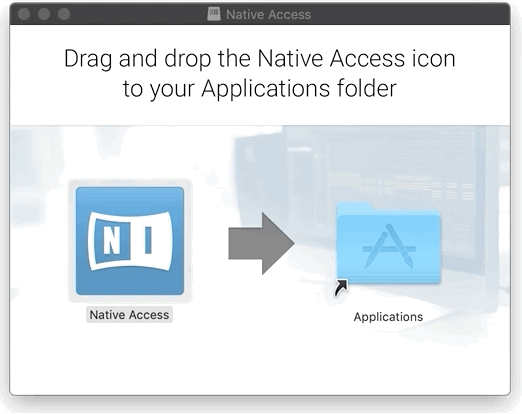
- This must be done within the presented window. Click on the large Native Access icon and drag it to the Applications folder.
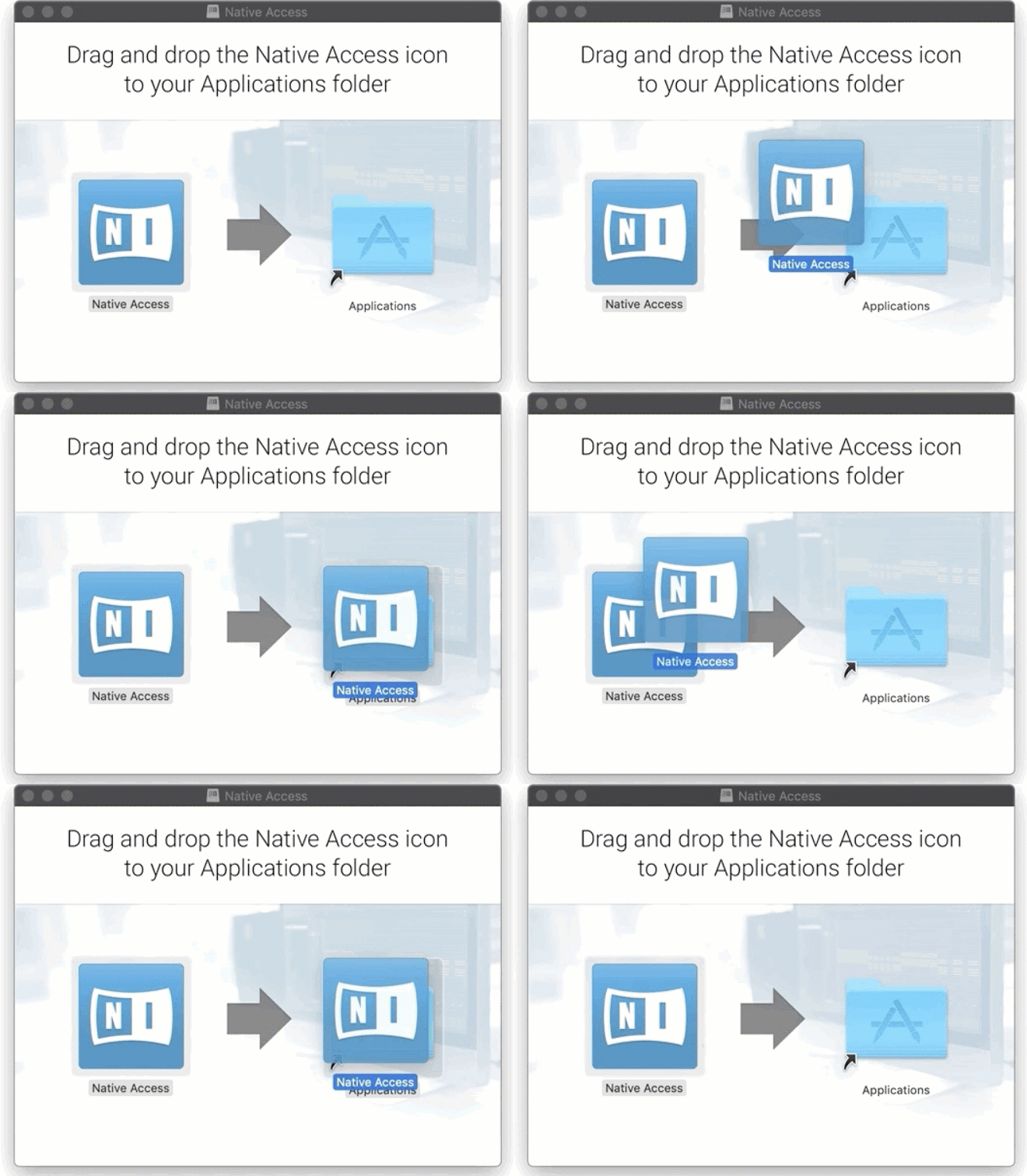
Once you have done this, you will be able to start Native Access successfully from your Applications folder.
Was this article helpful?
That’s Great!
Thank you for your feedback
Sorry! We couldn't be helpful
Thank you for your feedback
Feedback sent
We appreciate your effort and will try to fix the article