Note: To reinstall a NI product on OS X 10.10 or above, refer to this article instead.
To reinstall a NI product on OS X 10.9, follow these steps:
- Delete the following file on your hard drive:
Macintosh HD > Library > Preferences > com.native-instruments.*Product Name*.plist - Restart your computer.
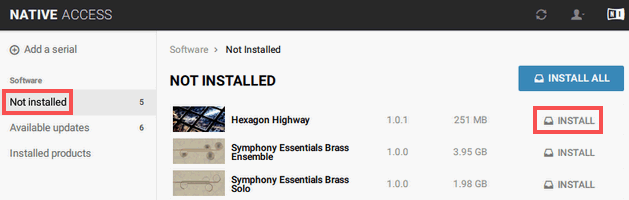
- Open Native Access and choose the Not installed tab. The list now includes the previously uninstalled product again. Click Install in the product entry to start the installation process.
Was this article helpful?
That’s Great!
Thank you for your feedback
Sorry! We couldn't be helpful
Thank you for your feedback
Feedback sent
We appreciate your effort and will try to fix the article