Symptom
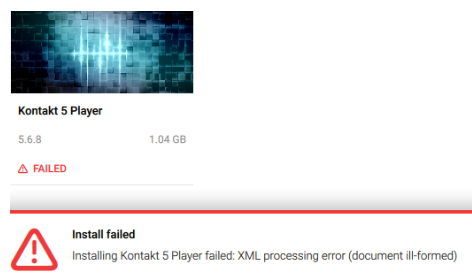
While installing an NI Product, the installation process fails and Native Access displays the following error message:
Install failed: XML processing error (document ill-formed)
Causes and Solutions
Mac only: Outdated OS X version
Current NI products are only supported by the latest Mac versions. For specific installations under earlier operating systems (e.g. OS X 10.9 / 10.10), you may encounter this installation error. Please observe our minimum system requirements for each NI product in the SPECIFICATIONS area of the product page as explained in this article.
You can find download links for NI product installers supported by older operating systems in this article.
Installation on a NAS Drive
Network or NAS drives are not supported. Please use internal drives or external USB drives only. This article explains how to set the install locations in Native Access.
The Standalone Application of an NI Product is Running in the Background
Please make sure to close all running applications before launching Native Access.
Was this article helpful?
That’s Great!
Thank you for your feedback
Sorry! We couldn't be helpful
Thank you for your feedback
Feedback sent
We appreciate your effort and will try to fix the article