After updating to macOS 10.15 (Catalina), your iTunes library may appear empty in TRAKTOR. This happens because Apple replaced iTunes with the Music app, which no longer exports the library automatically.
Why This Happens
With 10.15, iTunes has been discontinued and replaced by Apple Music, which does not offer the automatic XML export.
Solution
After you have edited your Apple Music library (formerly known as iTunes library), you need to trigger the export manually in order to make sure TRAKTOR will show the changes. Please follow these steps:
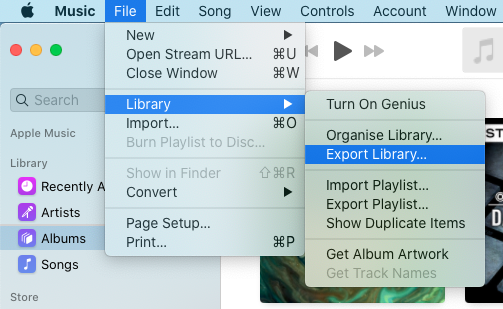
- Open Music and choose File > Library > Export Library....
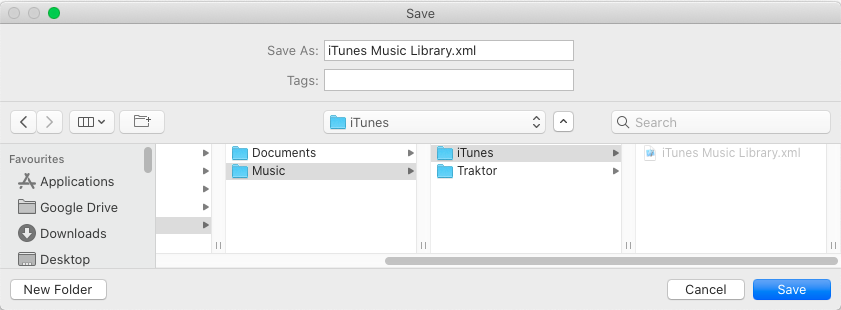
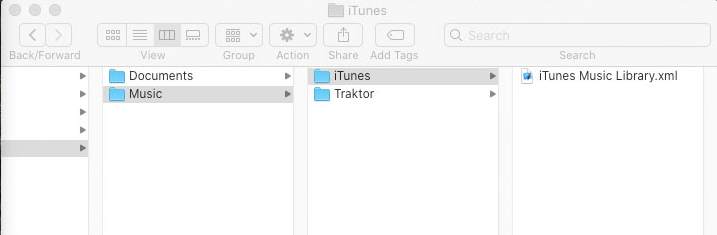
- Choose a folder to export the XML file to. In the example below, we are exporting it to our iTunes folder:
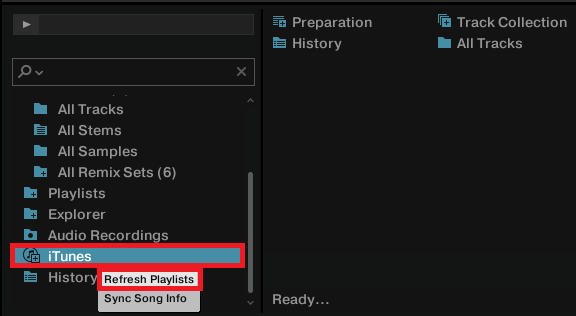
- In TRAKTOR's browser, right-click the iTunes node and select Refresh Playlists:
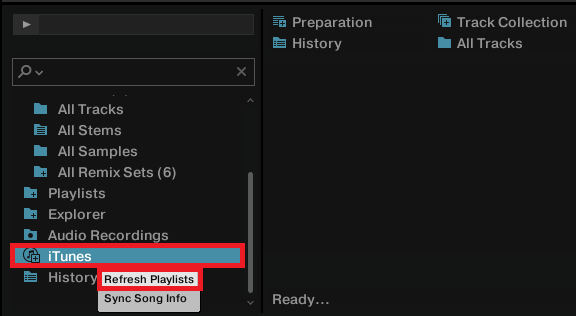
Now your Music playlists will show up in TRAKTOR.
If your playlists are still not listed in TRAKTOR's browser after the above steps, please check the following:
- Open TRAKTOR's Preferences > File Management > iTunes Music Library and click '...!'
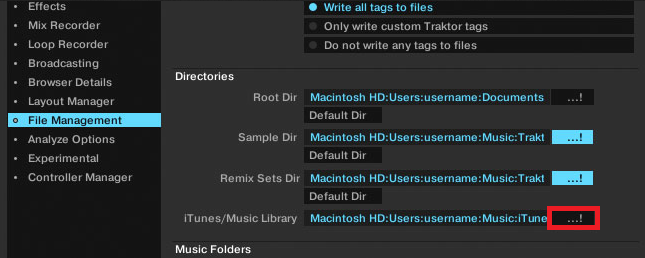
- Select the location you chose when exporting the XML file (step 2. in the above list). In our example we are selecting the iTunes folder:
- In TRAKTOR's browser, right-click the iTunes node and select Refresh Playlists:
Now your Music playlists will show up in TRAKTOR.
Was this article helpful?
That’s Great!
Thank you for your feedback
Sorry! We couldn't be helpful
Thank you for your feedback
Feedback sent
We appreciate your effort and will try to fix the article