This article explains how to record with TRAKTOR when using the External Mixing Mode with Pioneer DJM Mixers equipped with an internal sound card:
- DJM 250 MK2, DJM 450, DJM 750 MK1, DJM 750 MK2, DJM 850, DJM 900 NXS, DJM 900 NXS2, DJM 2000, DJM 2000NXS, DJM Tour 1.
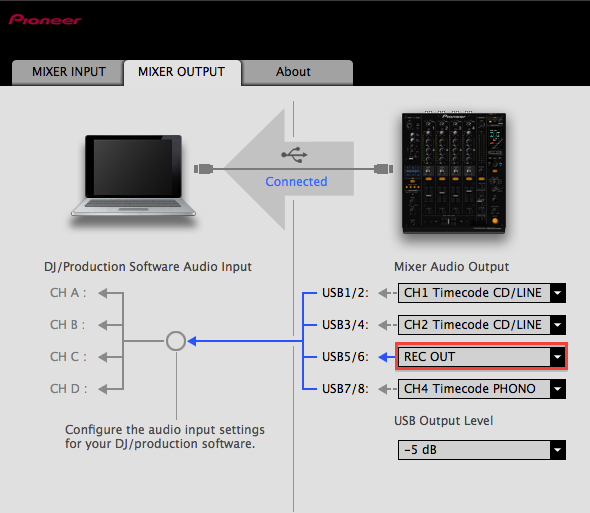
- Open the Pioneer DJM Setting Utility. Click on the MIXER OUTPUT tab and set a free Mixer Audio Output to REC OUT. In the example below, we show the Settings Utility connected to a DJM-900 Nexus and chose the USB5/6 as REC OUT.
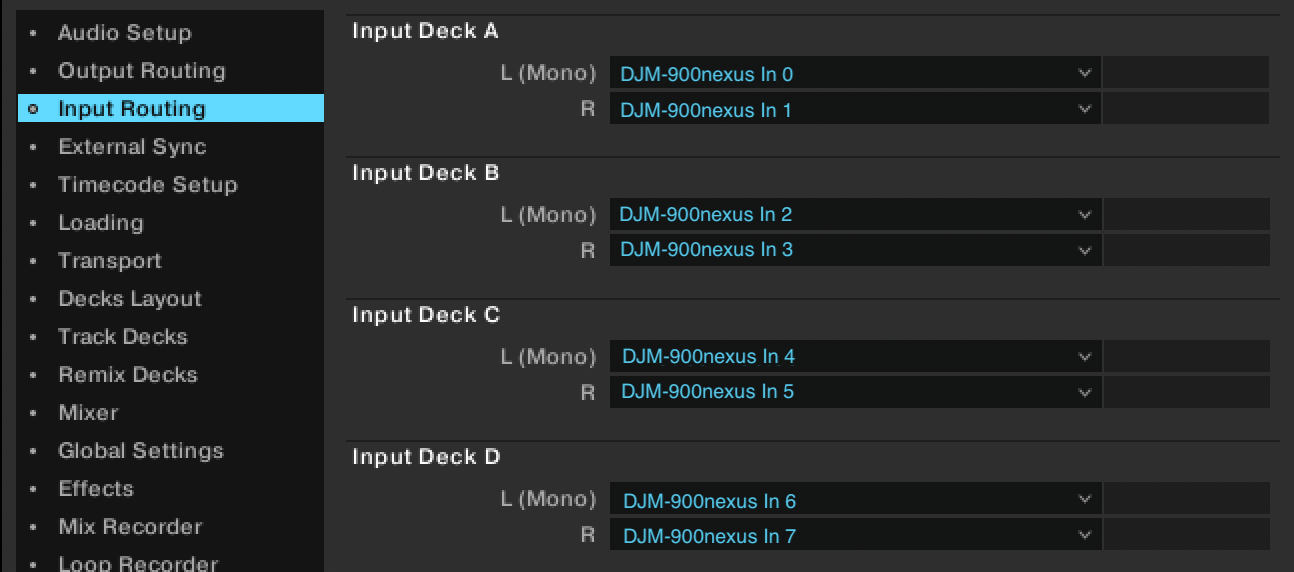
- Open Input Routing in TRAKTOR's Preferences and make sure that all the inputs are configured correctly.
- Open the Mix Recorder tab in the Preferences and set the Source to External and External Input to Input Deck C.
Note: In this example, we are using Deck C as an input channel; however, you can also use another unused Deck Input or the Ext Input.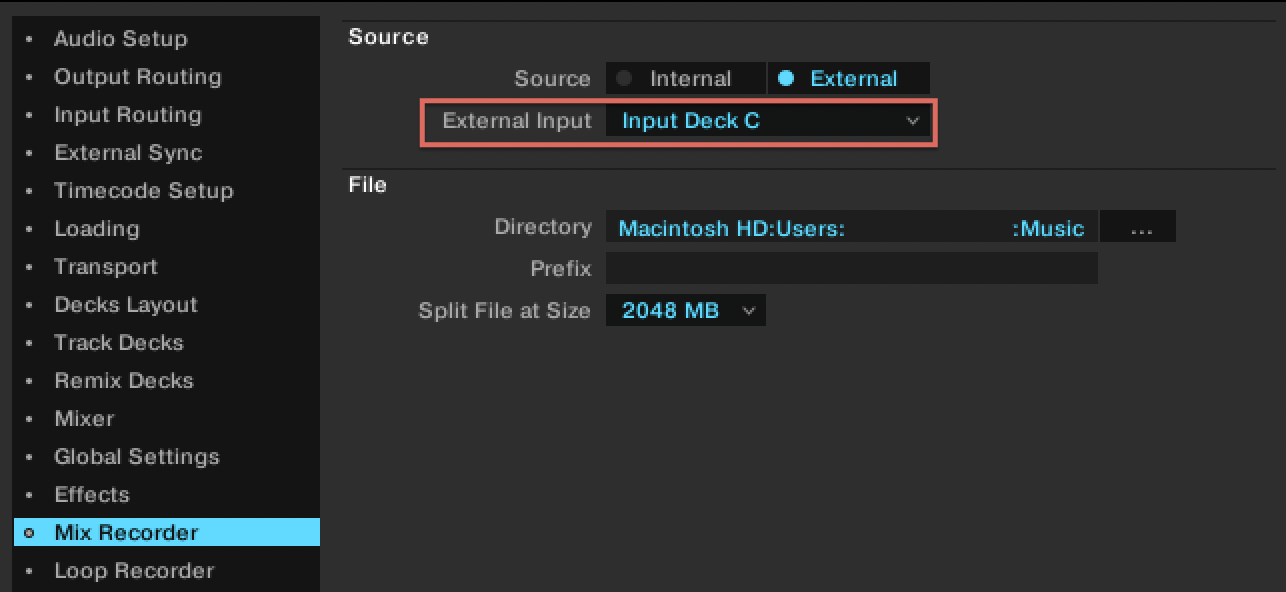
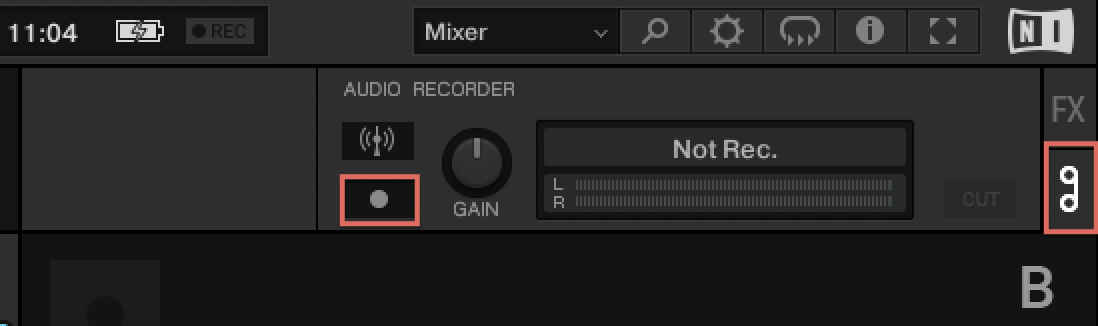
- Open the Audio Recorder in TRAKTOR by clicking on the tape symbol and start your recording by clicking on the Record [•] button.
Was this article helpful?
That’s Great!
Thank you for your feedback
Sorry! We couldn't be helpful
Thank you for your feedback
Feedback sent
We appreciate your effort and will try to fix the article