TRAKTOR | Warning Message: "Optimize Mac Storage" Is Turned On In iCloud Drive." (Mac)
When launching TRAKTOR, you may receive the following warning message:
"Optimize Mac Storage" is turned on in iCloud Drive. This can result in loss of Traktor data!
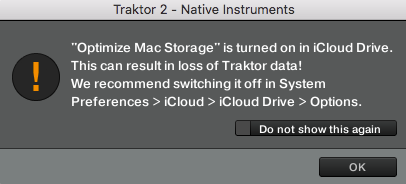
This is likely because your Mac system has enabled the sync between the music data used in TRAKTOR and your iCloud Drive, which can result in loss of data in your Track Collection. To resolve this, please check through the steps below:
1. Close TRAKTOR.
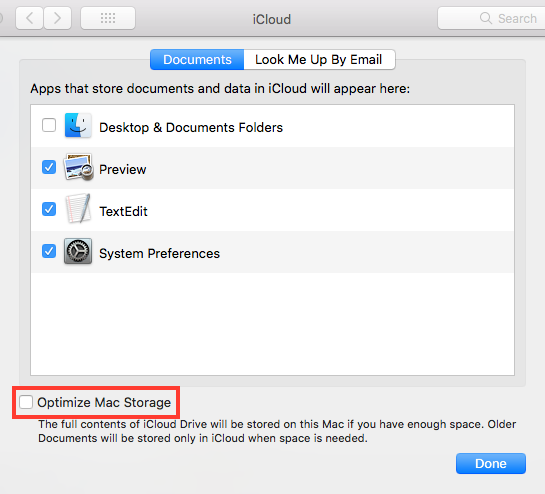
2. Go to your Mac System Preferences > iCloud.
3. Click Options next to the iCloud Drive entry.

4. Uncheck the box Optimize Mac Storage and click Done.
Note: if any relevant content (e.g. documents, music files) had already been moved from your computer to your iCloud drive and TRAKTOR is missing this data, you need to copy these files back to your computer. In order for TRAKTOR to find the data, the files must be placed back in their original location. The default location of TRAKTOR documents is:
- OS X: Macintosh HD > Users > *Username* > Documents > Native Instruments > Traktor *Version Number*
- Win: C: > Users > *Username* > My Documents > Native Instruments > Traktor *Version Number*
Was this article helpful?
That’s Great!
Thank you for your feedback
Sorry! We couldn't be helpful
Thank you for your feedback
Feedback sent
We appreciate your effort and will try to fix the article