TRAKTOR KONTROL | The First FX Button On My Controller Does Not Work
You may find that there is no reaction when you press the first (left-most or top-most) button on an FX section of your TRAKTOR KONTROL controller (e.g. TRAKTOR KONTROL S8 / S4 / X1).
This happens when the FX Unit is set to Group mode. In Group mode, there are only three control buttons, each switching an individual effect on and off. The left-most button has no function, as indicated by its absence in the software interface.
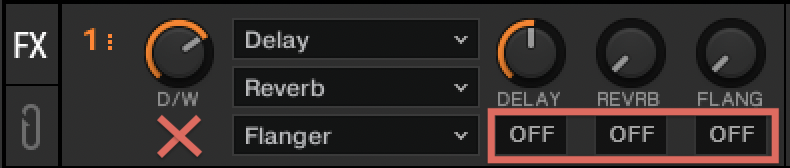
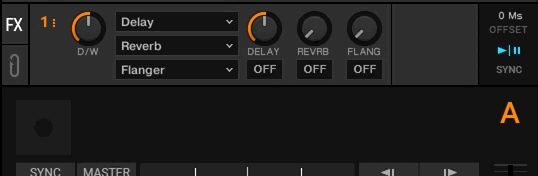
Note: If you do not see the FX Unit in the TRAKTOR software, you can enable the option Show Global Section in the TRAKTOR Preferences > Global Settings.
To resolve this, set the FX Unit to Single mode. In Single mode, the left-most button (ON) switches the effect on and off while the other three buttons / knobs control individual parameters of the effect.
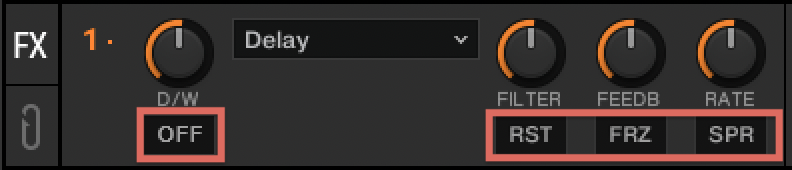
You can switch between Single and Group mode by doing any of the following:
1. Click on the number of the FX Unit and select Single or Group from the drop-down menu.
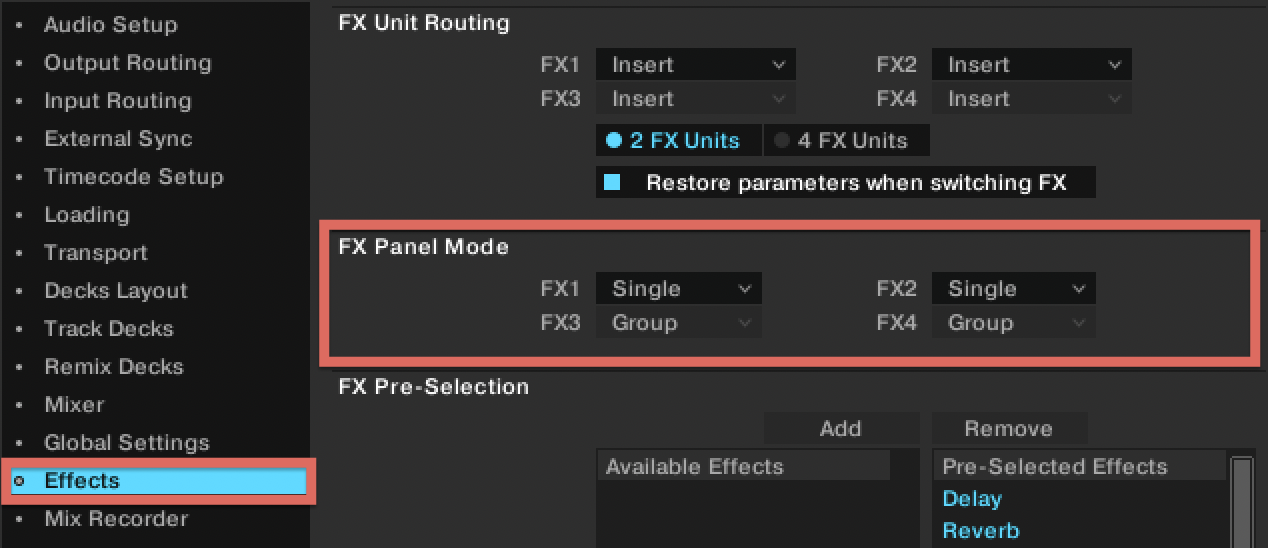
2. Select Single or Group under FX Panel Mode in TRAKTOR Preferences > Effects.
3. Switch between Single or Group directly from your TRAKTOR KONTROL controller. Please consult your controller's user manual to learn how to toggle between FX Panel modes.
Was this article helpful?
That’s Great!
Thank you for your feedback
Sorry! We couldn't be helpful
Thank you for your feedback
Feedback sent
We appreciate your effort and will try to fix the article