The Track BPM Detected by TRAKTOR is Half or Twice the Original BPM of the Track
During the analysis of a track, TRAKTOR may the tempo of a track to half or twice the original tempo. (e.g. 65 BPM or 260 BPM instead of 130 BPM).
In order to fix this, open the Beatgrid panel below the Deck where the track is loaded. Then click the button /2 to halve the track tempo or x2 to double it.
Depending on the style of music you play, you can avoid this issue by defining a certain tempo range for the Beat Detection. To do so, open the TRAKTOR Preferences and go to the tab Analyze Options (in older TRAKTOR versions it is the File Management tab). Then open the BPM Range menu and select the desired range: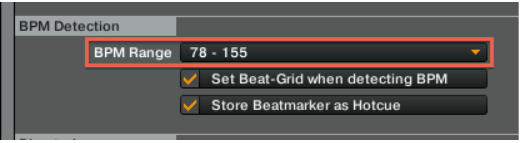
Was this article helpful?
That’s Great!
Thank you for your feedback
Sorry! We couldn't be helpful
Thank you for your feedback
Feedback sent
We appreciate your effort and will try to fix the article