Unfortunately, MASCHINE 1 projects can only be imported in MASCHINE 2 up to version 2.8.7.
Note: On macOS, this functionality is only available on systems running macOS 10.13.6 or a previous version.
Please follow these steps in order to temporarily downgrade to MASCHINE 2.8.7 and import your MASCHINE 1 projects in MASCHINE 2:
TABLE OF CONTENTS
Downgrade to MASCHINE 2.8.7
Import your MASCHINE 1 project in MASCHINE 2
- Start MASCHINE 2 standalone from:
- Mac: Macintosh HD > Applications > Native Instruments
- Windows: C: > Program Files > Native Instruments
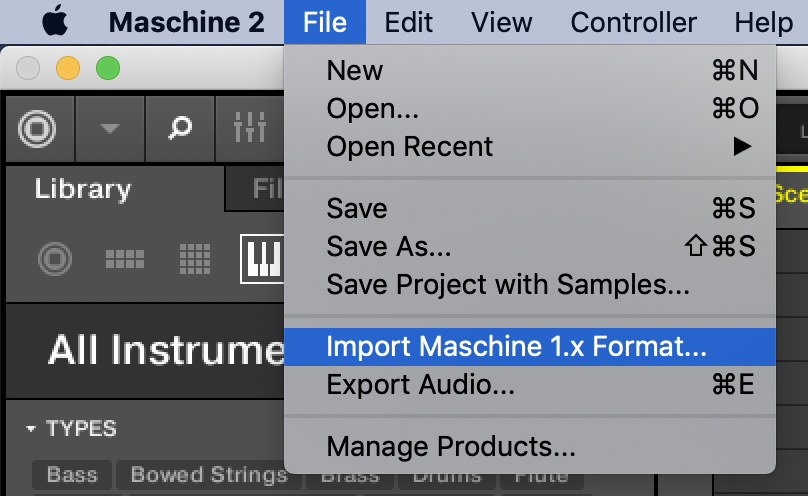
- Select File > Import Maschine 1.x Format...
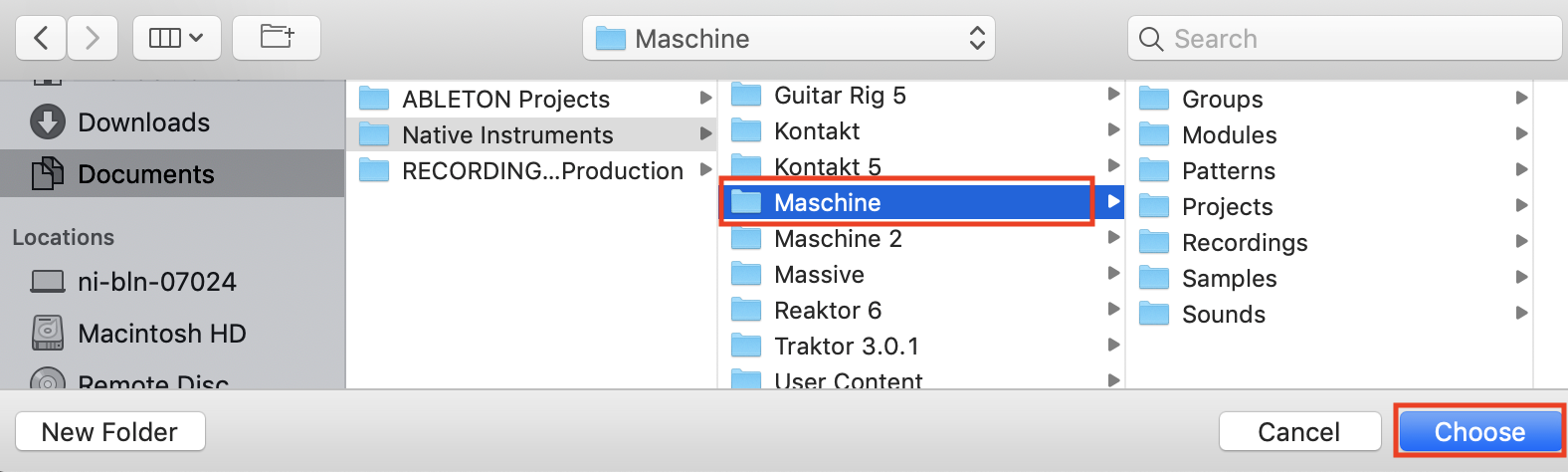
- Navigate to the main folder that contains all of your MASCHINE 1 user content. By default, the MASCHINE 1 user content path is:
- Mac: Documents > Native Instruments > Maschine
- Win: C: > Users > *Username* > My Documents > Native Instruments > Maschine
- Select the main Maschine folder and click Choose:
In order to see your imported MASCHINE 1 user content in MASCHINE 2's browser, make sure to select the Library Tab and set the Content Selector to User: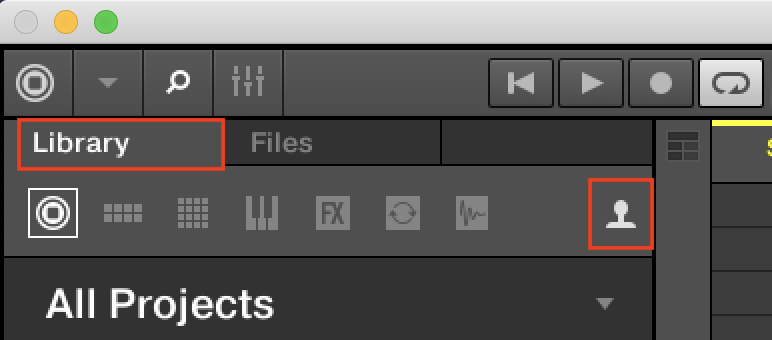
Reinstall MASCHINE 2
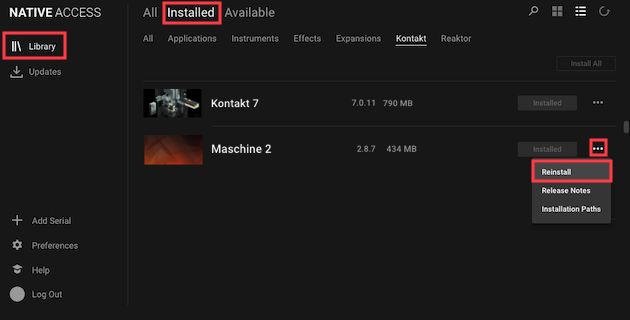
- Close MASCHINE 2 and start Native Access.
- Go to Library > Installed > Applications and select Reinstall from the three dots menu next to Maschine 2.
Now, you are ready to use your MASCHINE 1 projects in MASCHINE 2.
Was this article helpful?
That’s Great!
Thank you for your feedback
Sorry! We couldn't be helpful
Thank you for your feedback
Feedback sent
We appreciate your effort and will try to fix the article